Phishing at work: how to spot it and train your SME or NGO team
G. CHRIST
Published on November 4, 2026
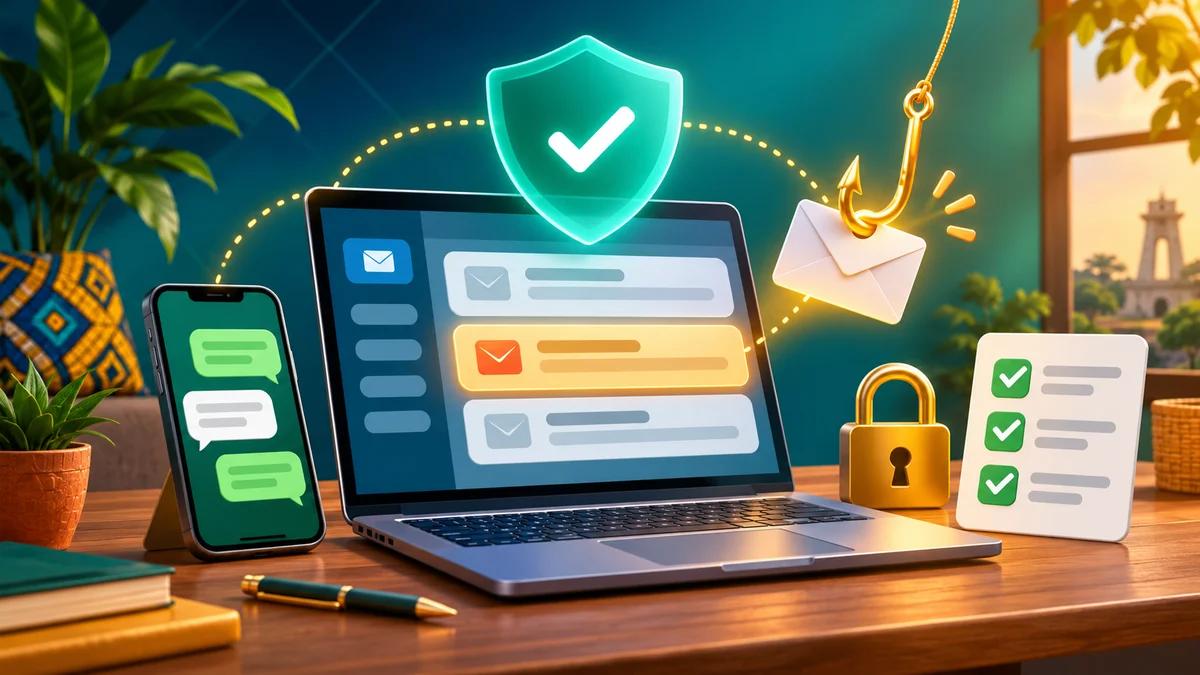
A WhatsApp message lands at 7:40 p.m. “Hi, it’s the CEO. Need an urgent payment to the supplier — I’m in a meeting, can you send 450,000 FCFA to this Moov number?” The tone feels familiar. The number is not the CEO’s. Three minutes later, the money is gone. This is not a movie plot. It is the most ordinary story we hear from SMEs, NGOs and public institutions across French-speaking West Africa — Benin, Côte d’Ivoire, Senegal, Cameroon — whenever the conversation turns to phishing and social engineering.
This article is not a remake of our guide on a hacked website. The topic here is human: how a deceptive message makes someone click, type a password, approve a transfer or read out an OTP. We explain what phishing looks like for a local organisation, the concrete red flags (fake WhatsApp, fake bank / MTN / Moov / Orange Money messages, fake donors, fake invoices, domain spoofing), what to do when someone already clicked, and how to put a short team charter / training in place — without jargon and without panic.
At Guelichweb, a web and automation agency based in Benin, we build websites, forms, professional mailboxes and workflows. We also see what happens when digital trust is poorly framed: a shared admin account, a personal Gmail used for donor quotes, a contact form with no filter… Our position is blunt. Technology matters. But without team awareness, the best antivirus in the world is not enough. For hands-on help (site, messaging, process), we issue a quote after a diagnostic, not a magic price grid invented for a blog post.
In short: phishing tricks a person into a dangerous action (click, pay, hand over a secret). Always check the sender and the URL. Confirm money requests on a second known channel. If someone clicked or gave a password: change it now, turn on two-factor authentication, keep the evidence, report without blame. Train the team for 45 minutes, then short refreshers — not a forgotten PowerPoint day.
Phishing and social engineering: what are we actually talking about?
Phishing is fraud that impersonates a trusted source — a bank, a mobile-money operator, a donor, a supplier, a colleague, an IT helpdesk — to push the victim into action. The English word plays on “fishing”: cast bait, wait for a bite. France’s cybermalveillance portal and ANSSI guidance on limiting cyber-attack impact describe phishing as one of the most common ways to steal credentials, bank details or access.
Social engineering is the wider frame: manipulating a person through fear, urgency, politeness, authority or greed. Phishing is only one channel (email, SMS, phone call, WhatsApp, fake website). Benin’s bjCSIRT notes that workplace messages often impersonate an executive, finance, IT or HR in order to bypass controls.
Two clarifications that matter for an African SME:
- Phishing ≠ website hacking. A hacked site is a compromised server or CMS. A successful phish is often a human who clicked or paid. The two can chain (stolen password → WordPress access), but the first line of defence is not the same.
- Phishing ≠ “magic virus”. Many successful attacks install no malware at all: a fake payment order, an OTP dictated over the phone, an invoice file that opens a login page. The victim believes they are helping.
In Benin, bjCSIRT has documented Business Email Compromise (BEC) attacks — mailbox impersonation used to divert payments. For 2020–2021, at least seven cases declared by large companies could have represented 600 to 700 million FCFA in potential losses (bjCSIRT figures, declared incidents only). An eight-person SME is not “too small” to be targeted: it is often less prepared.
Why SMEs, NGOs and institutions are easy targets
This is not about intelligence. It is about context:
- WhatsApp first. Quotes, deliveries and even “transfers” often move through voice notes or screenshots. The habit of trusting a personal phone spills into work.
- Mobile money everywhere. MTN MoMo, Moov Money, Orange Money: fast channels, sometimes irreversible. A fake SMS (“your account will be blocked”) or a fake “technician” call asking for the code you just received… and it is too late.
- Shared accounts. One `contact@` inbox open on three phones, a Facebook Ads password pasted in a WhatsApp group, a WordPress admin never rotated after a vendor left.
- Donor / deadline pressure. In an NGO, a “donor email” demanding a document “before tonight” short-circuits judgement. Urgency is the favourite weapon.
- Weak personal / work separation. The same phone receives clients, family and fake “support”. Without a professional email on your own domain, impersonation is even easier.
Add a poorly protected contact form or missing legal notice / privacy policy, and you also open attack angles (spam, impersonation of your organisation). That is not paranoia: it is hygiene.
Concrete red flags to teach (no jargon)
We recommend posting this grid in the office (or as a shared wallpaper). One signal proves nothing. Two or three together = handbrake.
1. Fake WhatsApp from “the boss” or “a colleague”
- A new number, or a foreign number, claiming to be a known manager.
- A request for money / airtime / codes, with a ban on “calling so you don’t disturb”.
- An unusual tone, or text-only when that person always sends voice notes.
- Time pressure (“in 10 minutes”, “before the bank closes”).
Reflex: call back the real number saved in your contacts — not the number in the message. If the real CEO says “I asked for nothing”, you just avoided a loss.
2. Fake bank / mobile-money emails (MTN, Moov, Orange Money)
- Odd domain: `mtn-money-support.com`, `orange-securite.net`, or a Gmail address posing as “Orange Money Service”.
- A shortened link or a URL that does not match the official site (hover before clicking; on mobile, long-press).
- A request to “re-enter” a PIN, secret code, or ID scan “to unlock”.
- An unexpected .html / .exe / .zip attachment labelled “statement” or “invoice”.
No serious bank or operator asks for your secret code by email or WhatsApp. Period. “Orange Money scam” queries show up strongly in Google autocomplete (5/5 countries we checked): the topic is in people’s heads — and in fraudsters’ playbooks.
3. Fake donors, fake partners, fake opportunities
- Funding “already approved” against an upfront processing fee.
- Word/PDF files with macros, or an unknown Drive link that asks for a Google login.
- An address that mimics a major donor with one letter wrong: `foundation-xyz.org` vs `foundation-xyy.org`.
Check the donor’s official website, call a known number, or use your network. A real donor does not ask you to pay in order to receive a grant.
4. Fake invoices and payment diversion (BEC)
A classic pattern documented by bjCSIRT on BEC: an email looks like your usual supplier, but the bank / mobile-money details have changed “after an audit”. Or a fake CEO orders a confidential transfer. Losses reach millions of FCFA when nobody calls to confirm.
- Any change of payment details = oral confirmation on a number you already know.
- Internal dual approval (two people) above a simple threshold (e.g. 100,000 or 200,000 FCFA — set yours).
- Be wary of “reply all” on a long thread: an attacker may have slipped in.
5. Domain spoofing and cloned login pages
Spoofing means making a message or site look like yours: `guelichweb.online` vs `guelichweb-online.com` vs `gue1ichweb.online` (capital i / digit 1). On a small phone screen, the difference vanishes. The clone copies a Gmail / Microsoft / intranet logo and captures the password.
Reflex: type the service address yourself in the browser, or use bookmarks. Never sign in through a link in an alert message.
What to do when someone clicked (or gave a password)
This is where many teams fail: panic, silence, blame. We prefer a short written procedure, posted visibly.
In the first 15 minutes
- Do not shame. An unreported click does more damage than a click admitted in two minutes.
- Kill the session: sign out of the affected service from another device if possible; change the password immediately from an official page typed by hand.
- Enable or verify two-factor authentication (2FA) on email, online banking, WhatsApp Business, ads accounts, hosting, CMS, and so on.
- Revoke sessions: “connected devices” in Gmail / Microsoft / Facebook / WhatsApp → disconnect unknowns.
- Keep the evidence: screenshot of the message, email headers, URL, time, any amount. Do not delete the message immediately.
If a payment was already sent
- Contact the mobile-money operator / bank at once (official number, branch) to try a freeze.
- File a complaint / report according to your country (police, local cyber platform).
- In Benin, also declare through bjCSIRT channels when the incident hits the organisation.
- Inform people whose data may have leaked (clients, beneficiaries) when required — your privacy framing is not decoration.
If the password was reused
Change it everywhere the same secret was used. Check whether the email appears in known breaches via Have I Been Pwned (public, free). That is not proof of an active attack, but it is a useful signal.
If the click led to a file / shady site
- Do not reopen the file.
- Scan the device (up-to-date antivirus); if doubt is strong, isolate the machine from Wi-Fi.
- Watch admin accounts on the website: odd logins, new users, redirects.
Short charter and team training (45 minutes, not a full day)
Forget the six-hour seminar with 80 slides. For an SME or NGO, we recommend this.
The one-page charter (sign or validate in a meeting)
- I never share my password, OTP or PIN — not with a “technician”, not with the “boss” by message.
- Any request for money or a change of bank / mobile-money details is confirmed on a second channel I already know.
- I check the real address and URL before clicking. If unsure, I do not click.
- I report any suspicious message to [name of the referee] without fear of punishment.
- I do not install an app or extension “to unlock a document” outside the IT process.
- I lock my phone and computer; I do not leave my session open in a cybercafé or at reception.
How to run the awareness session
- 10 min — three real local examples (WhatsApp boss, fake Orange Money, fake supplier invoice). Show the messages on screen; blur sensitive data.
- 15 min — workshop: the team votes “legit / suspect” on eight screenshots. Discuss every vote.
- 10 min — “I clicked” procedure (above) + who to call.
- 10 min — quick settings: email 2FA, WhatsApp session check, bookmarks for official sites.
Repeat a 10-minute refresher every quarter, or after every near miss (without publicly naming the person). Sector studies on continuous training programmes in Africa show susceptibility drops with repetition — not with a one-off event.
Minimum technical measures (complement, not substitute)
- Mailboxes on your domain, not only personal Gmail (guide).
- Unique passwords + a manager; 2FA everywhere it is available.
- Limited admin rights on the site and ads accounts; vendor departure = immediate revocation.
- Tested backups (see also our hacked website article).
- Contact form with anti-spam and a dedicated inbox (examples).
Frequent mistakes we still see
- Punishing the person who clicked. Result: nobody reports. The attacker gains time.
- Believing “we are too small”. Phishing automation does not check your revenue.
- Training only IT. Finance, reception and the director are the real targets.
- Confusing antivirus with culture. Antivirus does not read a WhatsApp voice note.
- Leaving access “for later” after a departure or an incident.
- Publishing too much internal detail (detailed org chart + named emails) without need — it feeds spear phishing.
FAQ
What is the difference between spam and phishing?
Spam is unsolicited commercial noise. Phishing tries to deceive in order to steal (money, access, data). A message can be both, but the action criterion differs: spam is ignored; phishing is reported and handled.
Can an SMS or WhatsApp message be phishing?
Yes. People sometimes say smishing (SMS) or messaging phishing. In Benin and Côte d’Ivoire, mobile-money and “fake support” scenarios are especially common. Same rules: do not click, call the official number.
What if I am not 100% sure?
Treat it as suspicious. Verify on another channel. Ask a colleague. A false positive beats a real transfer.
Do we need expensive phishing-simulation software?
Not to start. A manual session with eight screenshots and a written procedure already changes behaviour. Simulation tools help later with measurement, especially beyond 20–30 people.
Can phishing lead to a hacked website?
Yes: stolen admin credentials, hosting access, API tokens. If you suspect a site intrusion, follow our guide Website hacked: what to do.
Who to contact in Benin?
Internally: your referee. Externally: bank/operator for payments, bjCSIRT for organisational incidents, and the competent authorities for a complaint. Cybermalveillance resources (France) remain pedagogically excellent even outside France.
Conclusion: vigilance is a habit, not a talent
Phishing thrives where urgency replaces verification. For an SME, NGO or institution in French-speaking Africa, the good news is that the protective gestures are simple: second channel, 2FA, one-page charter, blame-free reporting. The hard part is repeating them.
If you want to frame your online presence concretely — site, pro email, forms, automations, access hygiene — write via the contact page. We run a diagnostic, then a tailored quote. No panic. No jargon. Just processes your team can keep on a rainy Tuesday in Cotonou.
To go further on the website side: secure after a hack, legal notice and privacy, and the offers page for tailored support.