How to create a professional email address with your own domain (free or paid)
G. CHRIST
Published on October 26, 2026

A quote sent from "shop.kpakpato2024@gmail.com" and the same quote sent from "quotes@your-company.bj" do not land the same way. The content is identical. Yet the second one reassures straight away: there is a name, a domain and an actual organisation behind it.
At Guelichweb, the professional email question comes up in almost every website project. Often late, too: the site is live and someone notices that the whole team still writes from personal Gmail accounts. This guide explains what a professional email address really is, the free and paid options available in 2026, how to set one up with your own domain name, and the technical settings many people skip even though they decide whether your messages reach the inbox or the spam folder.
What exactly is a professional email address?
A professional email address ends with your organisation's domain name, not with the domain of a consumer service. "firstname@gmail.com" is a personal address, even if you use it for work. "firstname@your-ngo.org" or "contact@your-business.bj" are professional addresses.
You need two separate things, and mixing them up causes most of the problems we see:
- A domain name: your address on the Internet, such as your-business.bj or your-ngo.org. You buy it from a registrar and renew it every year. Our guide to .bj domain names covers buying and managing one.
- An email service: the mailbox that receives, stores and sends messages. Google Workspace, Microsoft 365, Zoho Mail and the email included with a web hosting plan are all examples.
The domain is the street address. The email service is the letterbox in front of the house. You can swap the letterbox without changing the address, as long as you keep control of the domain. That is why we spend so much time on domain ownership further down.
Why Gmail alone is no longer enough for a serious organisation
We have nothing against Gmail. It is an excellent tool, and it is the very same software used inside Google Workspace. The issue is not the quality of the inbox. It is what the address says about you, and who controls it.
- Trust. Partners, donors and procurement teams receive scam attempts from free addresses every day. An address on your own domain removes a doubt before the email is even read.
- Ownership. When an employee leaves with "sales.department.xyz@gmail.com", they leave with your customer history. With an address on your domain, the organisation keeps the mailbox and can hand it to someone else.
- Consistency. Your website, business cards, signature and invoices all show the same name. It is a small branding detail that matters, especially when competitors already have it.
- Security. Professional email is managed from an admin console: you can enforce two-step verification, lock a compromised account and recover access without depending on a former employee's phone.
For an NGO or a public institution, ownership matters even more. Project teams change, consultants come and go, and reports must stay accessible for years. A personal inbox is not an archive.
Your options for a professional email address in 2026
There are four main families of solutions. None of them is "the best" in absolute terms. The right choice depends on how many people you have, the tools you already use and your budget.
Official Google Workspace logo and official Zoho Mail logo, taken from their public websites on 26/10/2026.
1. Google Workspace: Gmail on your own domain
Google Workspace is Gmail, Calendar, Drive, Meet and Docs, under your organisation's name. The interface is the one everybody already knows, which cuts training time a lot. Google offers a 14-day free trial, then a per-user subscription. The Business Starter plan includes 30 GB of storage per user.
On pricing, Google's help page on payment plans (its French version, which was more up to date than the English one at the time of writing) showed, when we checked it on 26/10/2026, around USD 8.40 per user per month on the flexible plan for Business Starter, or USD 7 with an annual commitment. Prices vary by country and currency, and Google changes them from time to time, so always check the amount shown in your own console before you commit.
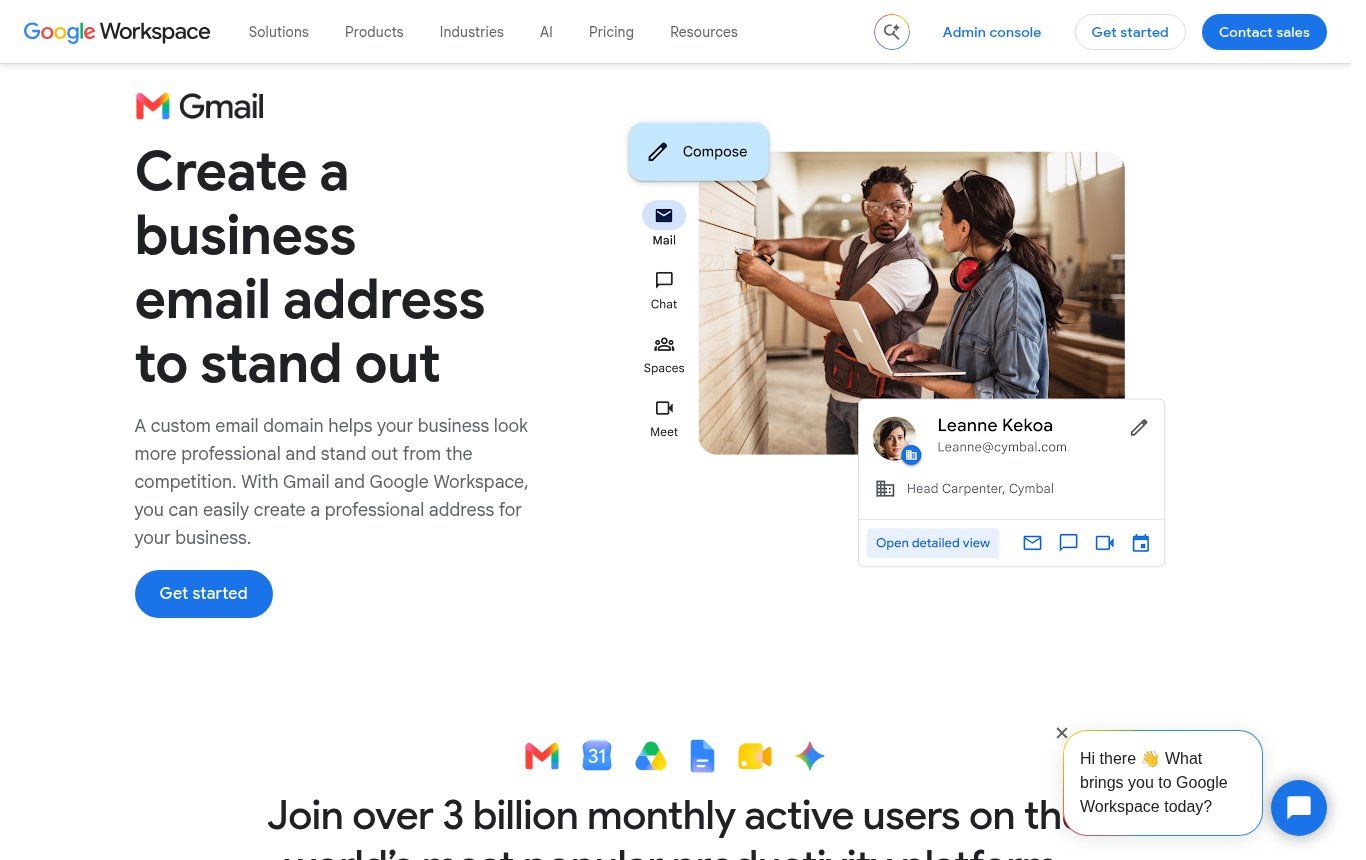
Source: Google Workspace business email page, workspace.google.com, screenshot taken on 26/10/2026.
Something few people know: email aliases are free. One person can receive contact@, quotes@ and billing@ without you paying for three licences. All the messages land in the same mailbox.
2. Microsoft 365: Outlook and the Office ecosystem
If your team lives in Word, Excel and Outlook, Microsoft 365 is the logical choice. Its email runs on Exchange, which is robust and very common in government bodies and large organisations. Business plans are priced per user, and some include the installable Office apps. As with Google, compare the plans on Microsoft's own site for your country, because prices and plan names change.
Our view: the choice between Google and Microsoft is rarely about email itself. It is about documents. A team that swaps complex Excel files with donors will feel more at home with Microsoft. A team that works mostly in the browser and on phones will lean towards Google.
3. Zoho Mail: the most credible free option
When people ask us for a free professional email address with their own domain, Zoho Mail is usually the honest answer. According to Zoho's pricing page, its free plan hosts email for one domain, for up to five users, with 5 GB per user.
The limits are real, and it is better to know them up front:
- access is through the Zoho website and mobile app; IMAP and POP, which let you use Outlook or Thunderbird, are not included in the free plan;
- only one domain is covered;
- Zoho states that the free plan is only available in some regions, so check that it actually appears for your country when you sign up.
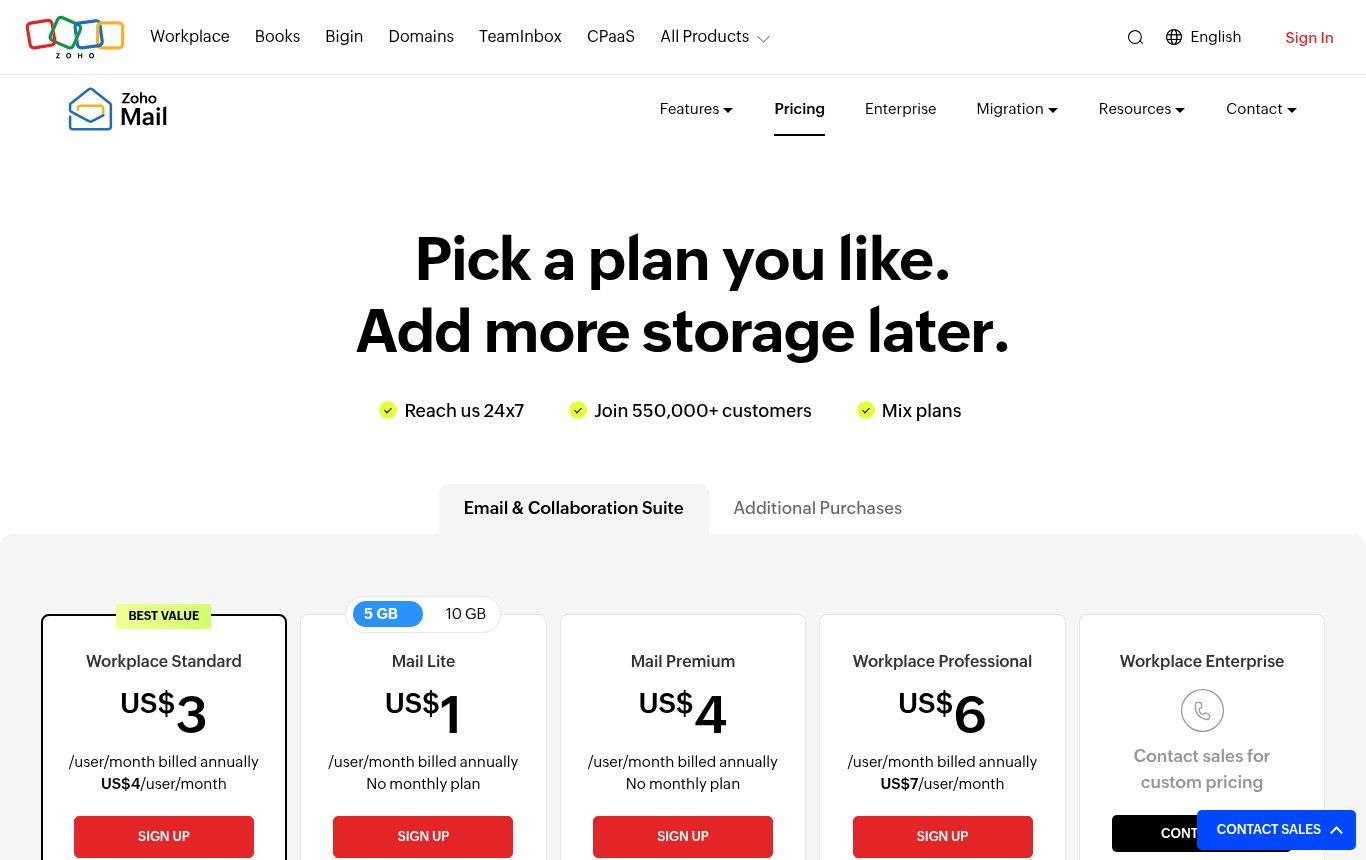
Source: Zoho Mail pricing page, zoho.com, screenshot taken on 26/10/2026.
Zoho's paid plans started at USD 1 per user per month, billed annually (Mail Lite), on the page we checked on 26/10/2026. Zoho also mentions special terms for non-profit organisations, which you request directly from them. For a small NGO or a young business of two or three people, it is often the best place to start.
4. The email included with your web hosting
Many shared hosting plans (those with a cPanel or Plesk dashboard, for instance) let you create mailboxes on your domain at no extra cost. It is convenient, but we stay cautious: storage is often limited, spam filtering is uneven, and on the day the site goes down or the hosting is not renewed, your email goes down with it. To understand what you are really paying for, read our comparison of free vs paid web hosting.
Regional providers also sell professional email, with local support and sometimes Mobile Money payment. That is a valid choice if the provider is reliable and transparent about backups and security. Always ask where the data is stored and how you get your messages back if you leave.
Free or paid: where we stand
A genuinely free address on your own domain does exist, but the domain itself is never free: you pay for it every year. After that, "free" is paid for in limits: number of users, storage, no IMAP, lighter support.
Our rule is simple. For a freelancer or an organisation of fewer than five people working mostly in the browser, Zoho Mail's free plan does the job well. As soon as you have a team, shared documents, frequent online meetings or donor requirements on data retention, a paid plan becomes a sensible investment. A licence costs little compared with a hacked account or a lost customer file.
What we strongly advise against: mixing solutions without a plan. Part of the team on the hosting mailbox, another part on Gmail, the director on a Yahoo address from 2012. It is the surest way to lose messages and make security impossible to manage.
How to create a professional email address, step by step
Screens differ from one service to another, but the logic is the same everywhere.
- Check your domain name. It must be renewed, registered in your organisation's name, and you need access to its management area (the DNS zone). If you do not have one yet, choose it carefully: short, easy to spell over the phone, no needless hyphens.
- Pick your email service using the criteria above, and create the admin account with a recovery address the organisation controls.
- Prove you own the domain. The service asks you to add a record (often a TXT record) to the DNS zone. Once it is detected, the domain is verified.
- Create users and aliases. One mailbox per real person, aliases for functions (contact@, quotes@, hr@).
- Update the MX records so that email is delivered to the new service. Google documents the steps in Set up MX records. Careful: from that moment on, the old mailbox stops receiving anything.
- Add SPF, DKIM and DMARC (see the next section). Do not skip this step.
- Test. Send messages to a Gmail account, an Outlook account and a phone. Check they do not land in spam, then reply to test incoming mail.
- Update everything: website, contact forms, signatures, invoices, Google Business Profile, social media, WhatsApp Business profile.
If you are moving from old mailboxes, import the messages before switching the MX records, and pick a quiet moment, such as a Friday afternoon, rather than the day before a tender deadline.
MX, SPF, DKIM, DMARC: the settings that get your email delivered
This is the part many people skip, and it is where we see the most trouble. A badly configured professional address can be received worse than a Gmail address. Here are the four records to know, in plain words:
- MX: tells the whole Internet which server receives mail for your domain.
- SPF: the list of servers allowed to send email on your behalf. Google explains how to set up SPF.
- DKIM: a digital signature added to every message, proving it was not altered on the way. See Set up DKIM.
- DMARC: the instruction given to receiving inboxes when a message fails those checks (let it through, quarantine it or reject it), with reports that help you spot spoofing. See Set up DMARC.
This is not technical vanity. Since 1 February 2024, Google's email sender guidelines require everyone writing to Gmail accounts to have at least SPF or DKIM, an encrypted connection, and a reported spam rate below 0.3%. Senders of more than 5,000 messages a day must also have SPF, DKIM and DMARC, and offer one-click unsubscribe in marketing emails. A domain without authentication sees its messages rejected or filed as junk.
To check your setup, the free Check MX tool in Google Admin Toolbox reads your records and flags common mistakes.
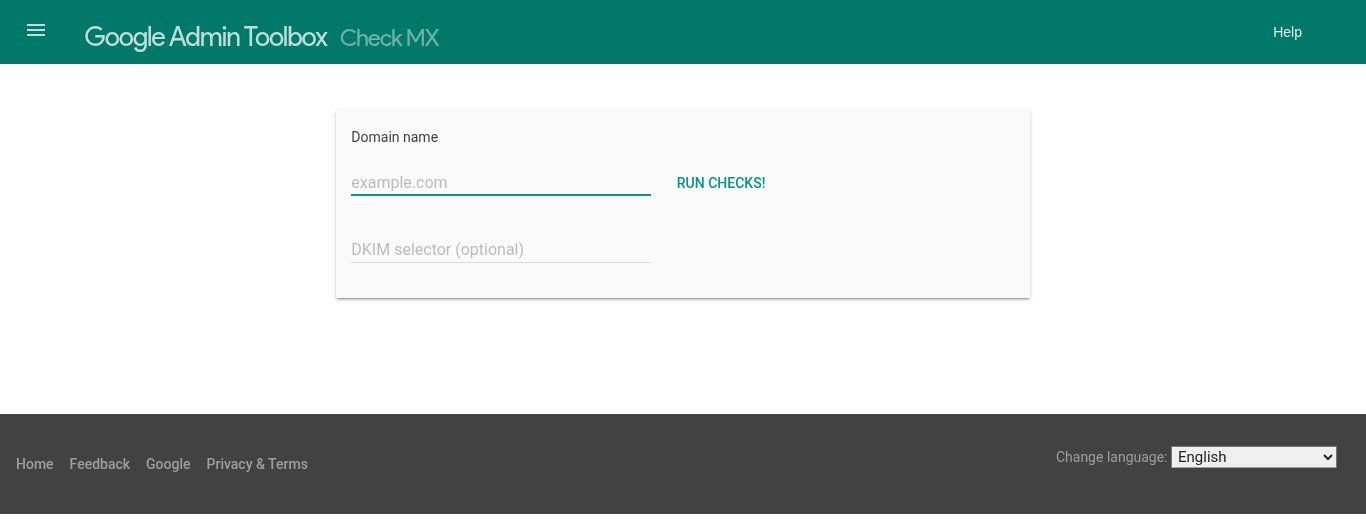
Source: Check MX tool, Google Admin Toolbox, toolbox.googleapps.com, screenshot taken on 26/10/2026.
A practical tip: if your website also sends email (contact form, order confirmation, newsletter), that service must be listed in your SPF record and sign with DKIM. Otherwise, the most important messages of all, the ones from your customers, are the ones that go missing. And if your site still runs on HTTP, fix that too: our article on SSL certificates explains why.
Which addresses to create, and how to name them
A good address plan fits on one page. We usually recommend:
- one named address per person: firstname.lastname@ or firstname@ for small teams. Pick one format and use it for everyone;
- role aliases: contact@, quotes@ or sales@, billing@, jobs@. They survive staff changes, since you can reassign them in two clicks;
- no numbers or cryptic abbreviations: "dg2@" or "cmrcl@" are hard to dictate over the phone and do not inspire much trust;
- a separate admin address, used only to manage the console, protected by strong two-step verification.
Keep signatures simple: name, role, organisation, phone number, link to your website. There is no need for five logos and an inspirational quote; many mail apps display them badly on phones.
Who owns what: the question nobody asks
We have seen too many organisations lose access to their domain because a contractor, a former employee or a helpful cousin bought it on their own account. The day that person cannot be reached, nobody can change the MX records or renew the domain. Email stops dead.
Before anything else, check the following:
- the domain is registered in the organisation's name, with a contact address it controls;
- at least two trusted people have admin access, each with their own account;
- passwords are not shared in a WhatsApp group, and two-step verification is on for everyone;
- there is a leaving procedure: suspend the account, forward messages to the replacement, keep archives where needed.
At Guelichweb, when we build a website, the domain and all access stay in the client's name. That is not negotiable. A provider who keeps your domain hostage is not a partner.
The mistakes we run into most often
- Changing MX records without warning anyone. For a few hours some messages reach the old server, others the new one, and nobody understands where the email went.
- Sharing one mailbox between ten people with the same password. You cannot tell who sent what, and a single lost phone exposes everything.
- Forgetting SPF and DKIM, then wondering why sales offers end up in spam.
- Sending a newsletter from a personal mailbox to hundreds of contacts. The domain is quickly flagged as a bulk sender. Use an emailing tool configured on your domain.
- Letting the domain expire. The renewal reminder goes… to the address that depends on that very domain. Put an alert in a shared calendar.
NGOs, institutions and small businesses in French-speaking Africa
A few realities on the ground change the picture compared with guides written for Europe or North America.
The phone is the main workstation. Many teams read email only on smartphones. Choose a service with a good mobile app, and show people how to set it up properly instead of forwarding everything to their personal Gmail.
Payment matters. The big services are mostly paid by international bank card. Check in advance which payment method your organisation can use, and who will renew it next year. A subscription suspended because a card expired means email that stops.
Donors ask questions. An NGO handling beneficiary data must be able to say where its messages are stored and who can access them. Professional email with an admin console makes those answers easier. Our article on what an NGO website should include also covers the digital credibility partners expect.
Email does not live alone. Requests also come in through WhatsApp, the website form and the phone. A professional address is most valuable when it feeds a shared follow-up system, such as a CRM or an automation that brings requests together. That is exactly the kind of work we do in our digital transformation projects.
How much does a professional email address cost?
Add up three things: the domain name (renewed every year), the email subscription (free with Zoho within its limits, or per user elsewhere), and the setup time. That last item is the one most often underestimated: DNS, moving old messages, setting up phones, training the team.
You can do it all yourself if you are comfortable with a DNS zone. If you would rather have help, Guelichweb handles the full setup, from the domain to sender authentication, alongside your website or on its own. We do not publish a one-size-fits-all package: we first assess your situation, then send you a tailored quote, as explained on our offers page. Details of what we do are on our services page.
Frequently asked questions
Can I create a free professional email address?
Yes, on your own domain, with Zoho Mail's free plan (up to five users, 5 GB each, depending on your region) or the email included with some hosting plans. The domain name itself still costs money every year.
Can I have a professional address without a domain name?
Not really. An @gmail.com address stays a consumer address, even with a serious name in front. What makes an address professional is the organisation's domain after the @.
How do I get a professional email address with Gmail?
By subscribing to Google Workspace with your domain name. You use the usual Gmail interface, but your addresses end with your domain and the organisation keeps control of the accounts.
What is the difference between a mailbox and an alias?
A mailbox is an account with its own password and storage. An alias is an extra address that forwards to an existing mailbox. In Google Workspace, aliases are not billed as users.
My business emails land in spam. Why?
Most of the time, SPF, DKIM or DMARC are missing or wrong, or a tool (website, invoicing software, newsletter) sends on your behalf without being authorised. Check your records with a tool such as Check MX, then fix the DNS zone.
Do I need a new address if I change host or website?
No, as long as you own the domain. You move the email service by changing the MX records; the addresses stay the same.
How long does the whole setup take?
For a small organisation starting from scratch, the setup itself takes a few hours. DNS changes can take a little longer to spread. A migration with old messages and several users needs proper preparation.
In short
A professional email address is a domain you own plus a well-chosen email service: free Zoho Mail to start small, Google Workspace or Microsoft 365 for a team, hosting mailboxes as a stopgap. The real work lies elsewhere: authenticating your email with SPF, DKIM and DMARC, naming addresses with method, and keeping ownership of the domain and admin access inside the organisation.
Want clean email on your own domain that actually reaches your customers' and partners' inboxes? Contact Guelichweb: we look at your domain, your tools and your team, then propose a setup that fits. And if you do not have a website yet, our website design service in Cotonou covers these questions from day one.