What is a CRM? A simple definition, examples and which free CRM to choose for a small business or a nonprofit
G. CHRIST
Published on October 20, 2026
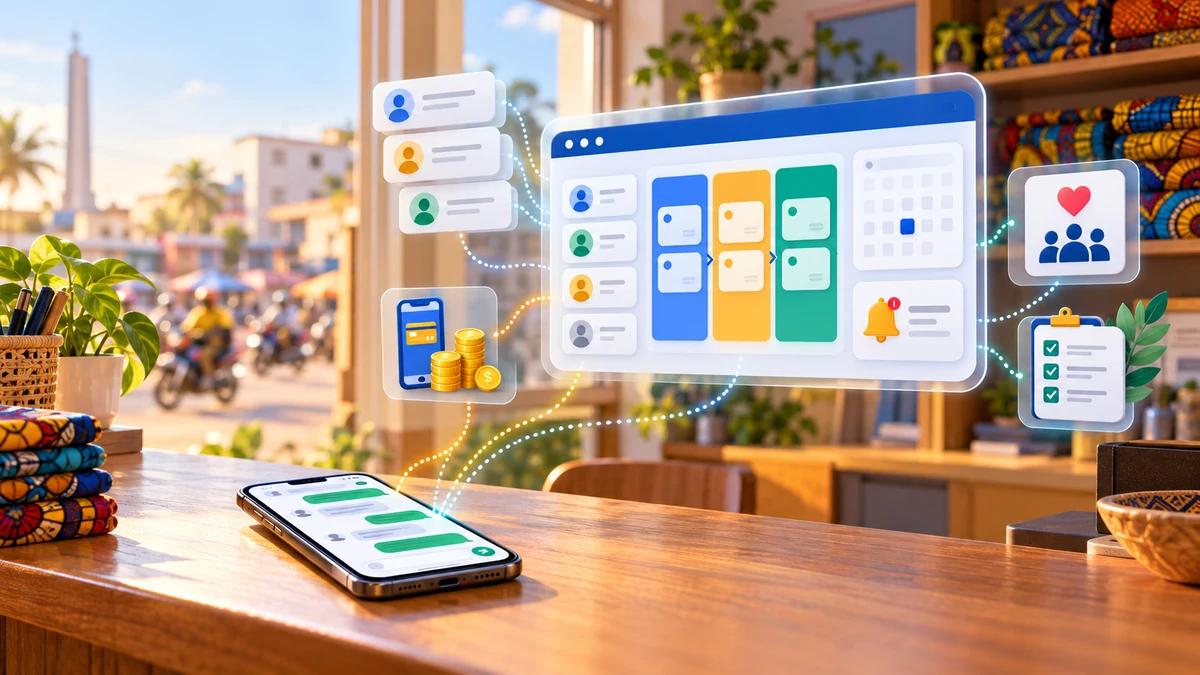
A notebook next to the till. Three hundred WhatsApp chats on the manager's phone. An Excel file called "clients_final_v3" that nobody dares to open. If that sounds familiar, you already have a CRM. It's just scattered, and it forgets things. The customer who asked for a quote three weeks ago never got a follow-up. The donor who supported your organisation last year has heard nothing since. The salesperson who left took her contacts with her.
Type "crm" into Google from Cotonou, Abidjan, Dakar or Paris and the suggestions tell the same story: "what is a crm", "crm examples", "free crm for small business", "free crm for nonprofits". People want to understand it, see real cases, and know whether they can start without paying. At Guelichweb, we set up CRMs and automations for SMEs, NGOs and institutions in Benin. Here's what we explain to each of them, without jargon, with the free plans checked on the vendors' official websites on 20 October 2026.
What is a CRM? The simple definition
A CRM (Customer Relationship Management) is a tool that brings together everyone you work with (customers, prospects, donors, beneficiaries, partners), the history of your exchanges with them and the next action to take for each one.
Salesforce, one of the largest vendors, puts it this way: "It's a technology for managing all your company's relationships and interactions with customers and potential customers" (Salesforce). The term actually covers two things: an approach (putting the customer at the centre and leaving nothing to chance) and the software that makes that approach work day to day. When people say "we installed a CRM", they mean the software. When the CRM is useless six months later, it's almost always the approach that was missing.
What you find inside a CRM
- Records: one per person or organisation, with contact details, WhatsApp number, town and the source of the contact (website, trade fair, referral, Facebook).
- Deals in progress: each quote or request is a card that moves through a "pipeline", a series of stages such as "request received", "quote sent", "negotiation", "won" or "lost".
- History: calls, messages, meetings, notes and documents sent, all attached to the right record.
- Next actions: the follow-up planned for Thursday, Monday's meeting, the contract that expires next month.
That's it. Everything else (automatic emails, dashboards, AI, lead scoring) is built on top of those four blocks. If a tool doesn't do those four things well, its advanced features won't save you.
What does a CRM actually do for you?
Our view is clear: the first benefit of a CRM isn't selling more. It's no longer forgetting. The sales follow, but that's where they come from.
- No more lost requests. Every incoming message becomes a record. Nobody can say "I thought you'd called him back" any more.
- Follow up at the right time. A quote with no reply after five days shows up on today's list. It's the quickest and most visible win.
- Keep the organisation's memory. When someone leaves, their contacts and conversations stay. For an NGO whose teams change with each project, that's vital.
- Know where you stand. How many quotes are pending and for how much, how many new contacts came in this month, and where they came from. You can't get those numbers out of a phone.
- Serve people better. When a customer calls back, you see their last order and last complaint before you pick up. They feel recognised, and that pays off in loyalty.
CRM examples: what it looks like in practice
The big vendors' examples talk about multinationals and call centres. Here are four typical situations we come across in Benin and West Africa instead. They're illustrative examples, not clients.
A shop in Cotonou that sells on WhatsApp and Facebook
Orders come in by message, day and night. In the CRM, each customer has a record with their neighbourhood, their purchases and how they usually pay (cash or Mobile Money). The pipeline is short: "request", "price sent", "paid", "delivered". Every Monday, the manager filters the customers who haven't bought anything for two months and sends them the week's new arrival. Nothing sophisticated. But without records, that follow-up message never happens.
A service company that answers tenders
A consultancy, a maintenance company or a communications agency. There are fewer deals, but they're bigger and they drag on for weeks. The CRM keeps each opportunity with its value, the contact person, the submission deadline and the documents sent. The director sees at a glance what could close this quarter, and nobody misses a submission date.
An NGO or a nonprofit
Here the "customer" takes many forms: donors, funders, beneficiaries, volunteers, institutional partners. The CRM tells you who gave what and when, who took part in which activity, which funder expects which report, and stops you from asking the same person three times. The day a funder asks how many beneficiaries were reached in a given district, you find the answer in two minutes instead of two days.
A training centre or an institution
Applicants sign up through a form on the website, a record is created automatically, a confirmation message goes out, and the pipeline tracks "application", "complete file", "interview", "enrolled". Reminders for incomplete files go out in batches instead of one by one.
CRM, Excel or Google Sheets: when should you switch?
This may surprise you: for a very small organisation, a well-built spreadsheet is a very good first CRM. One row per contact, clear columns, a form that feeds the sheet. We explain how in What is Google Sheets?. The "crm excel" and "crm google sheets" suggestions show that plenty of people start there.
A spreadsheet reaches its limits when you tick at least two of these boxes:
- Several people edit the file and you no longer know who changed what.
- You want to see a contact's full history, not just their latest row.
- You need automatic reminders (a follow-up five days later, a membership renewal date).
- You manage deals that go through several stages and want to see them in columns.
- You have more than a few hundred active contacts and the file gets slow on a phone.
At that point, moving to a real CRM doesn't necessarily cost anything in licences. There are solid free plans, as long as you read their limits carefully.
Which free CRM for a small business? (checked on 20/10/2026)

Source: official HubSpot, Zoho CRM, Odoo and CiviCRM logos, as shown on their websites (20 October 2026).
We reread each vendor's official page on 20 October 2026. Limits change often, so check again when you sign up. We only repeat what the vendor states in writing.
HubSpot CRM: the easiest way to start
According to its official page, HubSpot's free CRM comes "with up to two users, 1,000 contacts, and no limits on customer data", is "100% free, with no expiration date", and needs no credit card (HubSpot). It's easy to pick up and has a mobile app for Android and iOS. It's the best choice for a freelancer or a two-person team that wants to get rid of the notebook this week.
Our caveat: HubSpot is designed to move you up to its paid plans, which are billed per seat. As soon as you want required fields, multiple currencies or to remove the HubSpot branding, you pay. And two users is a limit you reach quickly.
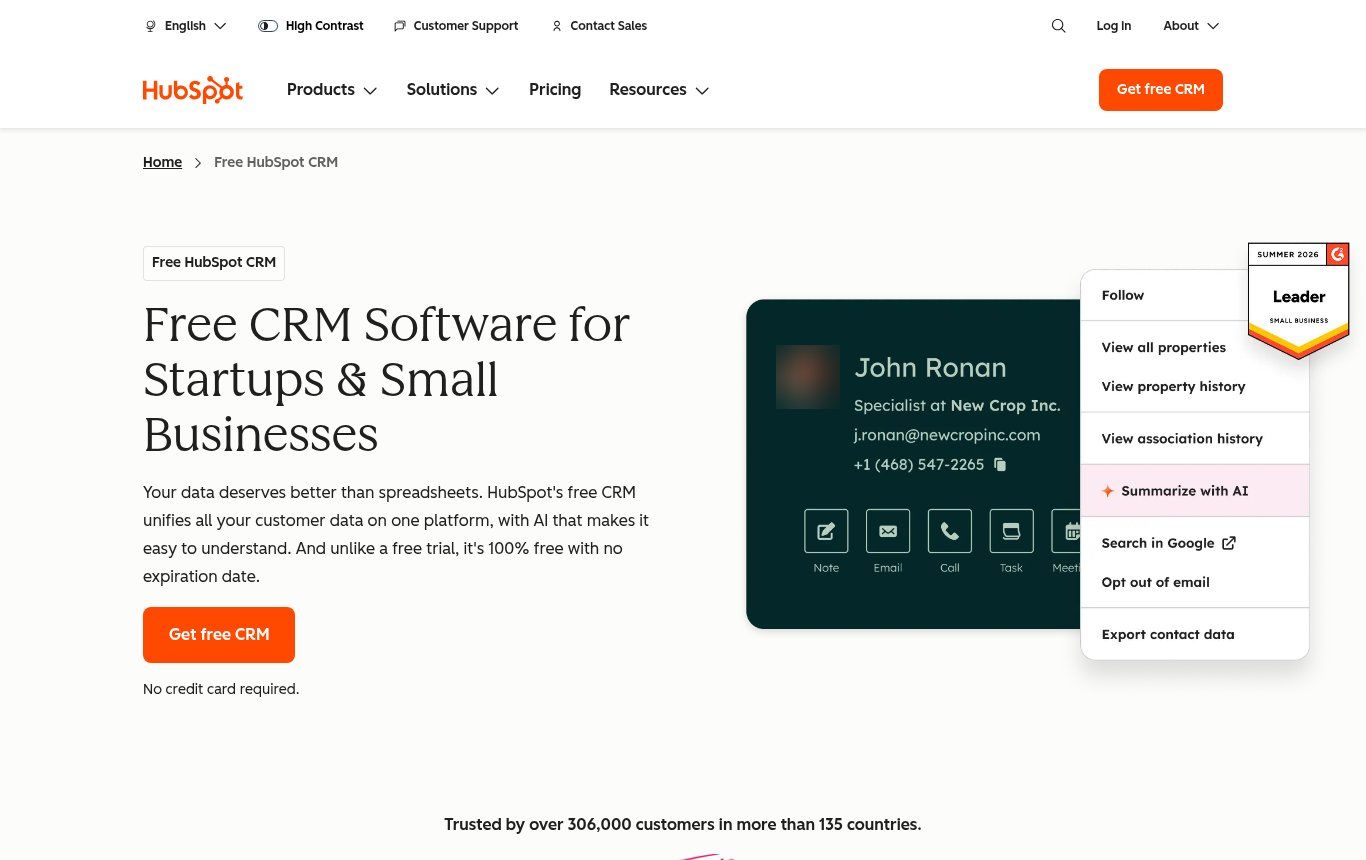
Source: hubspot.com, "Free HubSpot CRM" page, screenshot taken on 20 October 2026 (profile photo in the mock-up blurred by us).
Zoho CRM: more structure for a small team
Zoho CRM's free edition "can support up to 3 users", lets you "store up to 5,000 records in all modules", includes 1 GB of file storage and limits automation to a handful of routine workflows (Zoho). It covers leads, contacts, deals, tasks and web forms that send your website's requests straight into the CRM.
It's the right choice for a team of three that wants a real sales process. It takes a little longer to learn than HubSpot, and the 5,000 records cover everything (contacts, deals, tasks), not just contacts.
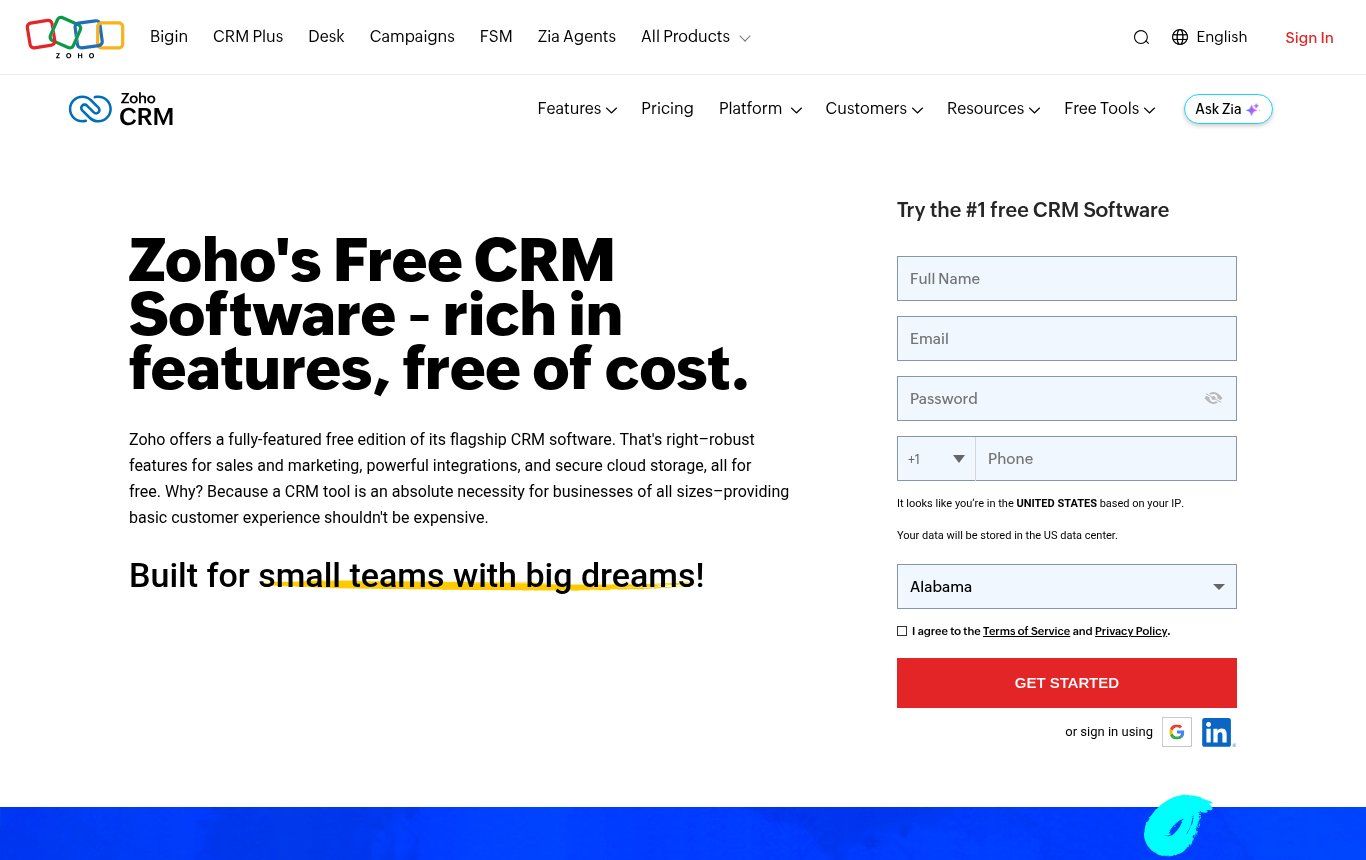
Source: zoho.com, "Free CRM" page, screenshot taken on 20 October 2026. The form shows "United States" because the screenshot was taken from a US-based server.
Odoo: free for the whole team, as long as CRM stays on its own
Odoo offers a "One App Free" plan at $0: a single app, "unlimited users", hosted on Odoo Online (Odoo). If the app you pick is CRM, your whole team can use it without paying. That's rare, and it's the best free option for an organisation of 5 to 20 people.
The catch is in Odoo's own FAQ: you move to the paid Standard plan simply by installing additional apps. The day someone adds invoicing, inventory or the website builder, you switch to a per-user subscription. Decide from day one who is allowed to install apps.
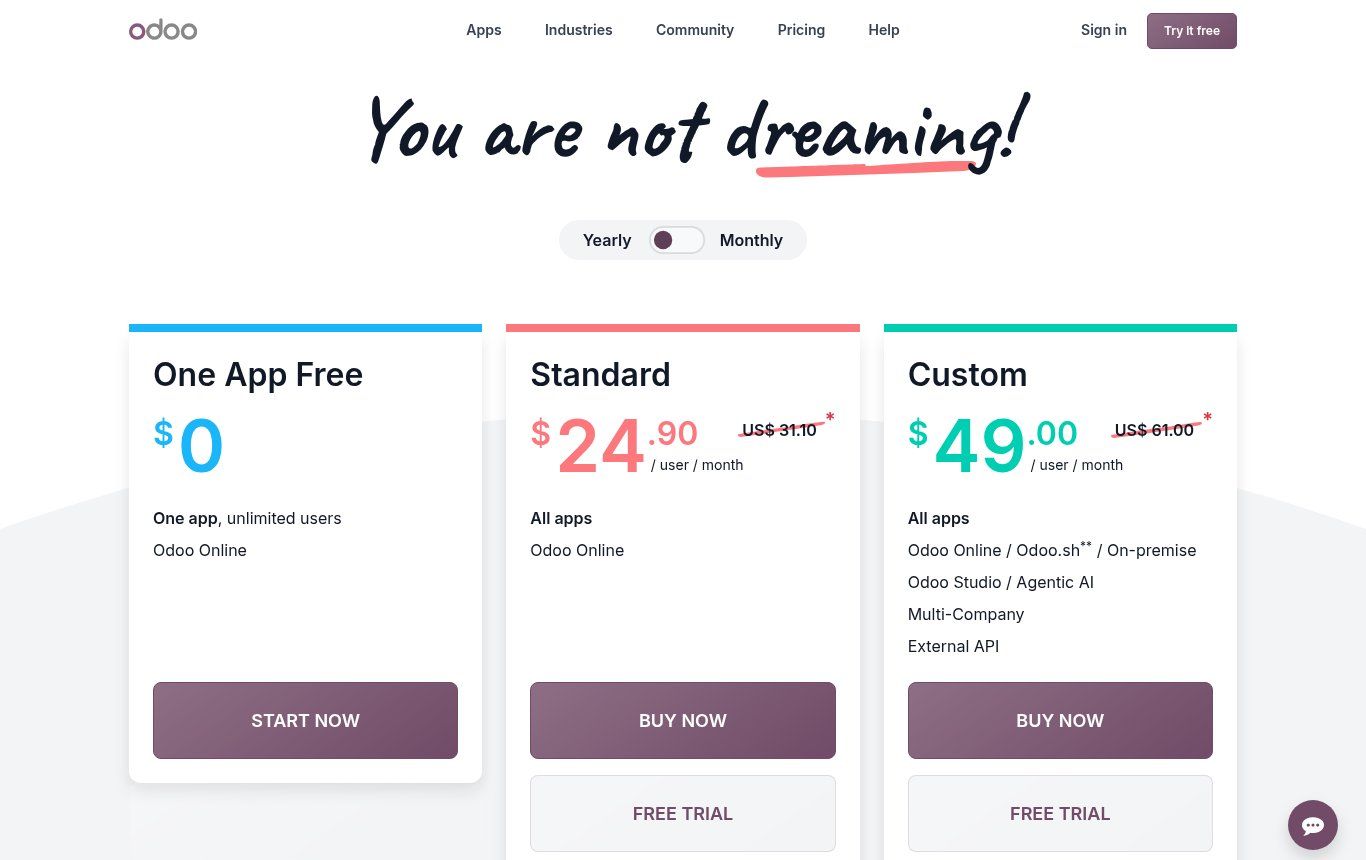
Source: odoo.com, "Pricing" page, screenshot taken on 20 October 2026.
Bitrix24: CRM, tasks and internal chat
Bitrix24's pricing page shows a Free plan that is "100% free for 1–2 users", with 5 GB of storage, a "Basic CRM (deals, contacts)", tasks, shared calendars, chat and video calls (Bitrix24). The FAQ on Bitrix24's French site still mentions unlimited users, so check when you sign up. One point that matters a lot here: WhatsApp integration only appears from the Basic plan, listed on 20 October 2026 at US$49 per month billed annually (US$69 billed monthly) for 5 users. We couldn't take a usable screenshot of this page: a promotional banner and a cookie notice covered the plans table.
Which free CRM for a nonprofit or an NGO?
In French-language search results for "crm gratuit pour association" (free CRM for associations), the top results are dominated by French membership-management tools: memberships, ticketing, tax receipts and card payments through Stripe. They're well made, but they're designed for a French association. For a Beninese NGO managing beneficiaries across several districts, international funders and Mobile Money payments, they often miss the point. Here's what we look at instead.
CiviCRM: the open-source CRM built for nonprofits
CiviCRM is open-source software, "used primarily by nonprofits and organizations", that "allows you to own your data" (CiviCRM). It handles contacts, donations, memberships, events and bulk emails, and it integrates with WordPress, Drupal, Joomla or Backdrop. The software is free. Hosting, installation and maintenance are not: the official site itself says self-hosting is for experts only. It's an excellent choice for an NGO with a WordPress site and a reliable technical provider, and a poor one for a nonprofit with nobody to look after it.
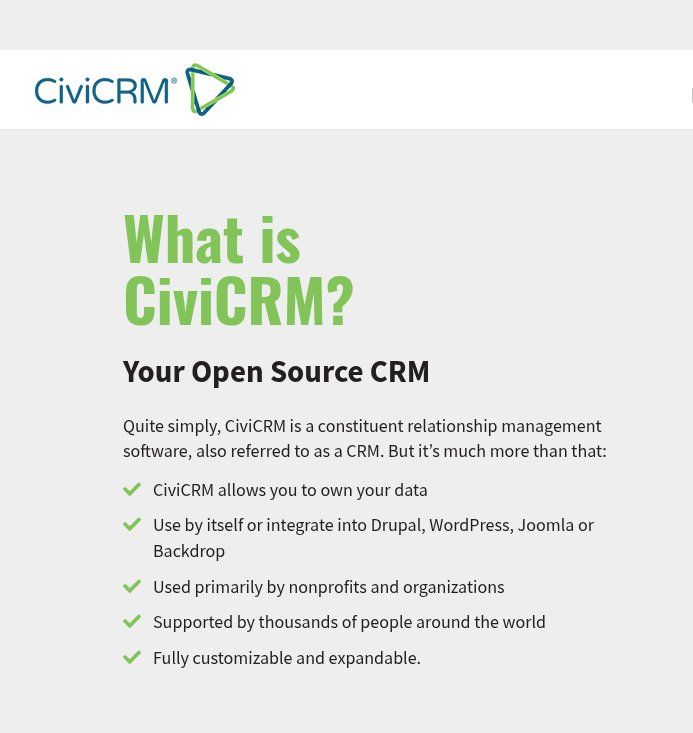
Source: civicrm.org, "What is CiviCRM?" page, screenshot taken on 20 October 2026, cropped to the text.
Salesforce for NGOs: 10 donated licences, with conditions
Salesforce's Power of Us programme gives eligible organisations "10 donated Enterprise Edition licenses, free of charge", and they don't expire (Salesforce Help, 16 October 2026). To qualify, the organisation must be recognised as a charitable, nonprofit or non-governmental organisation in its own country, provide a tax ID and legal documents, and approval is at Salesforce's discretion. Our view: it's a very generous offer for a well-structured NGO with an integration budget. Salesforce is powerful but heavy, and without a partner to configure it, the free licences go unused.
What about "regular" free CRMs?
For a small nonprofit, the free plans of HubSpot or Zoho work very well: just rename "contacts" to "members" or "donors" and "deals" to "donations" or "projects". Odoo is worth a look if you have many volunteers who all need access. The deciding factor isn't a "for nonprofits" label. It's who will enter the data, on which device, and who is responsible for it.
What the comparison sites don't tell you: free CRMs in West Africa
Almost every comparison at the top of the search results is written for Europe or North America: prices in euros or dollars, GDPR, European hosting, email as the main channel. The reality here is different, and it changes the choice.
- WhatsApp is the real sales channel. Check whether WhatsApp integration is included in the free plan. It often isn't (at Bitrix24, it starts with the Basic plan). The alternative is to connect WhatsApp Business and your CRM with an automation, as we describe in n8n or Make.
- Mobile Money isn't built in. None of the free CRMs listed here handles MTN MoMo or Moov Money natively. A "payment method" field and an automation that records the payment are enough in most cases.
- Phone first, computer second. Test the mobile app on an average 4G connection, not on the office fibre. If adding a contact takes more than 30 seconds, the team won't do it.
- The international bank card. The day you move to a paid plan, you'll pay in euros or dollars. Sort this out with your bank in advance.
- Personal data. In Benin, the Digital Code (Law No. 2017-20 of 20 April 2018) governs personal data in its Book V, under the supervision of the APDP (text of the Code, in French). A CRM holds personal data by definition: know where it's hosted and who can access it, and get consent before you send messages.
Setting up a CRM without turning it into a monster
Most abandoned CRMs weren't dropped because of the software. They were dropped because people tried to do everything in the first month. Here's the order we follow.
- Draw your pipeline on paper. Four to six stages, with names the whole team understands. If you can't draw it, no software will do it for you.
- Pick ten fields at most. Name, WhatsApp number, town, source, status, next action, value. Every extra field is one more reason not to fill in the record.
- Clean up before importing. Duplicates, numbers without a country code, names in random capitals: a messy import kills trust in the tool in the first week.
- Name an owner. One person checks every Friday that records are up to date. Without that person, the CRM turns back into a forgotten notebook within a month.
- Connect the inputs. The website form, the WhatsApp button and the Facebook page should create records automatically. The less re-typing there is, the more the tool gets used.
- Hold a weekly review. Fifteen minutes on Monday with the pipeline on screen: what's stuck, and who follows up with whom.
- Measure after 30 days. Requests received, response time, quotes followed up. If those numbers don't move, fix how the tool is used before you change tools.
How much does a "free" CRM really cost?
The licence can be free. The project rarely is. You have to count the setup time, importing contacts, training the team, the automations that link the CRM to WhatsApp and to the website, and the day you outgrow the free plan's limits. That's no reason to do nothing. It's a reason to start small, with a goal you can measure.
At Guelichweb, we don't quote prices at random: every CRM project gets a quote after a diagnosis, as explained on our offers page. To see how an automation budget is built, read how much does AI automation cost in Benin as well.
A CRM doesn't work alone
A CRM shows its full value when it's connected to everything else: the website that generates requests, WhatsApp that receives them, the automation that creates the record and schedules the follow-up. We describe that chain in Website, WhatsApp and CRM: the trio that changes sales for an SME in Cotonou. And if you wonder how far it can go, an AI agent can read the CRM, qualify a request and draft the reply, as long as the data is clean. Without a CRM, AI has nothing reliable to read.
CRM FAQ
What does CRM stand for?
CRM stands for Customer Relationship Management. The term refers both to the approach and to the software that brings together your contacts, your conversations and your deals in progress.
What is a simple example of a CRM?
A shop that creates a record for every WhatsApp customer, tracks each order from "request" to "delivered" and automatically follows up with customers who haven't bought anything in two months. HubSpot, Zoho CRM, Odoo CRM and Bitrix24 are examples of CRM software.
What is the best free CRM for a small business?
There's no single winner. On your own or with one colleague: HubSpot (2 users, 1,000 contacts). Up to three people: Zoho CRM (3 users, 5,000 records). A larger team: Odoo with the CRM app only (unlimited users). Limits taken from the official pages on 20 October 2026.
Is there a free CRM for a nonprofit or an NGO?
Yes. CiviCRM is a free, open-source CRM designed for nonprofits, but it needs hosting and a technical provider. Salesforce donates 10 licences to eligible NGOs through Power of Us. For a small nonprofit, the free plans of HubSpot or Zoho are often enough.
Can an Excel file be used as a CRM?
Yes, to get started and for a very small team. It stops being enough when several people edit the file, or when you want a history per contact or automatic reminders.
Can a CRM be connected to WhatsApp?
Yes, either through a native integration (often limited to paid plans) or through an n8n or Make automation that creates the record and logs every conversation. It's one of the projects we deliver most often.
Related reading: What is the WhatsApp Business API, What is Zapier and What is Canva.
Want to know which CRM fits your organisation?
We start by following the path of one request through your organisation, from the first message to payment, to see where it gets lost. Only then do we choose the tool, which is often free to begin with. Explore our services, our WhatsApp chatbot and automation in Benin page and our offers.
Let's talk about your project: [contact us](https://guelichweb.online/en/contact) for a first conversation and a diagnosis.