What is the WhatsApp Business API? 2026 pricing and how it differs from the WhatsApp Business app
G. CHRIST
Published on October 20, 2026

"Should we move to the WhatsApp API?" That question almost always follows the discovery of a WhatsApp chatbot. A second, more anxious one comes right after: "And how much does it cost?" What you find online doesn't help much. French and European guides quote prices for France. African articles often date from 2025, before Meta changed its rules again. And the official sales page itself isn't up to date, as we'll see below.
At Guelichweb, we connect WhatsApp to websites, CRMs and automations for SMEs, NGOs and public institutions in Benin. Here is what the WhatsApp Business API really is, what separates it from the app you may already have on your phone, and what it costs in 2026 when your customers have a +229, +225, +221 or +237 number. Every price comes from Meta's official rate cards, in force since October 1, 2026.

Logo: WhatsApp, as displayed on the official business.whatsapp.com website (Meta).
The WhatsApp Business API: a simple definition
The WhatsApp Business API (which Meta now calls the "WhatsApp Business Platform") is an interface that lets software send and receive WhatsApp messages on behalf of an organisation: a website, a CRM, a customer service tool, a chatbot or an automation, rather than a person typing on a phone.
API stands for "application programming interface". Put simply, it's a technical entry point. Your customers see no difference: they write on the same WhatsApp they use every day. What changes is what happens on your side. Instead of a phone sitting on a counter, messages land in a system that can reply, sort, record, follow up and send notifications at scale.
It isn't an app you download
That's the first misunderstanding. There is no "API app" on the Play Store. The API has no screen. To use it, you need either a developer who connects it to your tools, or a platform from a provider (a Meta partner) that gives you a shared inbox, message templates and statistics. Searches like "whatsapp business api apk" or "download" therefore lead nowhere useful, and sometimes to dubious files.
Cloud API: the only version left
For years there were two variants: the "On-Premises" API, installed on your own servers, and the Cloud API, hosted by Meta. Meta retired the first one: its final version expired on October 23, 2025 and it can no longer send messages (official notice). Today, when people talk about the WhatsApp Business API, they mean the Cloud API. Good news for a small organisation: there's no server to buy to run it.
WhatsApp Business app or API: the real difference
Meta offers two products under the same name. The WhatsApp Business app is, in Meta's own words, "built for small business owners". The platform (the API) is aimed, again according to Meta, at businesses that need to talk to many customers and connect WhatsApp to their other tools.
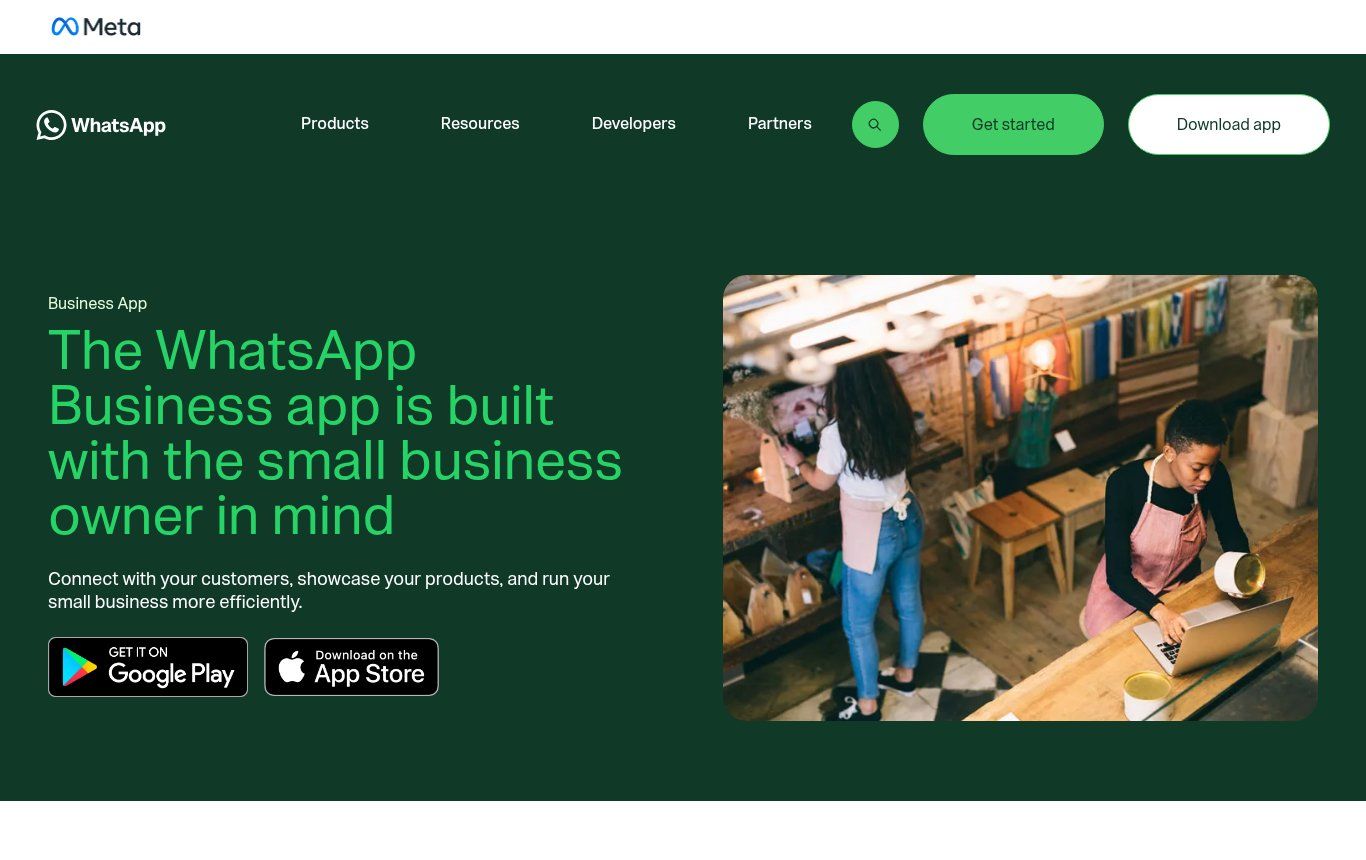
Source: screenshot of business.whatsapp.com/products/business-app, viewed on October 20, 2026.
Here are the differences that actually matter day to day:
- Who replies: with the app, one person, on one phone plus a few linked devices. With the API, as many agents as you need, plus bots, in a single inbox.
- Automation: the app offers a greeting message, an away message and quick replies. The API allows anything your software can do: qualify a request, create a customer record, send a quote, trigger a reminder.
- Sending at scale: the app offers "business broadcasts", which are paid in the countries where they're available (WhatsApp Help). The API sends approved message templates to thousands of contacts, with delivery reports.
- Integrations: none with the app. With the API, WhatsApp plugs into your website, your CRM, your school management software, your invoicing tool or a platform such as n8n or Make.
- Cost: the app is free to download and to use for normal conversations. The API is billed per message, with free allowances we detail below.
What the app does very well
Let's be clear: for a shop, a salon, a practice or a small restaurant receiving a few dozen messages a day, the app is more than enough. A business profile with hours and address, a product catalogue, labels to sort conversations, an away message in the evening: it's free and it's already a lot. Moving to the API without a specific reason means paying for complexity you won't use.
What only the API can do
The API becomes useful the day one of these needs appears: several people must reply on the same number without stepping on each other's toes; you want an assistant that answers at night and qualifies requests; you need to send automatic notifications (order confirmation, appointment reminder, payment receipt, notice to attend); or you want every conversation to leave a trace in your customer file. If none of these sentences rings a bell, stay on the app.
Can you keep the app and the API on the same number?
Yes, and for an SME it's often the best option. Meta calls it "coexistence": a number already used in the WhatsApp Business app can be connected to the Cloud API without losing the app. You keep replying yourself from the phone, while the automation handles notifications and repetitive questions. Individual chats from the last six months can be synchronised (Meta documentation).
A few conditions, according to the same documentation: you have to go through a Meta partner (a Solution Partner or Tech Provider), run app version 2.24.17 or later, and accept some limits, such as throughput fixed at 20 messages per second and group chats that aren't synchronised. One important point for your budget: messages sent from the app stay free; only those sent through the API follow the rate card.
How much does the WhatsApp Business API cost in 2026?
Since July 1, 2025, Meta charges per message, no longer per 24-hour conversation as it used to. Many articles, including some that rank very well, still describe the old system. Three principles to remember, taken from the pricing page of Meta's documentation:
- Meta only charges for messages that are delivered (not those that fail).
- Meta never charges for messages your customers send you.
- The price depends on two things: the message category and the country calling code of the recipient's number. Not your own country.
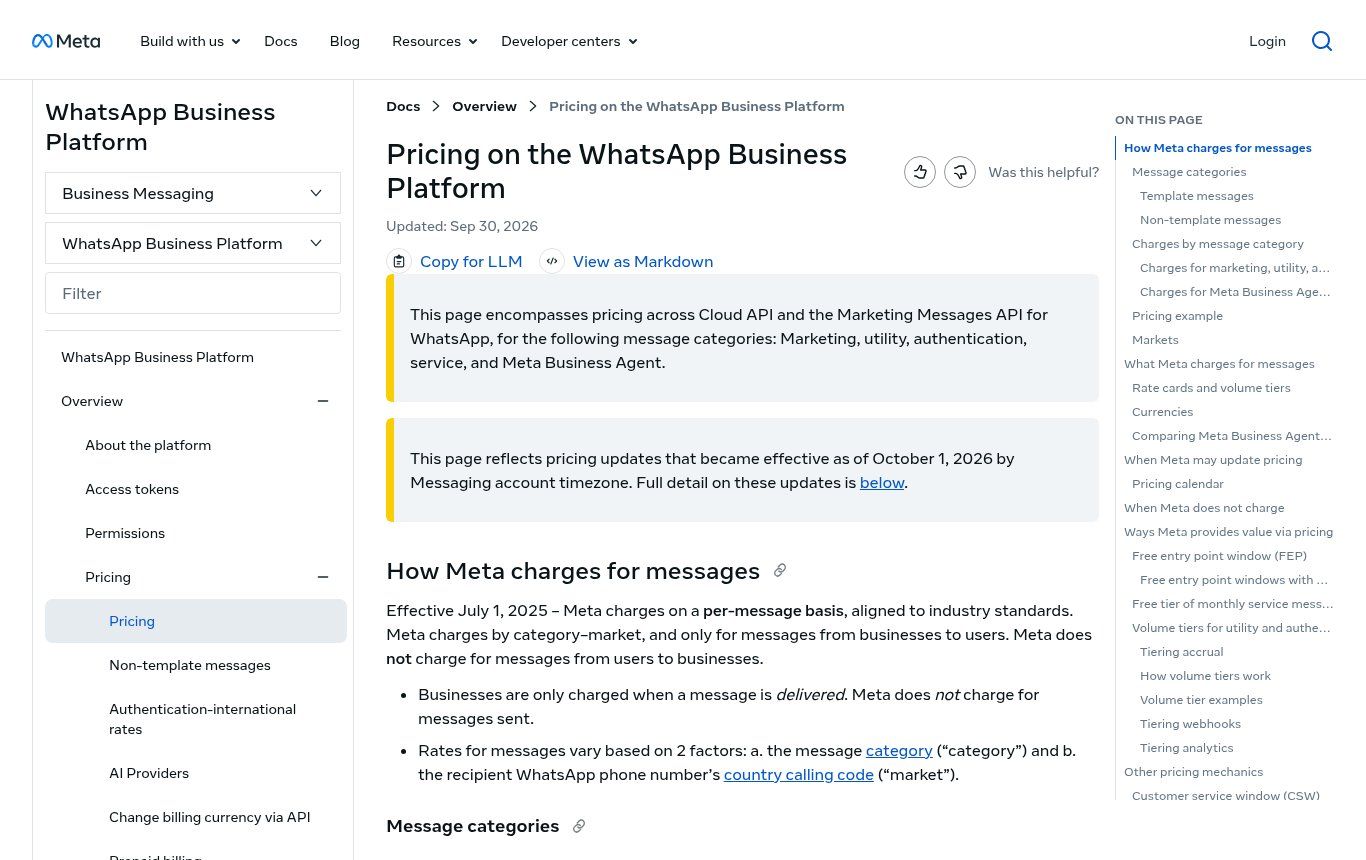
Source: screenshot of Meta's developer documentation, developers.facebook.com, "Pricing on the WhatsApp Business Platform" page, viewed on October 20, 2026.
The 5 message categories
- Marketing: promotions, new products, abandoned-cart reminders, event invitations. It's the most expensive category.
- Utility: messages tied to a customer action or account: order confirmation, delivery tracking, payment reminder, appointment.
- Authentication: one-time codes to verify an identity or a login.
- Service: the free-form replies you send when a customer has written to you, inside the 24-hour "customer service window" that opens (and reopens) with each of their messages.
- Meta Business Agent: since July 1, 2026, replies produced by Meta's AI agent, billed on processing volume (more on this in the AI section).
The first three categories must go through templates submitted to Meta and categorised by Meta. It's the only way to write to someone outside the 24-hour window.
What changed on October 1, 2026
This is the point most pages miss. Since October 1, 2026, according to the documentation and the official FAQ:
- Service messages are paid again, after a free period that began on November 1, 2024. Each business phone number keeps 1,000 free service messages per month, which don't roll over. Meta charges from the 1,001st.
- Utility messages sent in reply to a customer (inside the 24-hour window), free since July 2025, are charged again.
- Accounts without a registered payment method can no longer send service messages beyond the free allowance.
As of October 20, 2026, the business.whatsapp.com sales page still says "we do not charge for service messages". The developer documentation, updated on September 30, 2026, and the official FAQ describe the rules actually in force. Rely on them.
Meta's rates for Benin and French-speaking Africa
Meta doesn't set a price for every country. Benin belongs to a pricing region called "Rest of Africa", which groups 40 markets, including Côte d'Ivoire, Senegal, Cameroon, Togo, Burkina Faso, Mali, Niger, Gabon and the Republic of the Congo. Nigeria, Morocco, Egypt and South Africa have their own rates.
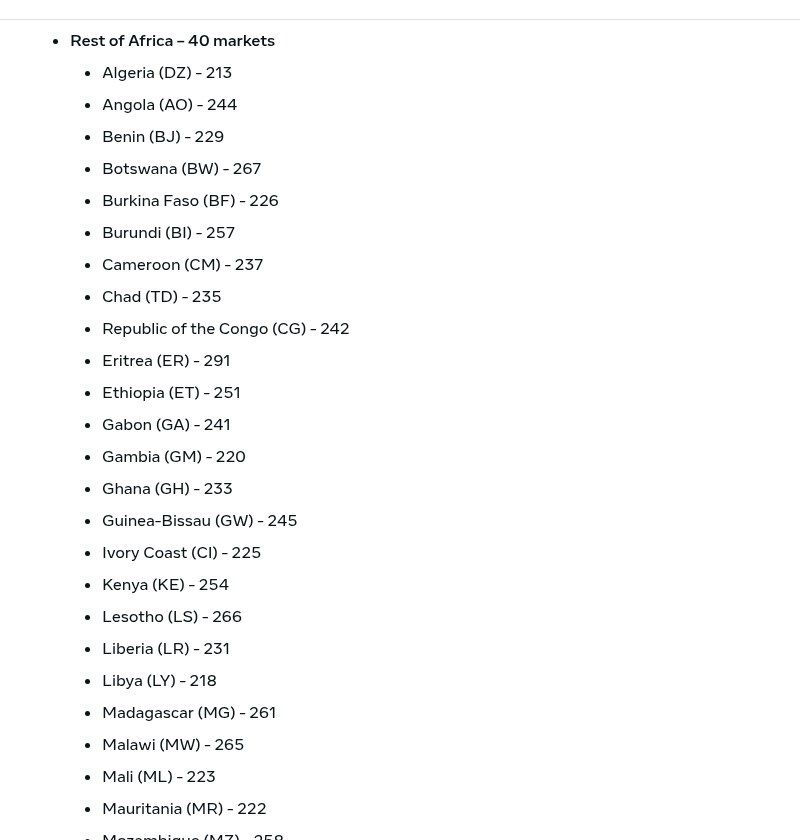
Source: screenshot of Meta's developer documentation ("Pricing regions" section), viewed on October 20, 2026.
These are the base rates from Meta's rate card in force since October 1, 2026 for a recipient in the "Rest of Africa" region. The CFA franc conversion uses the fixed parity of 655.957 CFA francs to 1 euro. It's only indicative: Meta doesn't bill in CFA francs.
- Marketing: $0.0225 (€0.0186), about 12.20 CFA francs per delivered message.
- Utility: $0.004 (€0.0033), about 2.16 CFA francs.
- Authentication: $0.004 (€0.0033), about 2.16 CFA francs.
- Service (beyond the month's 1,000 free messages): $0.004 (€0.0033), about 2.16 CFA francs.
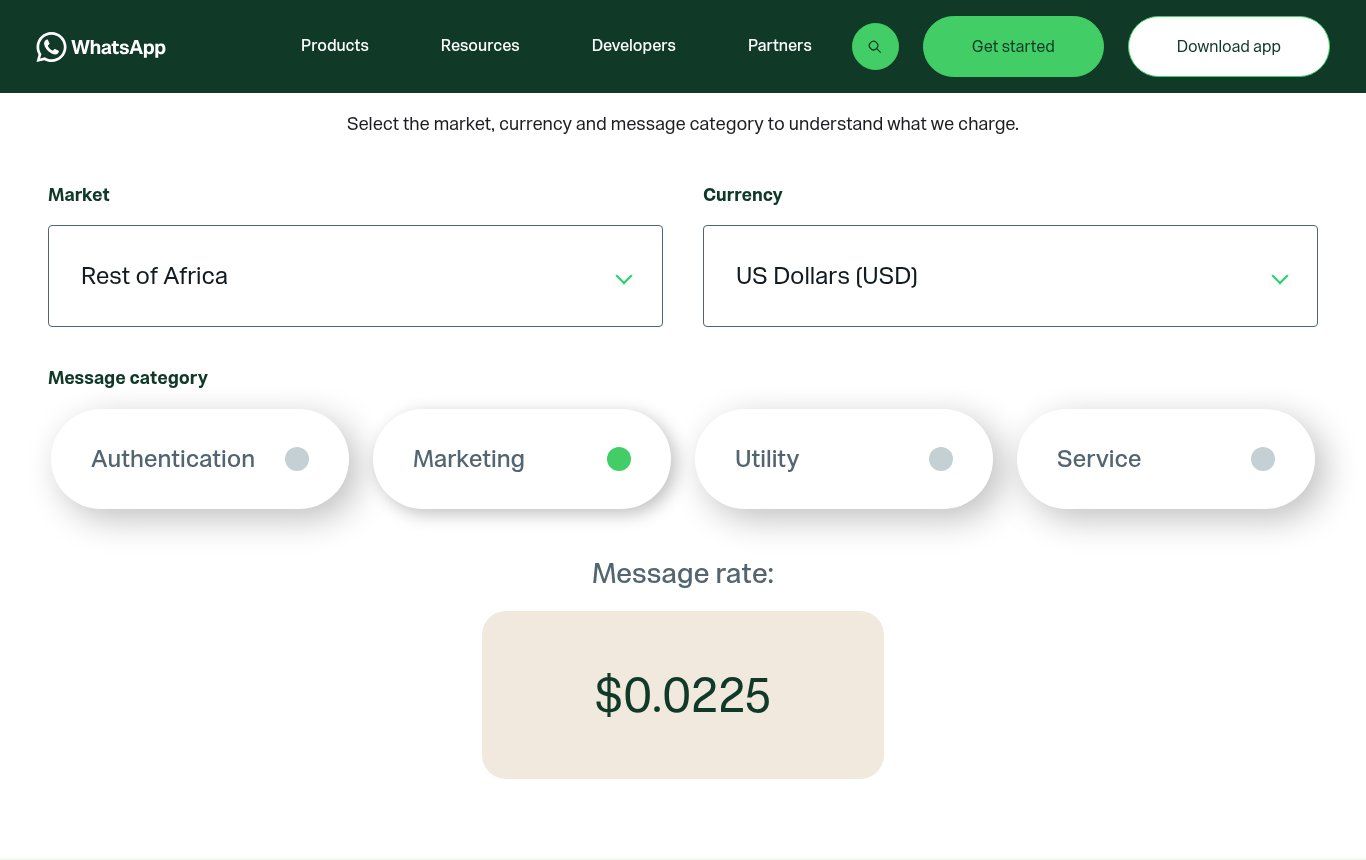
Source: screenshot of the official calculator on business.whatsapp.com/products/platform-pricing (Rest of Africa, USD, Marketing), October 20, 2026.
For comparison: a marketing message to a French number costs €0.0712, almost four times as much. To a Nigerian number, €0.0428. An NGO based in Cotonou writing to beneficiaries in Nigeria therefore pays the Nigerian rate, not the Beninese one. For utility and authentication messages, tiered discounts exist, but they only start above 100,000 utility messages (300,000 for authentication) per month to the region: few organisations in Benin will reach that.
What stays free
- Messages your customers send you, with no limit.
- The first 1,000 service messages each month, per number.
- Everything you send (except Meta's AI agent messages) during the free window opened when a customer writes to you from a "click to WhatsApp" ad. The developer documentation says this window can stay open for up to 7 days; the sales page still mentions 72 hours.
- Direct access to the platform: Meta charges no access fee (official FAQ). Partners, however, may charge for their services.
Three budget examples, Meta fees only
- A private school sends 600 payment reminders (utility) a month to parents: 600 × €0.0033 = €1.98, about 1,300 CFA francs. Replies to parents' questions stay free as long as they don't exceed 1,000 service messages in the month.
- A shop sends a promotion (marketing) to 2,000 customers who agreed to receive it: 2,000 × €0.0186 = €37.20, about 24,400 CFA francs per send. Watch the messaging limit, detailed below: a new account can't reach 2,000 people in one go.
- An NGO exchanges 3,000 service messages a month with its beneficiaries: 2,000 billed messages × €0.0033 = €6.60, about 4,330 CFA francs.
These amounts are small. What really weighs on the budget are the other costs.
The costs Meta's rate card doesn't show
- The provider or platform: monthly subscription, per-message or per-user fees. It's often the biggest line, well ahead of Meta.
- Setup: connecting the website or CRM, writing and getting templates approved, automation scenarios, testing.
- Hosting the automation if you self-host a tool like n8n, or the Make subscription.
- The payment method: with direct access, Meta accepts credit cards or a credit line (official FAQ). International card and exchange fees come on top. Some providers bill in CFA francs and accept mobile money, which makes life easier for many organisations here.
- Applicable taxes, added to the invoice according to Meta.
To price the whole project before committing, our article how much does AI automation cost in Benin explains the method.
How to get the WhatsApp Business API: the steps
- Create or use a Meta business portfolio (formerly Business Manager) in your organisation's name.
- Choose the number: a number not already on WhatsApp, or your WhatsApp Business app number if you go for coexistence through a partner.
- Choose how to access it: directly, if you have a developer able to call the API and handle webhooks; or through a Meta partner, who takes care of the technical side.
- Set up the profile: display name, description, category, website. The name must match your organisation.
- Verify the business with Meta using your official documents. It isn't required to get started, but it's what unlocks volume.
- Add a payment method, essential since October 2026 as soon as you go beyond the free allowance.
- Write your message templates and get them approved (marketing, utility, authentication).
The messaging limit deserves attention. A new portfolio can only message 250 different people in any 24-hour period outside customer service windows. To reach 2,000, you need to verify the business or send 2,000 high-quality messages within 30 days; after that, the limit rises in steps (10,000, 100,000, unlimited) if your messages are well received (Meta documentation on limits). A back-to-school campaign for 5,000 parents is therefore prepared weeks ahead, not the day before.
Rules to follow before your first message
- Consent (opt-in): the WhatsApp Business Messaging Policy only allows you to contact someone who gave you their number and agreed to receive your messages. A purchased file or a list scraped from a group is a no.
- The 24-hour window: outside it, only approved templates go through.
- The right category: Meta categorises your templates. An appointment reminder that slips in a promotion may be classed as marketing, and charged as such.
- Quality: customers can block or report your number. Too many reports and Meta limits your sending.
Who the API is really worth it for
Our view: the API isn't an automatic upgrade. It's a tool for a specific problem. It's worth it for:
- SMEs with several salespeople or a customer service team sharing one number and losing requests.
- Shops that sell a lot online and want to confirm every order, track delivery and follow up without spending the evening on it.
- Schools, clinics and training centres that send reminders, notices or results to hundreds of families or patients.
- NGOs that follow beneficiaries in the field, collect information via WhatsApp or send alerts.
- Public institutions and administrations that want an official, traceable channel with a verified name, rather than an officer's personal phone.
It isn't worth it for a freelancer who answers twenty messages a day personally, or for an organisation that doesn't yet have a clean CRM or customer file. Plugging an API into a mess just automates the mess.
The mistakes we see most often
- Using unofficial tools that "drive" WhatsApp Web or a modified app to send bulk messages. The number ends up banned, along with its whole history.
- Moving the main number to the API without coexistence, then discovering it can no longer be used in the app.
- Sending everything as marketing, when a well-written order notification qualifies as utility, almost six times cheaper in our region.
- Forgetting the payment method, and seeing replies blocked mid-month once the 1,000 free messages are used up.
- Launching a big campaign from a new account, capped at 250 people a day.
- Relying on a 2025 price table, built for the old per-conversation billing system.
What about artificial intelligence?
The API is the gateway for any AI agent on WhatsApp. There are now two options. The first: plug in your own assistant (a language model orchestrated by n8n or Make, for example). The replies it sends are then service messages, charged at the service rate beyond the free allowance, plus the cost of the AI model from its provider. The second: Meta's own AI agent, "Meta Business Agent", billed at $2 per million tokens, which according to Meta's estimate works out at about 4 to 5 US cents per message, and which stays chargeable even during free windows.
Our view: 4 to 5 cents per message is ten times or more the price of a service message in our region. For simple questions (opening hours, prices, documents to bring), a well-designed assistant on your side usually costs less and stays under your control. To choose the orchestration tool, read n8n or Make, and to know what to leave to a human, our article on what a WhatsApp chatbot actually does.
WhatsApp Business API FAQ
What is the WhatsApp Business API, in one sentence?
It's Meta's official technical access that lets your software (website, CRM, chatbot, automation) send and receive WhatsApp messages on behalf of your organisation, at scale.
Is the WhatsApp Business API free?
Access is free; messages aren't. You receive your customers' messages for free and get 1,000 free service messages per month per number; marketing, utility and authentication messages are paid. A provider may add its own fees.
How much does a WhatsApp Business API message cost in Benin?
For a recipient in Benin ("Rest of Africa" region), since October 1, 2026: $0.0225 (about 12.20 CFA francs) per marketing message, and $0.004 (about 2.16 CFA francs) per billed utility, authentication or service message.
What's the difference between WhatsApp Business and the WhatsApp Business API?
The app is a free phone tool for a small team that replies itself. The API is a screenless interface, billed per message, that connects WhatsApp to your software and supports several agents, automations and high-volume notifications.
Can the same number be used on the app and the API?
Yes, thanks to the coexistence option offered by Meta, through a partner. Without it, a number registered on the API can no longer be used in the app.
Do you need a registered business to use the API?
You need a Meta business portfolio in your organisation's name. Business verification with official documents isn't required to start, but it lets you go beyond the limit of 250 recipients a day.
Does the price depend on my country or my customer's?
Your customer's, more precisely the calling code of their WhatsApp number. Writing to a French number costs more than writing to a Beninese one, even from Cotonou.
Related reading: What is Zapier, What is Google Sheets and What is Canva.
Not sure whether you need the app or the API?
We start with a diagnosis: how many messages you receive, who answers them, what you want to automate and which tools are already in place. Sometimes the right answer is to stay on the app and organise it better. Sometimes it's coexistence, or an API connected to your CRM. Every project gets a quote after that diagnosis, as explained on our offers page. See also our page on WhatsApp chatbots and n8n automation in Benin and our services.
Let's talk about how you use WhatsApp: [contact us](https://guelichweb.online/en/contact) for a first conversation and a diagnosis.