What is an AI chatbot? AI vs rule-based chatbots, with business examples
G. CHRIST
Published on October 24, 2026

It is 10 p.m. A parent messages your school on WhatsApp to ask about enrolment fees. A donor asks on your NGO's website how to get a receipt. A customer wants to know whether their order has shipped. Nobody is in the office, and by the next morning three of those people have already gone elsewhere. That is exactly the problem a chatbot claims to solve. Claims, because there is often a gap between what platforms promise and what a chatbot actually does for a small organisation.
At Guelichweb, a web and automation agency based in Benin, we build websites and automations for SMEs, NGOs and institutions in French-speaking Africa. This article gives a plain answer to the question what is an AI chatbot? You will find a jargon-free definition, the real difference between a rule-based chatbot and an AI chatbot, concrete examples by type of organisation, and an honest look at what people call a "free WhatsApp chatbot". We also give our opinion, including when it goes against what the tools are selling.
What is a chatbot? The simple definition
A chatbot is a program that automatically answers messages, in writing or sometimes by voice, inside a chat interface: the chat bubble on a website, WhatsApp, Messenger, Telegram or a mobile app. The word combines "chat" and "bot" (robot). You will also hear the term conversational agent.
The idea is not new. The first program of this kind, ELIZA, was written at MIT in the 1960s. For decades, chatbots ran on hand-written rules: if the message contains this word, reply with that sentence. What changed in recent years is the arrival of large language models, the technology behind ChatGPT, Gemini and Meta AI. They let a program understand a freely worded sentence and write a reply that nobody prepared in advance. IBM makes the point in its overview of chatbots: chatbots existed long before generative AI, but generative AI changed what they can do.
One useful clarification: ChatGPT itself is a chatbot, a general-purpose AI chatbot. When a business talks about "adding a chatbot", it usually means something else: an assistant limited to its activity, answering its customers with its information. That is the kind we discuss here.
Rule-based chatbot vs AI chatbot: the real difference
The rule-based (scripted) chatbot
A rule-based chatbot follows a decision tree. It offers buttons or a numbered menu ("Type 1 for opening hours, 2 for prices"), or looks for keywords in the message. Someone planned every path in advance. When a question falls outside the script, it replies "Sorry, I didn't understand" or sends you back to the menu.
It gets a lot of criticism, often unfairly. It has three underrated strengths: it is predictable (it will never say anything you did not write), it is cheap to run, and it is easy to control. For booking an appointment, tracking a file by reference number or routing someone to the right department, it does the job very well.
The AI (conversational) chatbot
An AI chatbot relies on a language model. It understands "hi pls how much is enrolment for grade 2?" just as well as a perfect sentence, and copes with typos, local expressions and badly phrased questions. Properly configured, it does not answer "at random": it looks for the answer in the documents you give it (price list, FAQ, rules, catalogue) and then rephrases it. This is usually called a knowledge base.
Its weakness is the flip side of its strength: because it writes its own answers, it can be wrong with great confidence. Specialists call this "hallucination". An AI chatbot without guardrails can invent a discount, a date or a procedure. We come back to this below, because the consequences can be legal.
The hybrid chatbot: what we recommend most often
In between sits the hybrid chatbot: a menu or buttons for well-defined requests (tracking an order, booking an appointment), AI to understand open questions, and a handover to a person for anything sensitive or uncertain. For most projects people describe to us, this is the right answer. Not because it is fashionable, but because each building block does what it does best.
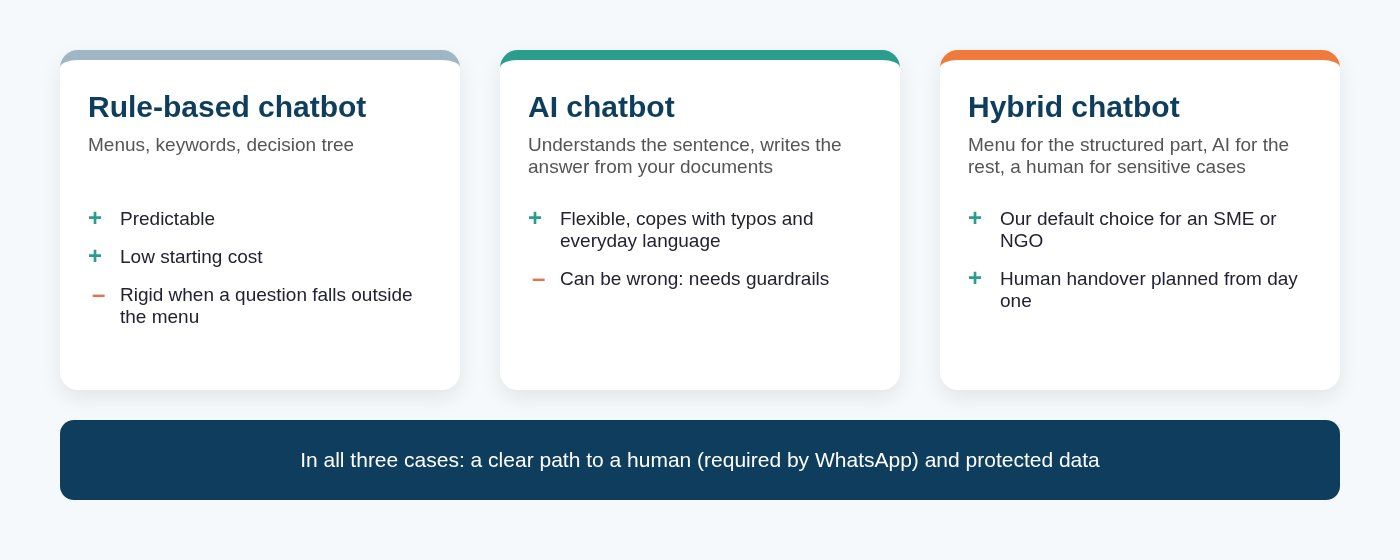
Diagram: the three families of chatbots and their trade-offs (Guelichweb).
What about AI agents? They are one step further: a program that does not just answer but acts in your tools (it creates the order, updates the CRM, sends the invoice). We wrote a full article on the subject: What is an AI agent? Examples for a small business. The short version: a chatbot talks, an agent does, and the same project can start as a chatbot and become an agent later.
How an AI chatbot works in practice
Without getting technical, a business AI chatbot rests on four components. Understanding them helps you ask a vendor the right questions.
- A channel: where the conversation happens (a widget on your website, WhatsApp, Messenger, Instagram, an app).
- A language model: the "brain" that understands and writes (supplied by OpenAI, Google, Anthropic, Meta, Mistral or a model hosted on your own servers).
- Your knowledge: the documents and data it is allowed to search, plus instructions that set its tone, its limits and what it must refuse.
- Human handover rules: when and how the conversation is passed to a real person, together with the chat history.
Sales demos tend to skip the fourth point. Yet it is the one that separates a chatbot that helps from a chatbot that annoys. The French government's France Num guide to conversational agents (in French) makes the same point: a good assistant knows how to say it does not know.
Chatbot examples for a business, an NGO or an institution
Here are realistic use cases for organisations like the ones we work with. They are typical examples, not client projects: every organisation has its own frequently asked questions.
- Retail and online shops: product availability, prices, delivery areas and times, order status, accepted payment methods (mobile money, card, cash on delivery).
- Schools, training centres, private universities: enrolment fees, calendar, documents to provide, results or exam notices; questions peak at the start of the school year, exactly when the administration is overwhelmed.
- Clinics, medical practices, labs: opening hours, appointments, how to prepare for a test, collecting results. The rule here is strict: no medical advice from the bot, and an immediate handover as soon as someone describes a symptom.
- NGOs: how to donate, get a receipt, volunteer, or report a problem with a project; a complaints mechanism reachable by message, which funders look at more and more.
- Institutions, town halls, public agencies: procedures, required documents, counter opening hours, tracking a request by file number.
- Internal chatbot: an assistant reserved for staff that answers from the procedures manual, HR policies or product documentation. It is often the best first project, because mistakes stay in-house while you learn.
In every case, the chatbot does not replace your team. It absorbs the repetitive questions (often the same twenty or thirty) and filters and prepares the rest so that a person can answer quickly and well. If WhatsApp is your main channel, our article WhatsApp chatbot: what it actually does (and what it shouldn't) details which tasks to give the bot and which to keep for your team.
"Free WhatsApp chatbot": what is actually free
This is one of the most common searches on the subject, and the honest answer is: it depends on what you call a chatbot. There are four very different situations.
Official WhatsApp logo (Meta), reproduced for illustration.
1. The WhatsApp Business app: free, official automations
The free WhatsApp Business app already includes automatic features that many shop owners never use: a greeting message sent on first contact, an away message you can schedule outside business hours, quick replies (type "/prices" and the full message is inserted) and labels to sort conversations. Meta lists them on its features page.
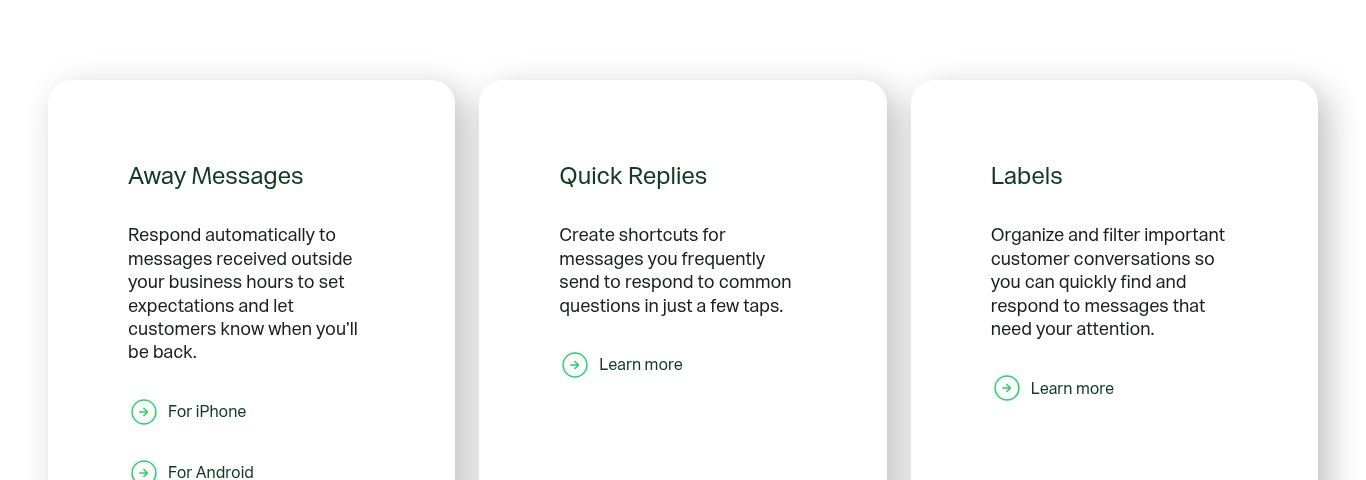
Source: whatsappbusiness.com, "WhatsApp Business App Features" page, screenshot taken 24/10/2026.
This is not a chatbot in the strict sense: there is no menu and no understanding of questions. But for a small organisation, a good greeting message (with your hours, a link to your catalogue and the three most common questions) and a dozen well-written quick replies solve a large part of the problem at zero cost. One limitation to know: according to the WhatsApp Help Center, the phone must be connected to the internet for the away message to go out. Our advice: always start here before paying for anything.
2. Meta Business Agent: Meta's AI inside the app, but not for everyone
Meta is rolling out an AI assistant inside the WhatsApp Business app, Meta Business Agent, which answers customers using the business's information. On paper, it is the built-in AI chatbot everyone wants. In practice, the official help page states that the feature is only available in limited countries to select businesses, that there is a waitlist, and that not all languages are supported.
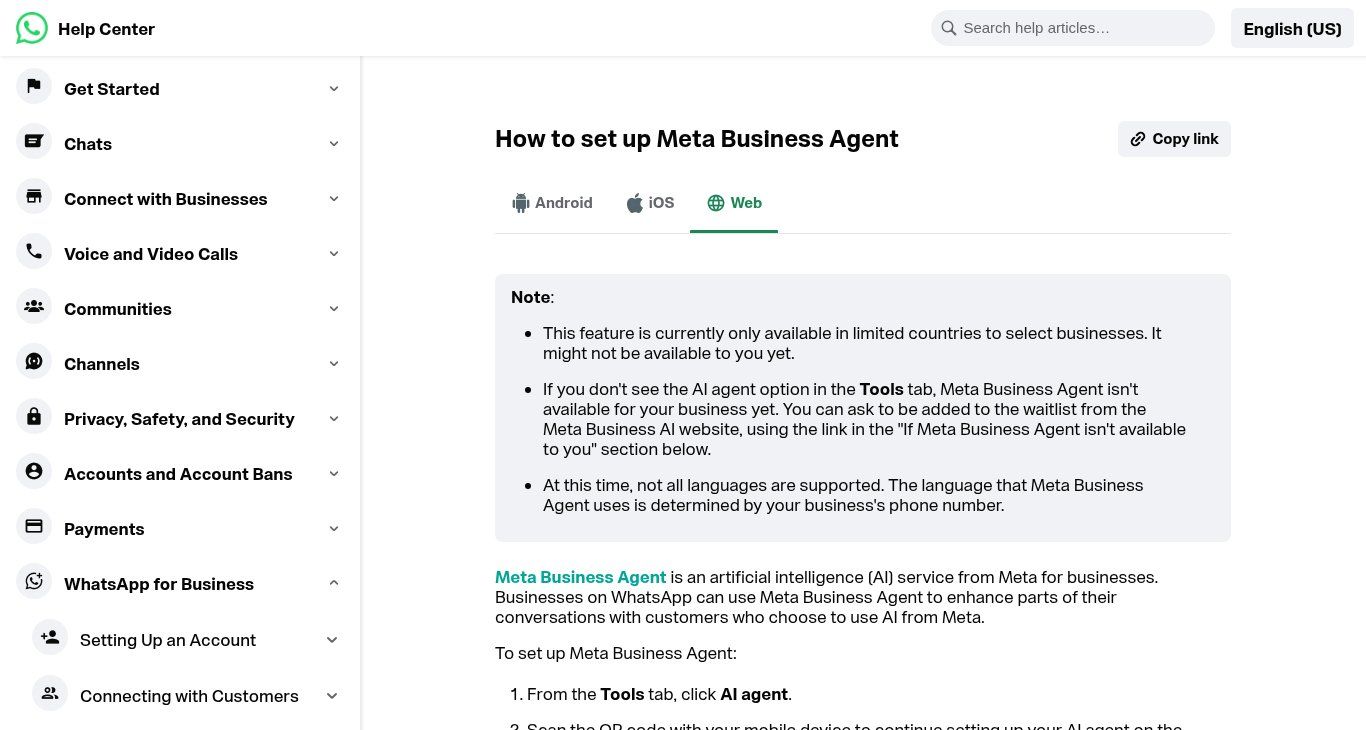
Source: faq.whatsapp.com, "How to set up Meta Business Agent", screenshot taken 24/10/2026.
If the option appears in the Tools tab of your app, test it on your real questions before letting it answer on its own. Another surprising detail: the Help Center says your greeting and away messages are turned off once the AI is enabled. Billing is explained in our article on WhatsApp Business API and its pricing.
3. "Free" WhatsApp chatbot platforms
Many platforms offer to let you "create a WhatsApp chatbot for free". Read the terms and you almost always find one of these limits: a very low number of conversations per day or per month, a trial of a few days that requires a credit card, AI features reserved for paid plans, and above all Meta's fees, which come on top of the tool as soon as you use the official API (some messages are free, others are not; we cover the price grid in the API article). These tools are legitimate and sometimes very good. "Free" simply means "free to try".
4. Unofficial QR-code tools: avoid them for a business
Then there is the problem category: software that connects to your WhatsApp by scanning a QR code, like WhatsApp Web, and then sends replies or bulk messages. These tools are often free or very cheap, and popular in our region. But WhatsApp treats unofficial clients and unauthorised automated messaging as a breach of its terms, which can lead to the suspension or ban of the number. For a business whose number all its customers know, that is a disproportionate risk. We refuse to build this kind of setup.
What WhatsApp's rules require from a chatbot
Two official rules change the way you should design a chatbot on WhatsApp, and few articles mention them.
Rule one: a clear path to a human. The WhatsApp Business Messaging Policy, updated on 23 September 2026, allows automation when responding within the 24-hour window, but you "must have available prompt, clear, and direct escalation paths": a transfer to a human agent in the chat, a phone number, an email address, online support, store visits or a support form.
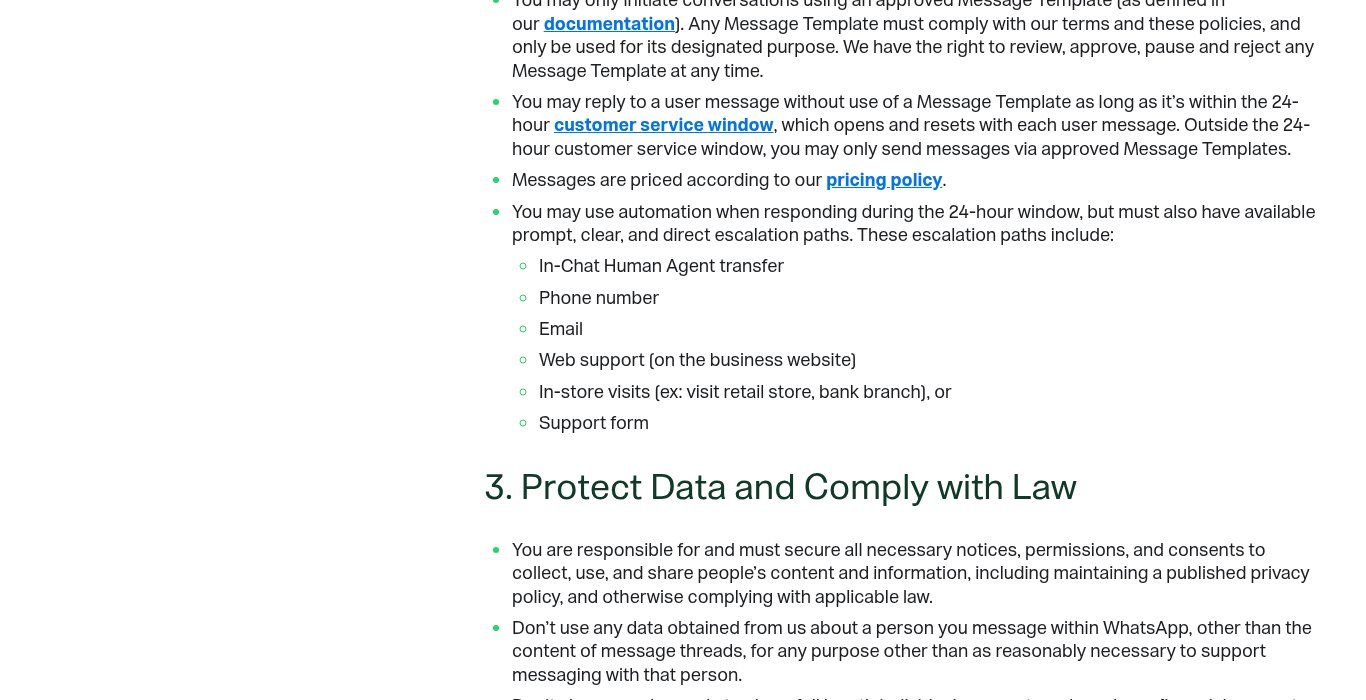
Source: business.whatsapp.com, "WhatsApp Business Messaging Policy", screenshot taken 24/10/2026.
Rule two: no general-purpose AI assistant on the API. Since 15 January 2026, the WhatsApp Business Solution Terms prohibit using the API to offer a general-purpose AI assistant as the primary service (TechCrunch reported it in October 2025). A chatbot that answers questions about your business, your customer service or your orders is still allowed. A "ChatGPT on WhatsApp" open to any question is not. That is one more reason to tightly scope what your bot is allowed to handle.
The risks of a poorly prepared AI chatbot
Invented answers make you liable
The most cited case is Air Canada. In 2024, a civil tribunal in British Columbia held the airline responsible for wrong information that the chatbot on its website gave about a bereavement fare, and ordered it to compensate the customer (CA$812.02 in total, according to the Moffatt v. Air Canada decision). The airline's argument that the chatbot was responsible for its own actions was rejected. The lesson applies everywhere: what your chatbot says, your organisation says.
In practice, we advise limiting the bot to validated sources, forbidding it to promise prices, discounts or deadlines that are not in those sources, and having it reply "I'll pass you to a colleague" whenever it is unsure. A bot that says "I don't know" now and then is better than a bot that makes things up.
Personal data
A chatbot collects names, phone numbers and sometimes health, school or donation information. In Benin, the Digital Code governs this processing and the personal data protection authority (APDP) enforces it; other countries in the region have equivalent authorities, as do the EU and the UK. Before launching a chatbot, ask three questions: what data does it actually collect, where is it stored (and with which AI provider), and do users know they are talking to a program? For an NGO or a clinic, this is non-negotiable.
The chatbot that drives people away
The last risk is the most ordinary one: the bot that goes round in circles. A seven-level menu, no way out to a person, generic answers. The customer gives up and leaves with the impression that your organisation does not want to talk to them. A chatbot should reduce the customer's effort, not shift your workload onto them.
Rule-based or AI chatbot: how to choose
Here is the grid we use during a diagnostic. It is not perfect, but it avoids most bad choices.
- Your requests are few and very repetitive (hours, address, tracking by number, booking): a rule-based chatbot, or even the WhatsApp Business automatic replies, is enough.
- Your customers ask the same questions in a thousand different ways, with typos and abbreviations, mixing topics: AI adds real value, provided you have a clean knowledge base.
- A mistake can be costly (health, money, legal matters, exams): hybrid is mandatory, with a person approving anything outside the structured part.
- Your information changes often (stock, prices, calendar): the bot must read an up-to-date source, such as Google Sheets or your CRM, or it will answer with stale data.
- You do not have a written FAQ yet: write it first. That is the real work, and no tool will do it for you.
A word on languages. AI models handle French and English well, including the informal style of chat messages. For Fon, Yoruba, Wolof or Dioula, results remain uneven depending on the model and the task. If a large part of your audience writes or sends voice notes in a national language, test seriously before promising anything, and plan a human relay for those conversations.
Where to start, step by step
- List your 30 most frequent questions from your real WhatsApp messages, emails and calls. For each, write the correct answer and who approves it.
- Turn on what is free: greeting message, away message and quick replies in WhatsApp Business. Observe for two to four weeks.
- Pick the priority channel: WhatsApp if that is where customers write to you (often the case in French-speaking Africa), your website if you get many visitors looking for information before they buy.
- Decide the level: rule-based, AI or hybrid, using the grid above.
- Write the human handover rules: trigger words, hours, who receives the conversation, and how fast they reply.
- Test with real questions (including tricky and badly written ones) before opening to the public, then review conversations every week during the first month.
On the tooling side, some of these chatbots can be built with automation platforms. If you are torn between them, read our comparison n8n or Make: which automation tool to choose. And to see how a chatbot fits with your website and customer file, our article on website, WhatsApp and CRM for a small business shows the full picture.
How much does a chatbot cost?
We will not give a fixed price here, and you should be wary of anyone who quotes one without knowing your business. The cost depends on three blocks: setup (writing the knowledge base, scripts, integrations), subscriptions to the tools and the AI model, and messaging fees (Meta charges for some WhatsApp messages). The first block is often the largest share of the work. For an idea of the cost items, see our article on how much an AI automation costs in Benin; for a figure based on your case, we provide a quote after a diagnostic (see our offers).
Chatbot FAQ
What is an AI chatbot in one sentence?
It is a conversation program that uses a language model to understand freely worded messages and write its replies, ideally from your organisation's own documents.
What is the difference between a chatbot and AI?
AI is a technology; a chatbot is a conversation interface. A chatbot can work without AI (with rules and menus), and AI can do many things besides chatbots (sorting documents, summarising, forecasting).
Is there a truly free WhatsApp chatbot?
The automatic replies in the WhatsApp Business app (greeting, away message, quick replies) are free and official. For a real chatbot with menus or AI, you generally need a paid platform beyond a small quota, plus any Meta fees. Avoid unofficial tools that connect through a QR code.
Can I put ChatGPT on WhatsApp to answer my customers?
You can connect a language model to WhatsApp through the official API to answer questions related to your business. However, since January 2026 WhatsApp's terms prohibit offering a general-purpose AI assistant there. Your bot must stay focused on your service.
Will a chatbot replace my customer service team?
No, and it should not. It handles the repetitive questions and prepares the others. Delicate situations (complaints, emergencies, negotiations, people in distress) stay human, and WhatsApp requires a way to reach a person.
Do I need a website to have a chatbot?
No: a chatbot can live only on WhatsApp. But a website gives the bot a reliable source of information and gives your customers somewhere to land. The two work together.
Our final take
A chatbot is neither a gimmick nor a magic wand. It works when three conditions are met: enough repetitive questions, written and approved answers, and a person who can be reached when the bot hits its limits. Without those three, even the best AI on the market will cost you customers. With them, a simple chatbot, sometimes with no AI at all, can change a team's daily work.
Want to know whether a chatbot makes sense for your business, NGO or institution, and which kind? Tell us about your situation on our contact page. We start with a diagnostic of your current conversations, then propose the simplest solution that solves the problem. You can also explore our WhatsApp chatbot with n8n offer.