ChatGPT for business: pricing, privacy and which plan to choose
G. CHRIST
Published on November 4, 2026

In many SMEs, NGOs and institutions across Benin and French-speaking West Africa, ChatGPT is already present. Not always “deployed”: simply used. A salesperson drafts quotes on a phone. A project officer pastes a donor report into a free account. An intern asks the tool to “rewrite” an email that still has confidential attachments. Nobody meant harm. But nobody decided which plan, which privacy rules, or which red lines either.
That is what this article is about. Not another catalogue of “AI use ideas” — we already published a guide on AI in business with use cases and a policy template. Here we answer three practical questions: how much ChatGPT costs for a company, what happens to your data on each plan, and how to choose between Free, Go, Plus, Pro, Business and Enterprise without solving the wrong problem.
At Guelichweb, a web and AI automation agency based in Benin, we see the same pattern: personal tools spread faster than governance. Our view is blunt. ChatGPT can speed a team up. ChatGPT chosen poorly (or left unmanaged) can also leak information, create opaque dependency, and fake a sense of “digital transformation”. For tailored work — website, automations, agents, training — we issue a quote after a diagnostic, not a magic price list.
In short: Free/Go/Plus/Pro are individual plans. Business (from 2 seats) and Enterprise are company workspaces with admin controls and a default commitment not to train on your business data. Official prices are in USD and vary by country/currency. Always check OpenAI’s page on the day you buy. Never paste secrets, sensitive personal data or “confidential” donor files into a personal account.
ChatGPT for business: what are we actually talking about?
“ChatGPT for business” usually mixes three different things in people’s heads:
- The ChatGPT product (chatgpt.com and the apps): chat, files, images, projects, sometimes Codex / ChatGPT Work.
- Paid individual plans (Go, Plus, Pro): higher limits and models, still a personal account.
- Workspace plans (Business, Enterprise): team space, central billing, admin controls, business privacy commitments.
Add the OpenAI API (billed separately, usage-based) and you understand why a founder hears “we got ChatGPT” without knowing whether that means a $20 Plus on an intern’s personal card… or a Business workspace with at least two seats and SSO.
ChatGPT is an OpenAI product. The public home screen shows the empty-state prompt; the Plans and Pricing page clearly separates Individual from Business & Enterprise.
Source: header of chatgpt.com, screenshot dated 4 Nov 2026.
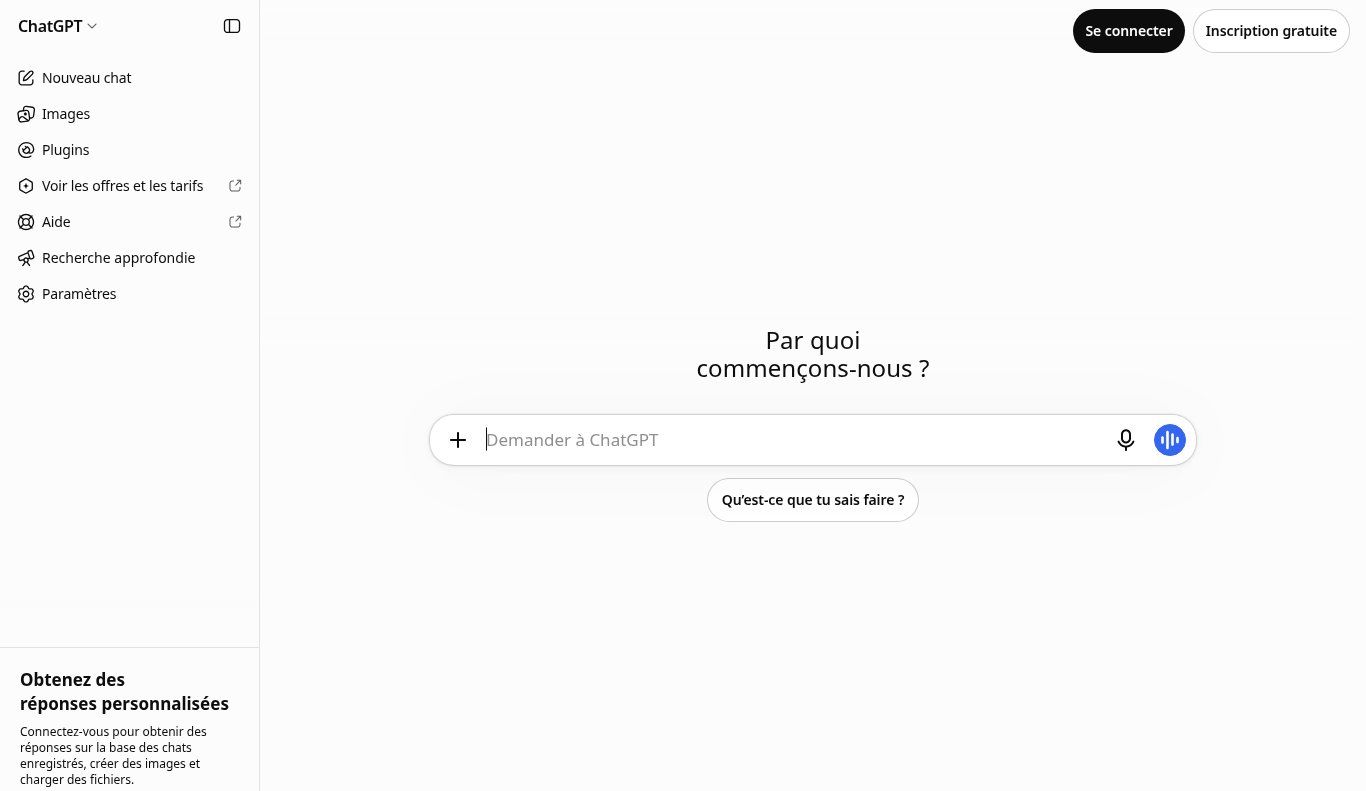
Source: ChatGPT, screenshot dated 4 Nov 2026.
Individual plans: Free, Go, Plus, Pro (indicative USD prices)
These plans are built for one person. They do not give you a company workspace with admins, nor the business privacy commitment of Business/Enterprise. They remain useful for testing, freelancers, or strictly personal use — if your organisation’s AI policy allows it.
According to the official Plans and Pricing page checked on 4 Nov 2026 (Individual tab, USD amounts, subject to change and localisation):
- Free — $0/month: unlimited text chats with the models offered on that plan, but tool messages, images, voice, deep research, memory and Codex are limited.
- Go — about $5/month on the US display that day: “Best for longer conversations”; more tool messages, uploads, images and voice than Free.
- Plus — $20/month: advanced reasoning, higher limits, projects, scheduled tasks, custom GPTs, expanded ChatGPT Work / Codex access depending on the current offer (Plus help).
- Pro — from $100/month (several usage tiers, e.g. $100 / $200 / $500 per OpenAI help articles): heavy research/coding usage, agents, maximum limits.
A practical note for West African SMEs: prices are in US dollars, usually paid with an international card. Local taxes, FCFA FX and bank fees raise the real cost. And crucially: one Plus login shared by eight people is not a “company licence”. It breaches terms of use and is a security mess.
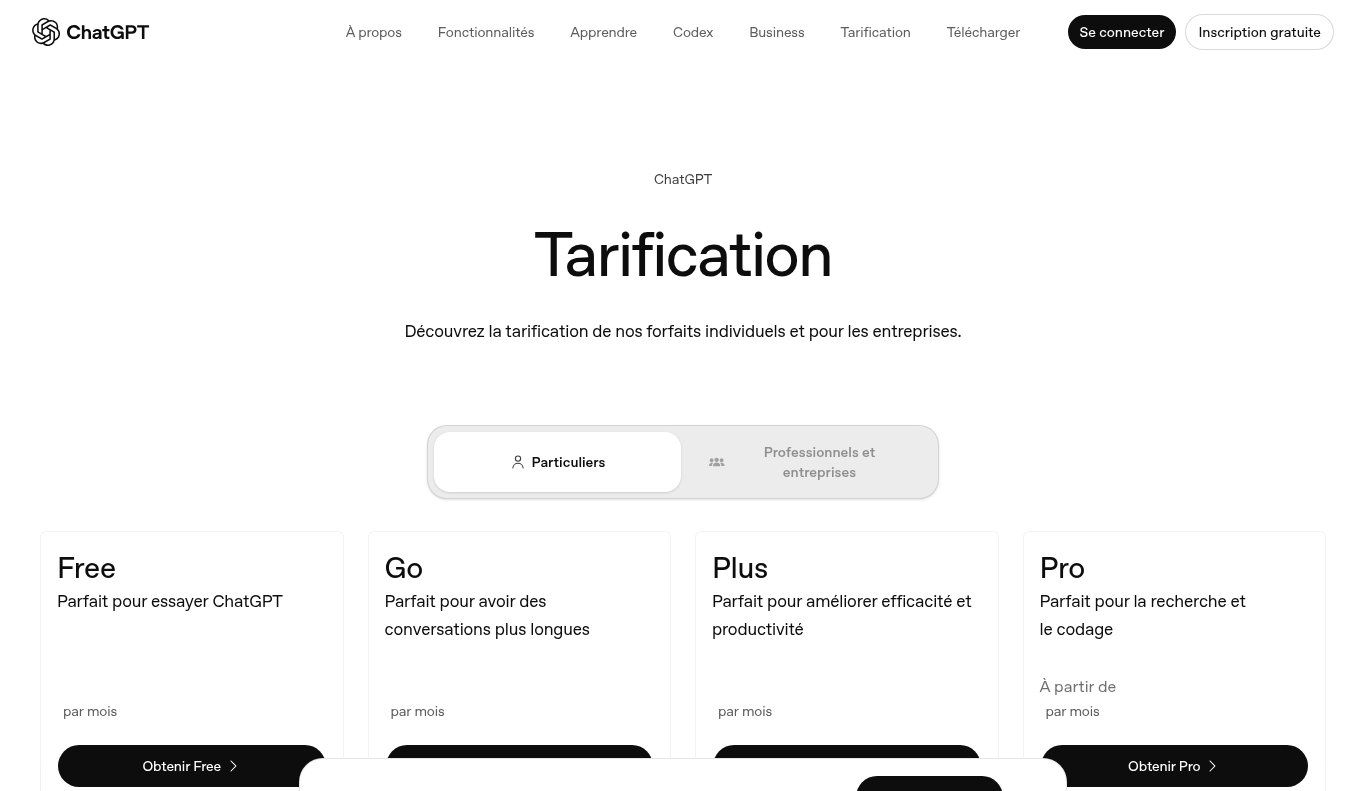
Source: openai.com/chatgpt/pricing (Individual tab), screenshot dated 4 Nov 2026. Displayed prices can change.
ChatGPT Business: the real team plan (Standard and Premium)
ChatGPT Business (formerly ChatGPT Team, renamed in 2025 per the official FAQ) is the self-serve plan for organisations. It is no longer “my personal account”. It is a workspace: members, roles, central billing, connectors (Google Workspace, Slack, Microsoft 365, GitHub…), and — the critical point — no model training on your business data by default.
According to OpenAI’s Business FAQ and the Business pricing page (4 Nov 2026):
- At least 2 paid seats (Standard and/or Premium).
- Standard: $25 per user/month on monthly billing, or $20 per user/month billed annually.
- Premium: $125 per user/month monthly, or $100 per user/month annually — roughly 5× Standard usage, without the rolling five-hour limit.
- Common ceiling: up to 200 paid seats per Business subscription (from 24 Aug 2026 for new workspaces; older ones may keep a prior limit).
- Beyond that, or for contracted needs (invoicing, data residency, advanced controls): Enterprise.
Amounts are in USD and may vary by country and currency. Do not convert “by feel” into FCFA for a tender: use the day’s FX rate plus a buffer, then confirm on OpenAI’s page at purchase time.
Budget example (indicative, excluding tax/card fees): 5 Standard seats on annual billing ≈ 5 × $20 = $100/month, about $1,200/year. On monthly billing, 5 × $25 = $125/month. Two Premium seats alone already cost $200/month annually — reserve them for heavy users (research, code, large content production).
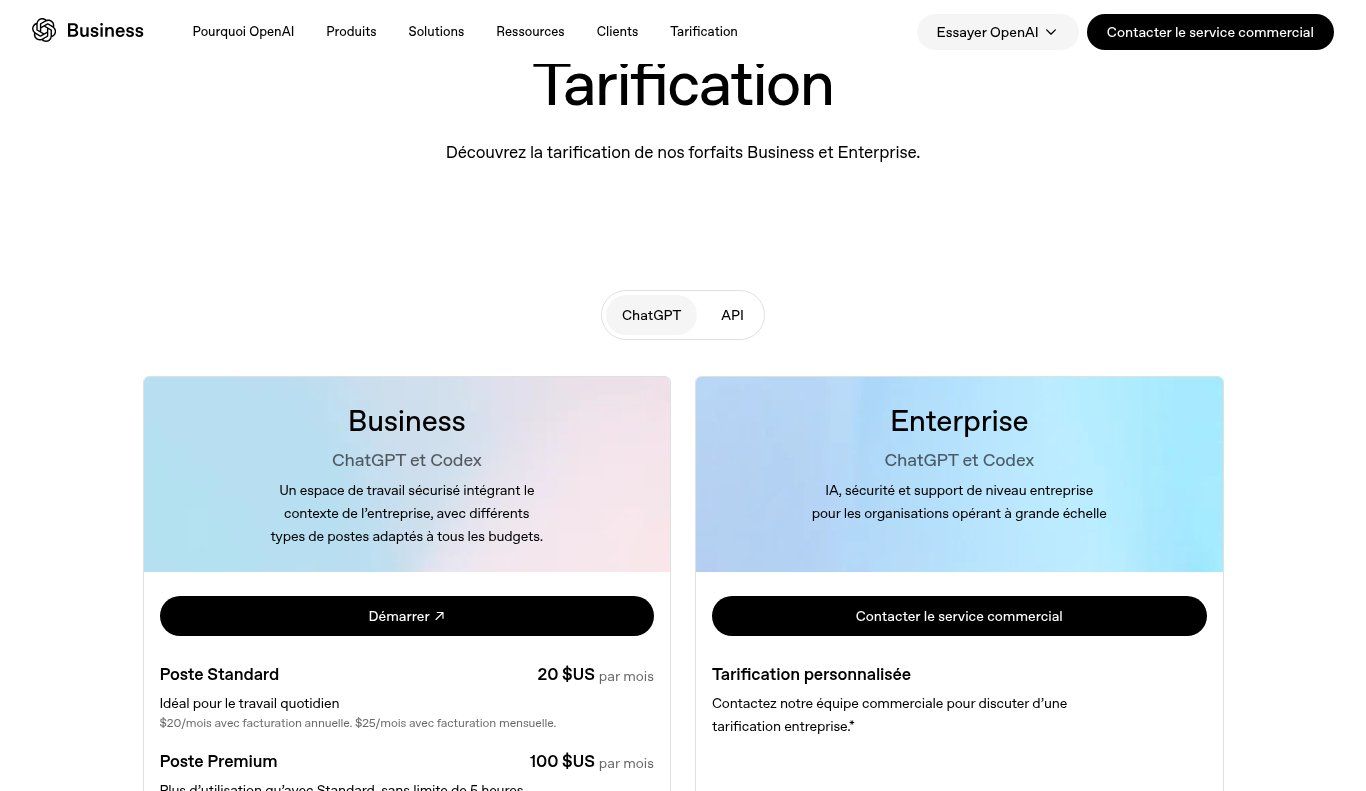
Source: openai.com/business/chatgpt-pricing, screenshot dated 4 Nov 2026.
ChatGPT Enterprise: when custom controls become necessary
Enterprise has no public per-seat list price. You contact OpenAI sales. It is not a vanity upgrade: it is the tier where controls appear that many institutions, banks, large programmes or donors eventually require.
From the official Business vs Enterprise comparison, Enterprise adds items such as a larger context window, SCIM, EKM (key management), finer access controls, additional ISO certifications, multi-region data residency, compliance/log APIs, stronger support and invoice billing / SLAs. Business already covers SAML SSO, admin, SOC 2 Type 2, and default non-training — which is enough for many SMEs and NGOs.
Our firm advice: do not buy Enterprise because a vendor scared you. Buy Enterprise (or an equivalent contracted offering) when a real risk or a written requirement (donor, DPO, audit, health data, large personal datasets) justifies it. Otherwise, well-administered Business plus clear internal rules beats a poorly rolled-out Enterprise.
Privacy: the real gap between personal and company plans
This is the heart of “ChatGPT business privacy / confidentiality”, a query that shows up strongly in Google Suggest. The Enterprise privacy at OpenAI page (updated 8 Jan 2026) summarises the business commitment:
- You own / control your inputs and outputs (where law allows).
- No training on your business data by default for ChatGPT Business, Enterprise, Edu, Teachers, Healthcare and the API Platform (unless you explicitly opt in).
- Encryption in transit (TLS 1.2+) and at rest (AES-256), access controls, SOC 2 audits.
On a personal Free / Go / Plus / Pro account, ChatGPT’s public footer still reminds users that chats may be reviewed and used to improve models, depending on settings and policies. In other words: pasting the salary list, an NGO beneficiary spreadsheet, or a draft partnership agreement into a personal Plus is a risk decision — not “just a handy tool”.
Even on Business/Enterprise, “no training” ≠ “nobody can ever see anything”. Admins may have workspace rights; OpenAI may access data in limited cases (support, abuse, legal duty) described in their docs. You remain responsible for what your team pastes, which connectors you enable, and retention settings.
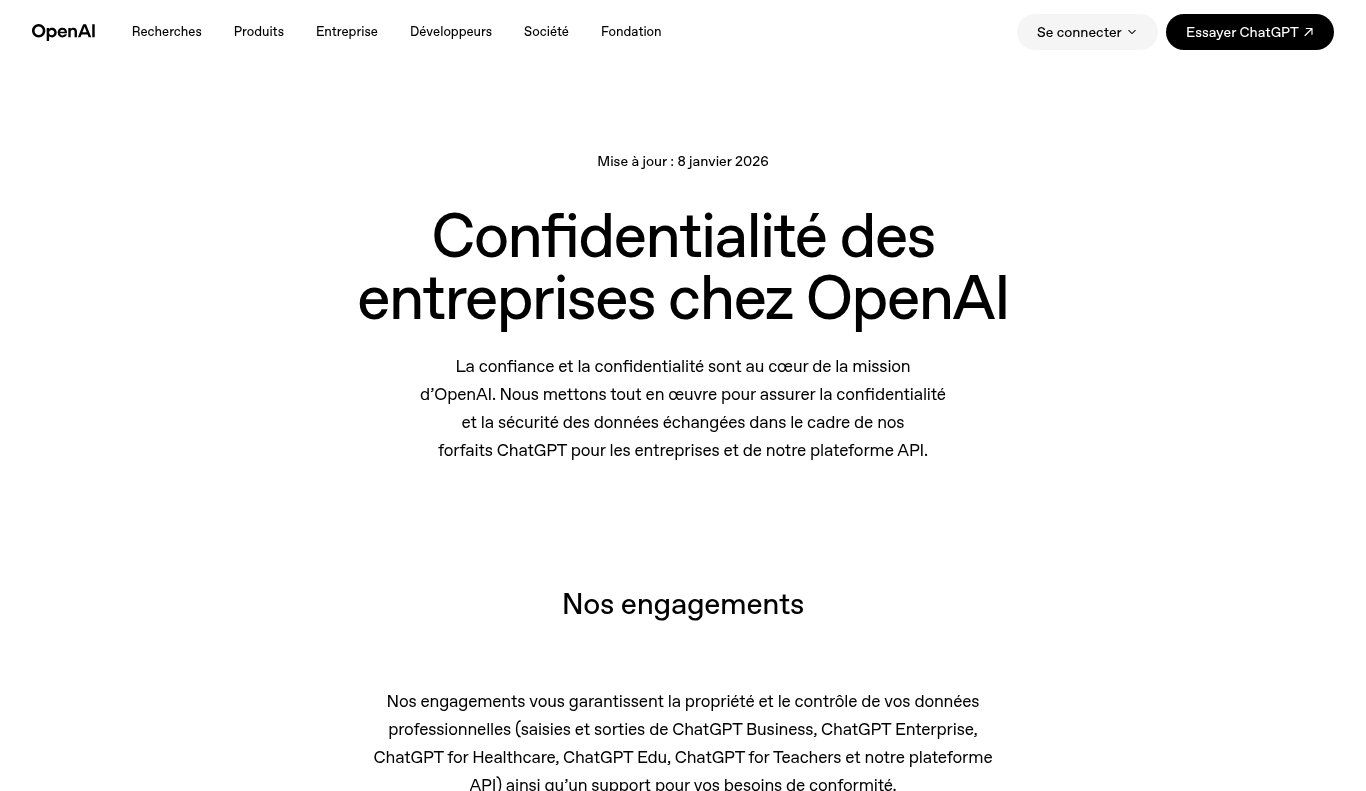
Source: openai.com/enterprise-privacy, screenshot dated 4 Nov 2026.
What you must NEVER paste into ChatGPT (even on Business)
A simple rule we recommend in organisations we support:
- Technical secrets: passwords, API keys, tokens, wallet seeds, OTP codes.
- Sensitive personal data: medical files, full ID scans, vulnerability lists, children’s data.
- Documents under confidentiality that have not been reviewed (some donor contracts, non-anonymised strategy notes).
- Full banking details, cheque scans, raw accounting exports that are not needed.
- Illegal or deceptive content — OpenAI’s usage policies still apply inside your workspace.
Anonymise. Summarise. Split. Or work on excerpts instead of whole files. For recurring automated work (follow-ups, ticket classification, structured quote generation), an AI agent or task automation via n8n/Make + API, with logging and access rights, is often healthier than daily copy-paste into chat.
Realistic business uses (without rewriting the AI policy guide)
Since the AI in business article already covers examples and a policy template, we stay here on uses tied to plan choice:
- Writing / rewriting (offers, emails, posts) → personal Plus can be enough for one person; once 3+ colleagues share models and projects, Business Standard is more coherent.
- File analysis (sales CSVs, Google Sheets exports) → watch customer data; Business + anonymisation rules.
- Code and scripts (reports, small automations) → Plus or Premium depending on intensity; for critical production, require human review + a Git repo.
- Internal support / FAQ → custom GPTs inside a Business workspace beat twelve divergent Free accounts.
- Document research → useful, but always verify sources; ChatGPT is not your lawyer or accountant.
In Benin, WhatsApp remains central. ChatGPT does not replace your WhatsApp Business catalogue, your CRM, or a well-wired WhatsApp chatbot. It speeds up writing and analysis — provided the rest of the chain (follow-up, Mobile Money payment, reminders) exists.
Paying from West Africa: cards, currency, traps
OpenAI mostly bills in USD (sometimes localised). For an organisation in Cotonou, Abidjan or Dakar, the same practical points keep coming back:
- International Visa/Mastercard works for self-serve Go/Plus/Pro/Business.
- Failures are common if the card is limited to local payments, or if 3-D Secure blocks the charge.
- Enterprise: invoice / wire options depending on the sales contract.
- NGOs: OpenAI advertises up to a 75% discount on Business/Enterprise via OpenAI for Nonprofits (application required — check eligibility on their site).
- Do not mix the founder’s personal card with company books: create the Business workspace on a professional email and a payment method tied to the organisation.
On the email side, a Google Workspace account with your own domain remains a maturity prerequisite: SSO, invites, and a clean personal/work split. ChatGPT Business without professional email is already a weak signal.
ChatGPT, OpenAI API or automation: do not mix the invoices
Three distinct budgets:
- ChatGPT (the interface) — per-user or per-seat subscription.
- OpenAI API — usage billing (tokens), for your apps, bots and backends. A Business subscription does not include the API (confirmed in the Business FAQ).
- Automation (n8n, Make, Zapier) — platform subscription + any API costs.
If your need is “an assistant that replies on WhatsApp, drafts a quote and pushes to the CRM”, you are not only buying Plus. You are designing a flow. That is the core of our AI automation work: diagnostic, architecture, secret handling, team training. The cost of AI automation in Benin is built case by case — again via a quote, not an invented blog figure.
How to choose your plan (decision grid)
Ask these questions in order:
- How many people will use the tool weekly? 1 → individual. 2+ with shared projects / admin needs → Business.
- What data will flow? Harmless → Plus may be fine. Customers, HR, donors → Business minimum + rules.
- Who pays? If the organisation pays, bill Business (or Enterprise), not six Plus plans on six personal cards.
- Do you need SSO, logs, data residency, invoices? → Enterprise or a sales conversation.
- Is the use chat… or product integration? Integration → API + automation, possibly alongside Business seats.
A pragmatic grid we use in workshops:
- Solo / testing / non-sensitive content → Free then Go or Plus.
- Team of 2–50 that needs a frame → Business Standard (mix Premium for 1–2 power users if needed).
- Strong compliance constraint / large headcount → Enterprise.
- Digital product (bot, app, pipeline) → API (+ ChatGPT seats for humans if useful).
8 common mistakes (and how to avoid them)
- Sharing a Plus password across colleagues — forbidden, unauditable, unsafe.
- Pasting personal data into Free because “it’s easier”.
- Believing Business = unlimited API — no, separate billing.
- Buying Premium for everyone when 80% of the team only rewrites light text.
- No policy: without rules, the best plan does not protect against behaviour.
- Forgetting revocation when someone leaves.
- Ignoring connectors (Drive, Slack…): a badly scoped connector widens risk.
- Confusing drafting speed with truth: ChatGPT still invents. Review. Cite. Verify.
Rolling out ChatGPT Business in 10 days (simple plan)
- Days 1–2: inventory — who already uses ChatGPT, for what, on which accounts.
- Day 3: plan decision + USD/FCFA budget + named admin owner.
- Day 4: create the Business workspace, minimum 2 seats, professional domain/emails.
- Day 5: draft a one-page mini-policy — or reuse our template in the AI-in-business article.
- Day 6: 90-minute training (useful prompts, forbidden pastes, business examples).
- Day 7: enable only useful connectors, gradually.
- Days 8–9: pilot cases (quotes, reports, FAQ) with mandatory human review.
- Day 10: review: Standard vs Premium seats, costs, incidents, next step (API / automation?).
If your website still lacks clear legal pages, also check legal notice and privacy policy: AI does not remove the duty to tell users how their data is handled.
FAQ — ChatGPT for business (pricing and privacy)
How is ChatGPT Business different from Plus?
Plus is an individual subscription. Business is a team workspace (min. 2 seats) with admin, central billing and a default commitment not to train on business data.
What does ChatGPT cost for a company?
Official USD reference (4 Nov 2026): Business Standard $20/user/month annually ($25 monthly); Premium $100 annually / $125 monthly. Enterprise: custom quote. Check the Business page.
Is my data used to train ChatGPT?
On Business/Enterprise: not by default, per Enterprise privacy. On individual accounts, improvement/review uses may apply depending on settings and policies — do not treat a personal Plus as a vault.
Can we pay in FCFA?
OpenAI mostly displays and bills in USD (sometimes localised). Your card is charged according to your bank/FX. Budget a buffer and use an international card.
Does a 4-person NGO need ChatGPT Business?
Often yes, as soon as you handle beneficiary data or donor documents. The cost of the two-seat minimum is usually lower than the risk of a confidentiality incident.
Does ChatGPT replace a staff member?
No. It speeds writing and analysis. Responsibility, client relationships and decisions stay human — especially in Benin, where local context (languages, Mobile Money, WhatsApp habits) still often escapes models.
API or ChatGPT Business?
Humans chatting → ChatGPT. Software calling a model at scale → API. Both are often combined.
Where can I see up-to-date prices?
Always on openai.com/chatgpt/pricing and openai.com/business/chatgpt-pricing, plus the Business FAQ.
Conclusion: choose the plan, not only the prompt
ChatGPT for business is not a magic prompt. It is a plan choice, a data policy, and team discipline. Free and Plus move fast. Business sets a frame. Enterprise answers heavy constraints. The API builds products.
If you want clarity for your SME, NGO or institution in Benin — plan selection, policy, WhatsApp/CRM automations, or a website that actually converts — talk to us. Describe your context on the contact page; we come back with a diagnostic and, if relevant, a quote via /en/offres.
And if your team already uses ChatGPT “quietly”, start tomorrow morning with an account inventory. It is less glamorous than an AI demo. It is infinitely more useful.