Electronic signature: legal value, free tools and how to get documents signed online (Benin, French-speaking Africa)
G. CHRIST
Published on November 10, 2026
A partner in Dakar, a client in Abidjan, a director travelling in Paris, and a contract that has to be signed by Friday. For years the answer was always the same: print, sign, scan, send it back on WhatsApp. It works… until the day someone disputes the document. On that day, a picture of a signature pasted onto a PDF proves almost nothing.
At Guelichweb, we automate processes for SMEs, NGOs and public institutions in Benin and across French-speaking Africa. Electronic signatures come up in nearly every project: accepted quotes, service contracts, partnership agreements, membership forms, board minutes. This guide answers the three questions we hear most: what legal value an electronic signature has (in Benin, Senegal, Côte d’Ivoire, the EU and the US), which free tool to use, and how to plug it into your existing tools without making everything complicated.
An important note: we are a web and automation agency, not a law firm. This guide helps you ask the right questions. For a high-stakes document, have your choice checked by a lawyer.
Electronic signature: what are we actually talking about?
Benin’s Digital Code (Law No. 2017-20) gives a clear definition: an electronic signature is a “mechanism that guarantees the integrity of an electronic document and authenticates its author”. Two ideas matter: who signed, and proof that the document has not changed since.
This is where many people get it wrong. An image of your signature dropped into a Word file is a visual signature. It can be copied from any document you have already sent, pasted somewhere else in thirty seconds, and the file carrying it can be edited without leaving a trace. It guarantees neither the author nor the integrity. A real electronic signature relies on a technical process: a link sent to a specific address, a code received by text message, a certificate, a cryptographic fingerprint of the PDF, a timestamp and an audit trail.
Do not confuse it with a “digital signature” in the technical sense (public-key cryptography that seals the file) or with your email signature (the name, job title and phone block at the bottom of your messages). In everyday speech the three terms get mixed up. In a dispute, only one thing counts: being able to prove who signed and that the text stayed intact.
The three levels: simple, advanced, qualified
Beninese law, like the EU’s eIDAS regulation, distinguishes several levels of assurance. The higher the level, the easier it is to prove the signature, and the more paperwork it takes.
Simple electronic signature
This is the level of mainstream tools. The signer gets a link by email, clicks, draws or types their signature, and the platform produces a signed PDF with an audit trail (email address, IP address, date and time, document fingerprint). It is valid and admissible as evidence, but if it is challenged, you have to show that the process was reliable. For a quote, a purchase order, an ordinary service contract or a membership form, it is usually enough.
Advanced electronic signature
Article 286 of Benin’s Digital Code sets four requirements: it must be uniquely linked to the signer, make it possible to identify them, be created with data the signer can use under their sole control with a high level of confidence, and make any later change detectable. In practice, you add an identity check (ID document, text-message code to a known number) to the signing flow. This is the right level for employment contracts, funding agreements and other significant commitments.
Qualified electronic signature
This is the top tier. Under Article 285, a signature created with a qualified device, kept under the signer’s sole control and based on an electronic certificate “is accepted as a signature in the same way as a handwritten signature”. Article 284 adds that its reliability is presumed unless proven otherwise. In other words, in a dispute, it is up to the other side to prove it is false. It requires a qualified certificate issued by a qualified trust service provider, which means a thorough identity check and a cost per signature.
Our view: 80% of an SME’s documents do not need the qualified level. Paying for a qualified signature on every quote is money down the drain. On the other hand, signing an agreement worth tens of millions of CFA francs with a pasted image is playing roulette.
What legal value in Benin, Senegal, Côte d’Ivoire, the EU and the US?
Benin: the Digital Code
The Digital Code sets the principle in Article 266: unless specific provisions say otherwise, legal acts in electronic form have the same value as paper ones, provided the person who drew them up can be identified and their integrity is guaranteed. Their validity cannot be challenged merely because they are electronic. Article 268 gives electronic evidence the same probative force as paper evidence, under the same conditions of identification, integrity and retention.
Two limits to keep in mind. First, “no one can be forced to perform a legal act electronically”: your partner is entitled to prefer paper. Second, Article 267 excludes certain acts, notably private deeds relating to family law and inheritance, those relating to security interests (unless made for professional purposes) and any act for which the law requires paper. A notarial deed or a property sale is not something you sign with a free online tool.
Senegal and Côte d’Ivoire
Senegal’s Law No. 2008-08 on electronic transactions admits electronic writing as evidence on the same footing as paper (Article 37) and provides for ten years of retention. Its Article 42 treats as equivalent to a handwritten signature a signature created with a secure device, under the signer’s sole control and based on a digital certificate.
In Côte d’Ivoire, Law No. 2013-546 on electronic transactions follows the same logic in its Article 37, with a useful clarification: an electronic signature cannot be declared inadmissible solely because it is electronic, is not based on a qualified certificate or was not created with a secure device. A simple signature is therefore admissible; the judge assesses how reliable it is.
The European Union and the United States
The eIDAS regulation (No. 910/2014) organises the same three levels across the EU and gives qualified signatures the equivalent effect of a handwritten signature. In the United States, the ESIGN Act states that a signature or contract cannot be denied legal effect solely because it is electronic. If you sign with a European or American partner or donor, their tools (and requirements) will follow these frameworks. The good news: our West African texts use a very similar architecture, so signatures from these platforms can be examined by local courts.
The takeaway for all of French-speaking Africa: everywhere, evidence rests on two pillars, identity and integrity, plus retention. A good tool gives you all three. A PDF annotated on your phone gives you none.
The free (or nearly free) tools we recommend
We checked the offers on the publishers’ official pages on 10 November 2026. Prices change, so check before you commit. None of the links below are affiliate links.
Youtrust (formerly Yousign): the easiest place to start
French publisher Yousign has become Youtrust. Its Free plan lets you sign your own documents without limit and send 2 signature invitations per month, each invitation able to bundle several documents and up to 100 signers. Minutes signed by an entire association board therefore use just one invitation. Beyond that, the One plan is listed at €9 excl. VAT per month (billed annually) for 10 invitations, and the Plus and Pro plans at €23 and €38 excl. VAT per user per month with unlimited signatures. The catch for us: billing is in euros by card, not Mobile Money.
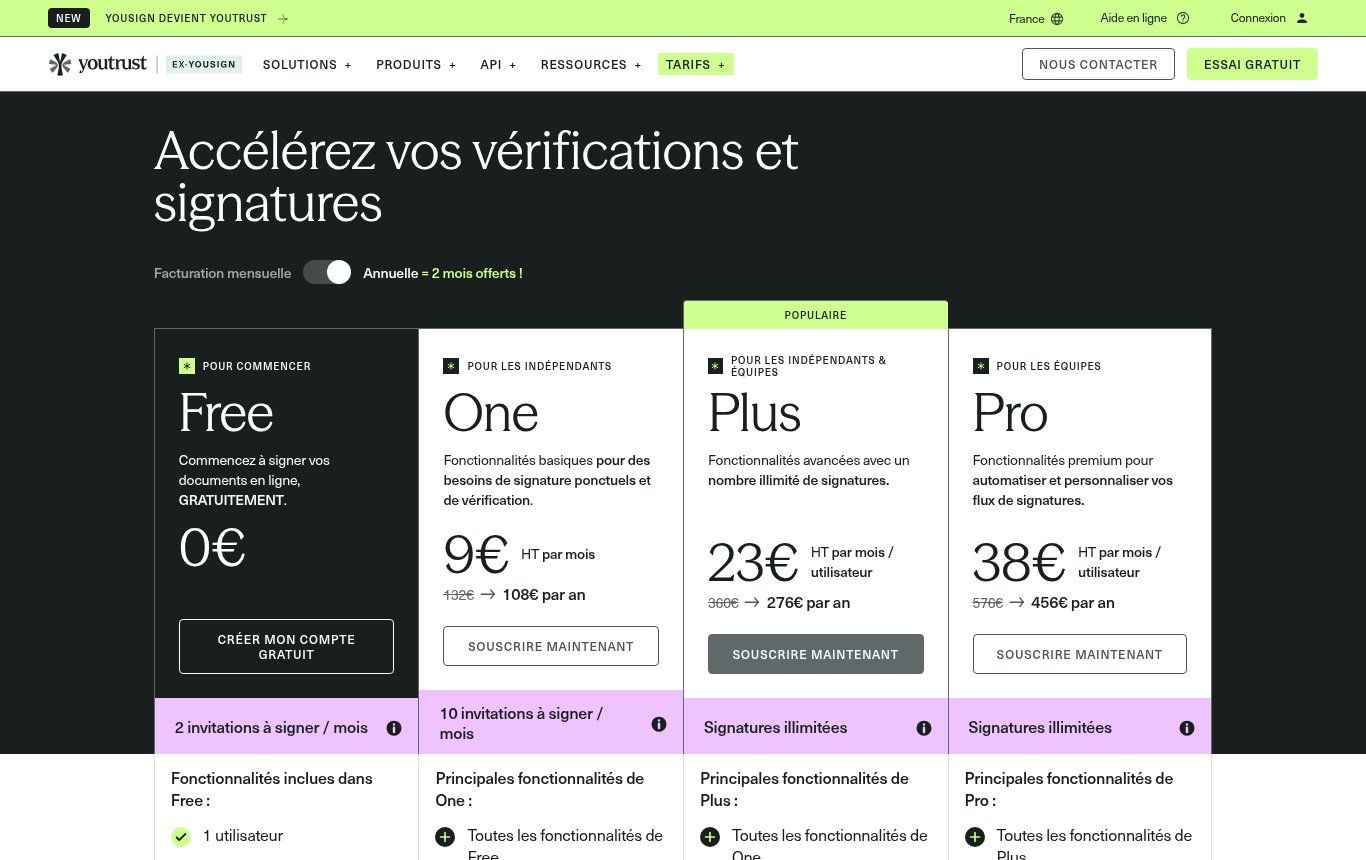
Source: youtrust.com, “Prix application” page, screenshot taken 10/11/2026.
DocuSeal: free, open source and automatable
DocuSeal is our favourite for organisations that want to automate. In the cloud, the Basic plan is free: legally binding signatures, unlimited retention, multiple signers and an audit log, but 10 signature-request emails per month. The Pro plan costs $20 per user per month and unlocks automated reminders, webhooks and the API. Above all, DocuSeal comes as open-source software you can install on your own server, free and with no sending limit. One caveat: in that case the signing certificate is self-signed, which is less reassuring for a third party than a trusted certificate.
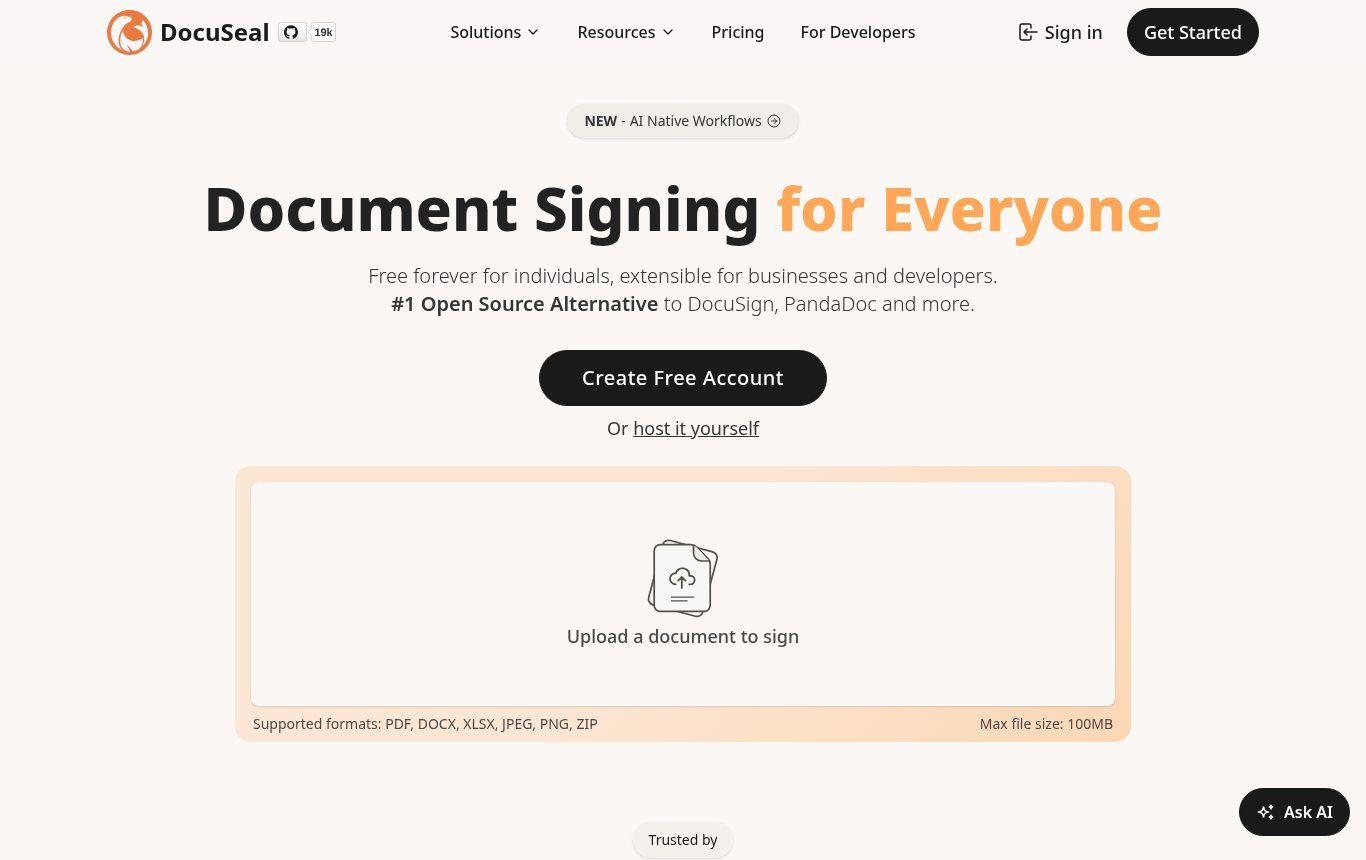
Source: docuseal.com, home page, screenshot taken 10/11/2026.
Documenso: the open-source DocuSign alternative
Documenso describes itself as “the open source DocuSign alternative”. The code is public (AGPL-3.0 licence), can be installed with Docker, and a community n8n node lets you create, send and retrieve signed documents. It is a good option if you already have a server and someone to maintain it. Otherwise, the hosted version spares you that work.
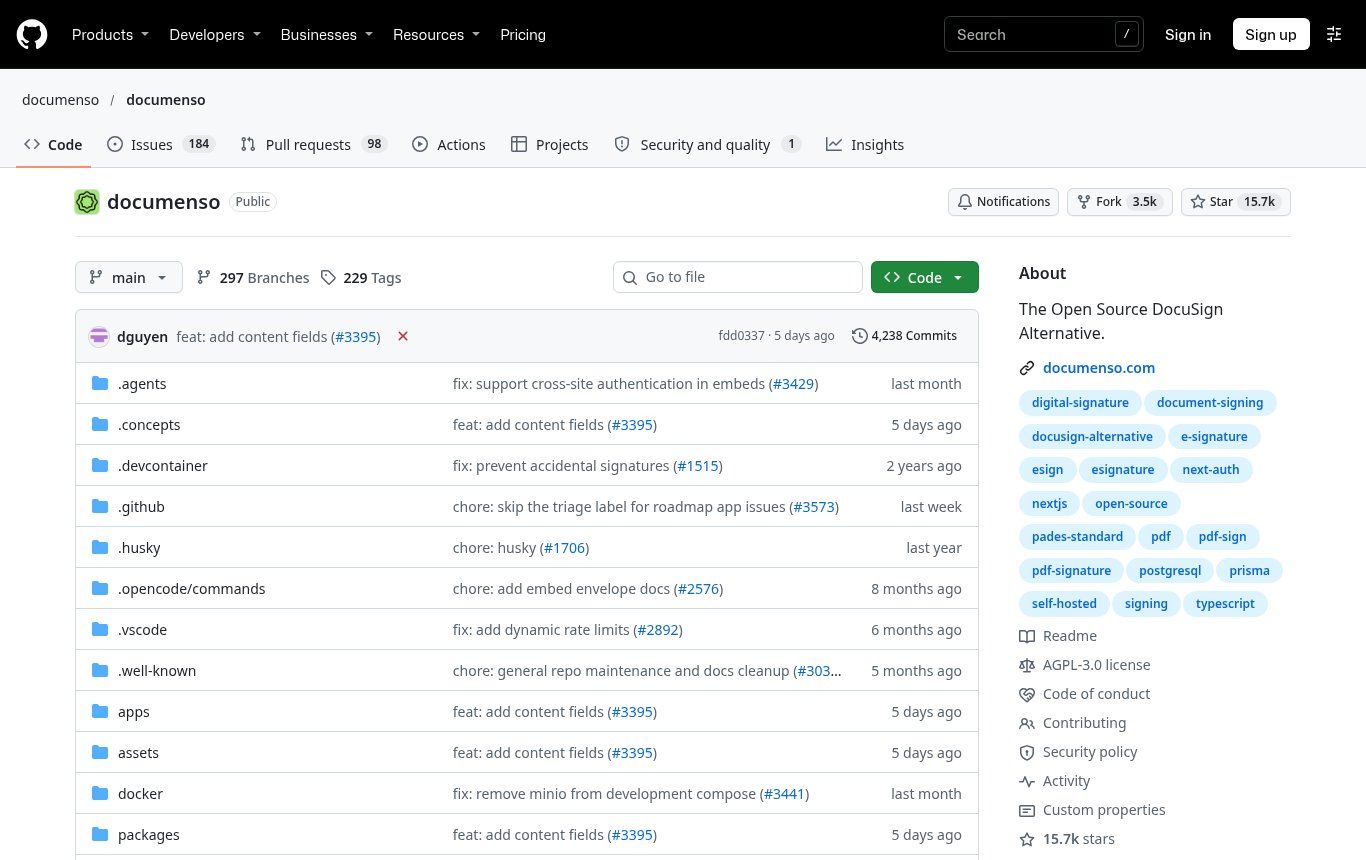
Source: github.com/documenso/documenso, screenshot taken 10/11/2026.
What about DocuSign, Adobe and “no sign-up” generators?
DocuSign and Adobe Acrobat Sign are solid, but designed for European or American budgets, with envelope quotas. As for “no sign-up” generators that have you draw a signature and then stamp it on a PDF, they produce… an image. Handy for an administrative form that accepts a scan, useless as evidence. Our rule: if the tool does not give you a downloadable audit trail, it is not an electronic signature in the sense a judge will understand.
How to get a document signed online, step by step
This is the method we use, whatever the tool.
- Finalise the document as a PDF. Never send an editable Word file for signature. Check amounts, dates, names and ID numbers before sending: once it is signed, you do not correct it, you redo it.
- Choose the signature level based on what is at stake (see the grid below).
- Add the signers with their work email addresses, in the right order if one must sign after another (the director after the finance officer, for example).
- Place the fields: signature, date, initials on each page if your practice requires it, name and job title.
- Turn on extra authentication (text-message code) for important documents, when your plan allows it.
- Send, then follow up. Good tools send automatic reminders. Still, give the signer a heads-up by WhatsApp or phone: an unexpected email often lands in spam, and your partners should know a legitimate link is coming.
- Download the signed PDF AND the certificate or audit trail, and store them together in a shared folder owned by the organisation, not on an employee’s phone.
That last point is the one everyone neglects. Senegalese law mentions ten years of retention, and Benin’s Code requires storage that preserves integrity and lets you trace the origin, destination, date and time. If the free tool deletes your documents when a subscription ends, or if the account belongs to someone who has left, your evidence leaves with them.
Which level for which document? Our practical grid
- Quote, purchase order, acknowledgement of receipt, membership form, attendance certificate: simple signature. An audit trail is enough.
- Service contract, accepted terms and conditions, non-disclosure agreement, internship agreement: a well-documented simple signature, advanced if the amount or risk is high. For online terms of sale, see also our article on online store terms of sale.
- Employment contract, partnership or funding agreement, power of attorney, minutes that commit the organisation: preferably advanced, with identity verification.
- Public procurement, regulated acts, documents where a donor requires a specific level: follow the written requirement exactly. Often that means qualified.
- Family matters, inheritance, civil security interests, notarial deeds: outside the scope of online tools in Benin. Use the route the law provides.
The WhatsApp question: does approving by message count?
This is the most common question from our West African clients, and French or European guides never answer it plainly. An “OK, I approve the quote” sent on WhatsApp is not an electronic signature within the meaning of the Digital Code. It is one piece of evidence among others: it shows agreement, from an identifiable number, on a given date. It can help in a dispute over a small order. It does not protect a significant contract well, because it does not guarantee that the document being discussed has not changed.
Best practice: use WhatsApp to carry the signing link, not to sign. Most tools let you copy an individual signing link. You send it on WhatsApp, the signer signs from their phone, and you keep the audit trail. You get the channel everyone reads and the strength of a real signature.
A word on security: scammers love fake signing links (“a DocuSign document is waiting for you”). Train your team to check the sender and the link address before clicking. Our guide on phishing at work gives a simple method.
Automating signatures with n8n or Make
Signing online saves a few days. Automating what happens before and after saves hours every week. That is where we step in most often. A typical scenario, which we build with n8n or Make:
- A client accepts a quote on your website or in your CRM.
- The automation generates the contract as a PDF from a template, with the right details (name, amount, dates).
- It creates the signature request in DocuSeal or Documenso and sends the link to the client by email, with a WhatsApp heads-up message.
- When all parties have signed, the signing tool notifies the automation (the “submission completed” trigger in DocuSeal).
- The signed PDF and its audit trail are filed in the right shared folder, the status switches to “signed” in the CRM, the deposit invoice goes out and the team gets a notification.
DocuSeal has a verified n8n node that works with n8n cloud or self-hosted, and even with DocuSeal installed on your own server. On the billing side, note that use through the API or automation tools is paid on DocuSeal cloud ($0.20 per signed document, with at least one Pro seat). For a small organisation, the open-source installation paired with n8n is often the most economical option, provided the server is properly maintained.
This kind of workflow is a natural extension of electronic invoicing and automated unpaid-invoice reminders: the same flow that gets documents signed can invoice and chase payment. For more ideas, see our article on task automation.
One rule we insist on: the automation prepares and sends, but a human approves the contract content before the first send of any new template. A wrong template sent automatically to fifty clients means fifty amendments to draft.
NGOs and institutions: what to watch
NGOs and institutions face constraints that SMEs do not always have. Donors sometimes impose a tool or signature level, so read your grant agreement before choosing. Board or general-assembly minutes signed by several members in different places are the ideal use case (one send, several signers). And retention matters a lot: an audit can ask for a signed document years later, often after the project has ended and the team has moved on. If your organisation does not yet have a website that inspires trust in partners, our guide on what an NGO website should include can help.
Finally, signed documents contain personal data (names, addresses, sometimes ID documents). In Benin, processing that data also falls under the Digital Code and the oversight of the APDP, the data protection authority. Restrict access, choose a tool that states where data is hosted, and mention this processing in your privacy policy.
Mistakes that cost a lot
- Pasting a signature image and emailing it, thinking you are protected.
- Sending an editable version for signature, then discovering two different “signed” PDFs on the day of the disagreement.
- Opening the signing account with an employee’s personal email. When they leave, the evidence leaves with them.
- Forgetting to download the audit trail and keeping only the PDF.
- Paying for qualified signatures on everything, or using simple ones for heavy commitments.
- Forcing electronic signature on a partner who prefers paper: Beninese law gives them that right.
Frequently asked questions
Does a free electronic signature have legal value?
Yes, if the tool uses a real signing process with an audit trail (signer identity, date, document integrity). Free does not mean worthless; the technical guarantees are what count. A simple pasted image, free or not, has almost none.
How do I sign a PDF for free?
To sign yourself, Youtrust Free allows unlimited self-signing, and DocuSeal Basic also lets you sign your own documents. To get someone else to sign, both tools include a small free monthly quota (2 invitations at Youtrust, 10 request emails at DocuSeal as of 10/11/2026).
Is electronic signature recognised in Benin?
Yes. The Digital Code (Law No. 2017-20) recognises it in Articles 284 to 291, and a qualified signature is accepted in the same way as a handwritten one (Article 285). Some acts remain excluded from electronic form (Article 267).
Can I have an employment contract signed online?
It is possible within the general framework for electronic writing, but check your national labour law and any collective agreement, and prefer an advanced signature with identity verification. For an employment contract, ask a lawyer.
Does agreeing on WhatsApp count as a signature?
No, it is not an electronic signature in the legal sense. It is useful evidence of agreement for small transactions. For a real commitment, send a signing link, possibly via WhatsApp.
Do I need a certificate to sign electronically?
Not for a simple signature. For a qualified signature, yes: a qualified certificate issued by a qualified trust service provider is mandatory.
How much does Guelichweb charge to automate signatures?
It depends on your documents, your volumes and the tools you already use. We do not quote blind: we start with a diagnosis, then give you a precise quote, as explained on our offers page.
Move from WhatsApp scans to signatures that hold up
Start small: pick a free tool, open the account in the organisation’s name, use it for your next three quotes, and always file the signed PDF with its audit trail. You will quickly see where things get stuck. If you want to go further and connect signatures, CRM, invoicing and WhatsApp in a single flow, contact Guelichweb. We review your documents, choose the right signature level and the tool that fits your budget with you, and automate the rest. You can also explore all our services.