What is a URL? A simple definition, what each part of a web address means (and how to choose yours)
G. CHRIST
Published on October 17, 2026
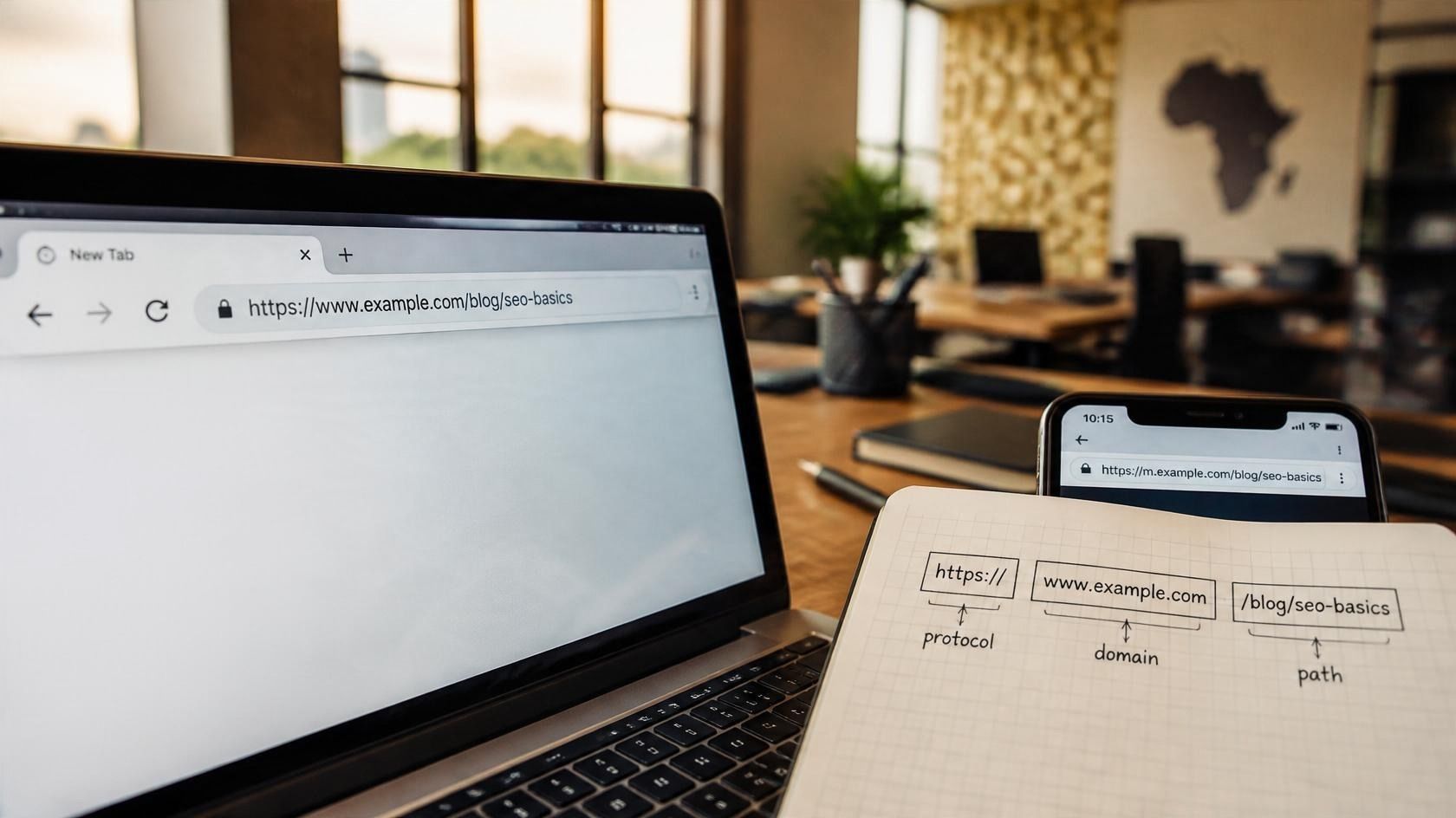
Everyone types web addresses. Few people can actually read one. That's a shame, because a URL tells you a lot: whether the connection is secure, who really owns the site, which exact page you're about to open, and sometimes even where the click came from.
Being able to read one helps an SME, NGO or institution with three very practical things: not falling for a booby-trapped link received on WhatsApp, choosing a domain name that will last ten years, and giving every page on its website an address that both Google and customers understand. Here is the definition of a URL, piece by piece, followed by what we recommend at Guelichweb.
URL: the one-sentence definition
URL stands for Uniform Resource Locator. It is the unique address of a resource on the Internet: a web page, but also an image, a PDF or a video. MDN, the reference documentation for web developers, describes it as the address of a given unique resource on the Web, and one of the key mechanisms browsers use to retrieve published resources (MDN, What is a URL?).
Put simply: the domain name gets you to the building, the full URL gets you to the right door. Its syntax is set by an international standard, RFC 3986 (the standard), which is why a URL works the same way in Cotonou, Dakar or London.
What does each part of a URL mean?
Let's take a real address from our blog, with two optional parts added for the example:
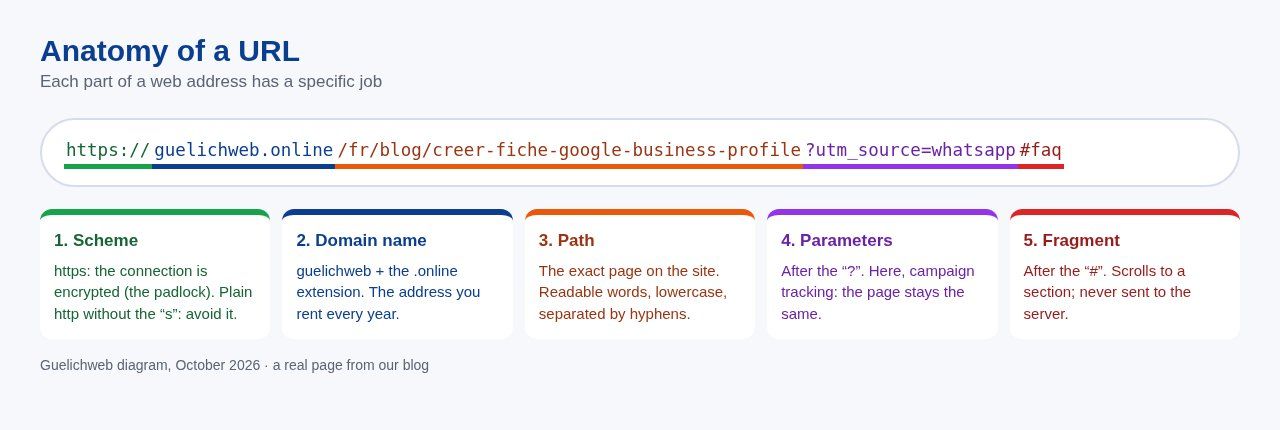
Source: Guelichweb diagram, October 2026.
1. The scheme (protocol): https://
It tells the browser how to talk to the server. Today, a website URL should start with https, the encrypted version. If your site still runs on plain http, browsers flag it as not secure; we explain why and how to fix it in our article on HTTPS and SSL certificates.
2. The domain name: guelichweb.online
This is the part you choose and rent every year. Read it from right to left: .online is the extension (also called a TLD), guelichweb is the name. A www. in front is a subdomain, just like shop. in shop.mybusiness.bj. MDN notes that a port number (:443) can follow the domain, but it is almost always hidden because standard ports are implied (MDN).
3. The path: /fr/blog/creer-fiche-google-business-profile
It points to the exact page on the site. On our site, /fr/ is the language, /blog/ the section, and the end (the "slug") describes the content. A good path reads like a short title.
4. Parameters: ?utm_source=whatsapp
Everything after the question mark. Parameters pass extra information: a filter in an online shop, a search, or, as here, where a visit came from for your analytics. The page shown stays the same.
5. The fragment (anchor): #faq
After the # sign, the fragment scrolls the page to a section. A useful detail: this part is never sent to the server with the request (MDN). Google generally ignores it too.
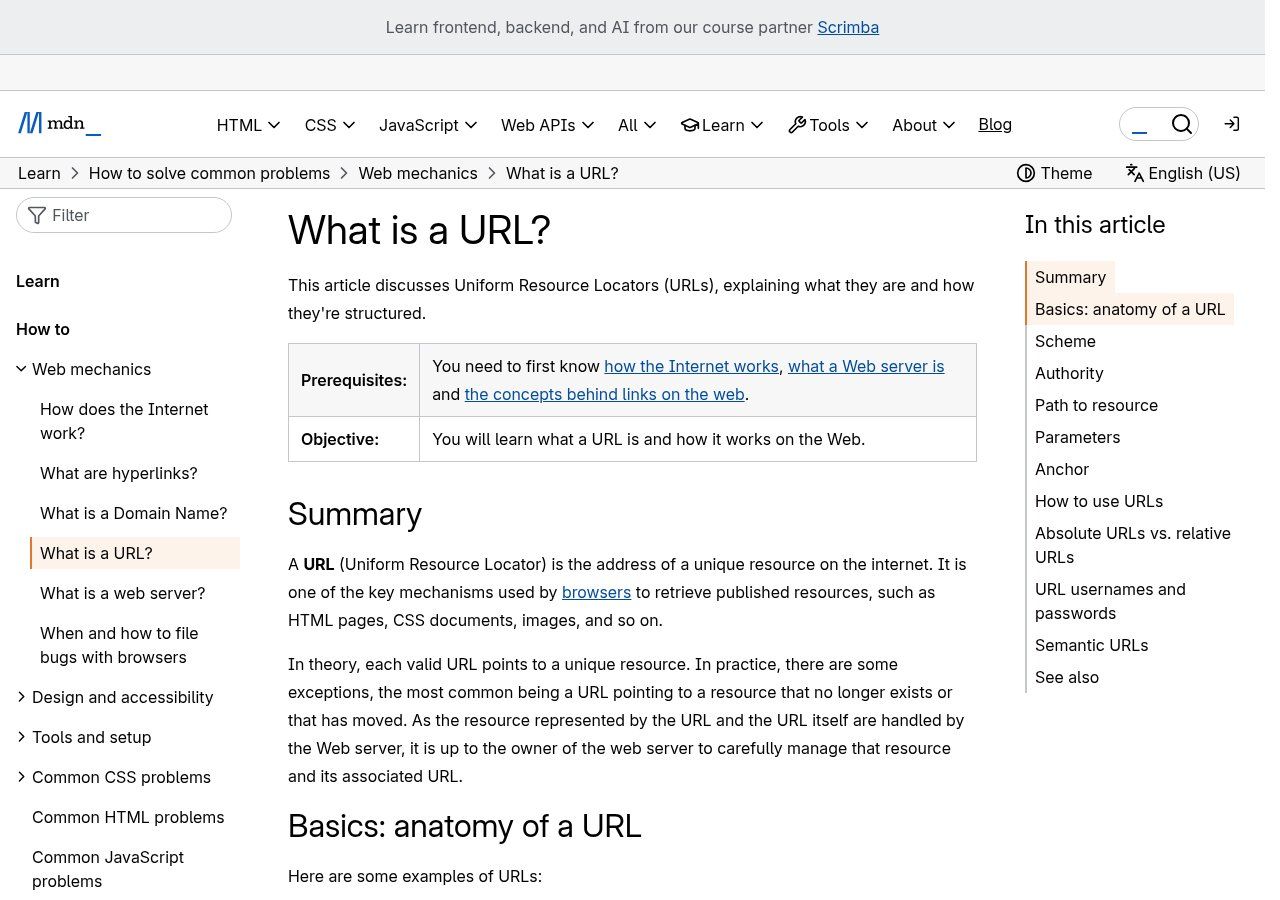
Source: MDN Web Docs (Mozilla), "What is a URL?", screenshot taken on 17/10/2026.
URL, domain name, IP address: three different things
People mix them up all the time, including in project specifications. Here's the difference:
- The domain name (guelichweb.online) is one part of the URL. It identifies the site, not a page.
- The URL is the full address of one specific resource: scheme, domain, path, and optionally parameters and fragment.
- The IP address is the server's numeric address. The DNS system translates your domain name into an IP address so nobody has to remember numbers.
- A link is the clickable element (some text, a button) that points to a URL. The link is the envelope; the URL is the address written on it.
If the line between the Internet and the Web feels blurry, we cleared it up in the difference between the Internet and the Web.
Reading a URL so you don't get tricked
This is the most useful skill day to day, and the one textbook definitions never mention. Scam links travel widely by text message, email and WhatsApp: fake prizes, fake parcels, fake account updates. The rule fits in one line: the real owner of the site is the domain written just before the first single slash.
- mybusiness.bj/promo: you really are on mybusiness.bj.
- mybusiness.bj.special-offer.com/promo: you are on special-offer.com. "mybusiness.bj" is just a subdomain placed there to fool you.
- rnybusiness.bj: an "rn" pretending to be an "m". France's national cyber-assistance service, Cybermalveillance.gouv.fr, points out that sometimes a single character is changed in the address to fool you (phishing guide, in French).
On a computer, hover over the link without clicking: the real address appears at the bottom of the browser. On a phone, a long press on the link often shows the URL before it opens. For your teams, our view is simple: a bank, mobile operator or government office will not ask for your code through a link. When in doubt, type the address yourself.
Choosing your business domain name
The domain name is the part of the URL you'll keep the longest. Switching domains after five years means reprinting all your materials and rebuilding part of your search visibility. It's worth getting right.
What we recommend
- Short and easy to spell out over the phone. Test it: say it to someone and ask them to write it down. If they hesitate, look for something else.
- No numbers or hyphens if you can avoid them. "my-business-bj-2026" is easily forgotten and mistyped.
- Brand name first. Google says so itself: keywords in the domain name or URL path alone have hardly any effect on ranking (Google's SEO Starter Guide). A long name like "best-plumber-cotonou" adds nothing.
- Registered in your name. The domain should belong to your organisation, with access to the account, not to the provider who built the site. This is the issue that causes the most trouble when you change agencies.
.bj, .com or something else?
For a business focused on Benin, .bj sends a clear local signal. It is managed by JENY SAS under delegation from ARCEP Benin, and you register through an accredited registrar (NIC BJ eligibility rules, in French). The registry sets a few rules: letters, numbers and hyphens, no spaces, between 2 and 63 characters, first come, first served (naming policy).
There are also specialised sub-extensions: .org.bj for associations and NGOs, .co.bj and .com.bj for businesses (a company registration certificate, the RCCM, is recommended), and others reserved for regulated sectors such as .edu.bj or .money.bj (list of sub-extensions).
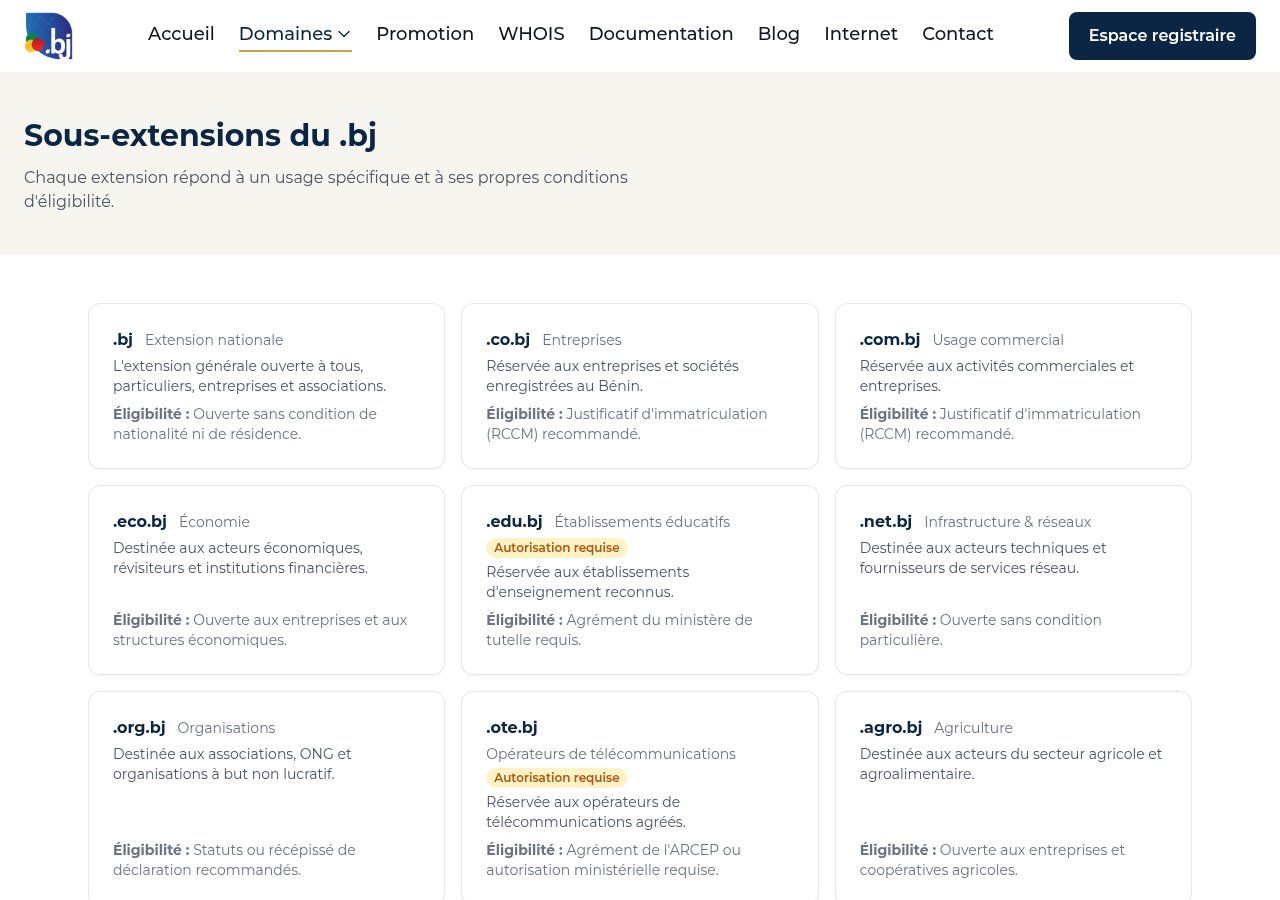
Source: nic.bj, official registry of the .bj national domain, screenshot taken on 17/10/2026.
If you're targeting all of French-speaking Africa or the diaspora, a .com remains the most universal choice. Our advice: if the name is free in both, register both and point one to the other. It costs little and protects your brand.
A good page URL, for Google and for your customers
Once the domain is chosen, there's the path of each page. Google publishes specific guidance on URL structure (Search Central). The most useful points for a business website:
- Descriptive words rather than IDs. /services/whatsapp-chatbot makes sense; /index.php?id=42&ref=3a5e does not.
- Your audience's language. A French site uses French words in its URLs; the English version has its own English words, as on our blog.
- Hyphens between words, not underscores (_), and no words run together.
- One letter case. Google treats /Contact and /contact as two different URLs. All lowercase keeps it simple.
- No fragments to change content. Google generally doesn't support fragments (#), so content shown only through # may not be indexed.
- As few parameters as possible. Ones that don't change the content (sessions, tracking) don't belong in your internal links.
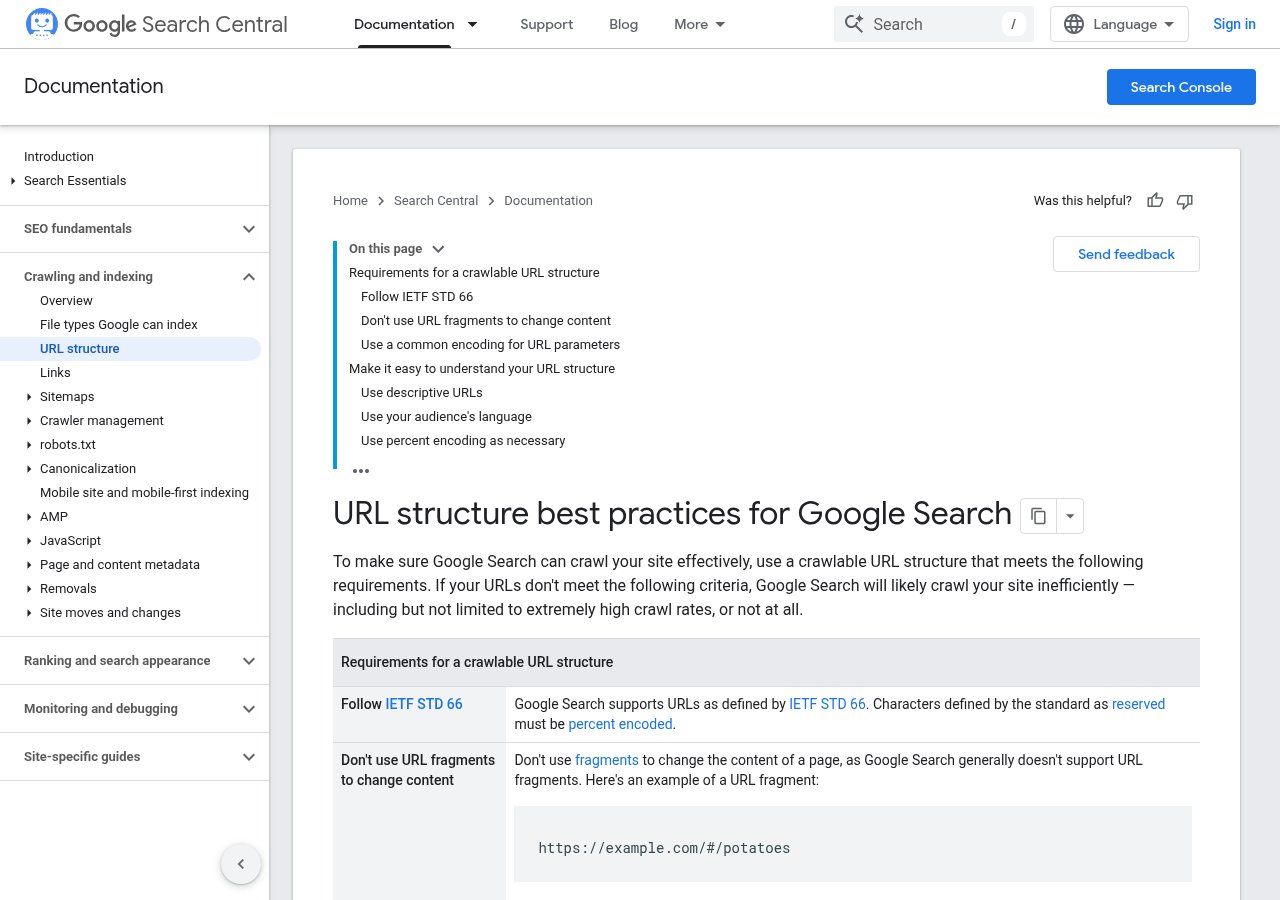
Source: Google Search Central, "URL structure best practices for Google Search", screenshot taken on 17/10/2026.
Two rules of our own on top. First, no date in the URL of an article you'll update: /blog/website-cost-2025 ages badly. Second, don't change a published URL lightly. If you really must, set up a permanent (301) redirect from the old address to the new one, as Google recommends (redirects and Google Search). Otherwise you lose the links and shares you've built up, and visitors land on an error page.
For the next step, getting those pages known to Google, see how to appear on Google and, if you have a physical location, your Google Business Profile.
Related reading: What is a web browser, Cookies and trackers and What is the Internet.
Frequently asked questions
Where do I find a page's URL?
In the address bar at the top of the browser. On a phone, tap that bar to see the full address, or use the Share button and then Copy link.
Do I need to write "www"?
No, it's an optional subdomain. What matters is choosing one version (with or without www) and redirecting the other to it. Our own site, for example, redirects www.guelichweb.online to guelichweb.online.
Can a URL contain accented characters?
Technically yes: Google accepts non-Latin characters, which are encoded automatically. But once pasted into WhatsApp or an email, "é" often turns into "%C3%A9". For URLs that are easy to share, we write them without accents.
What's the difference between a URL and a domain name?
The domain name identifies the whole site (mybusiness.bj). The URL points to one specific resource on that site (https://mybusiness.bj/contact).
Is a long URL bad for SEO?
Length isn't the problem; unreadability is. A clear URL of six or seven words beats a short, meaningless code.
Want a website with clean addresses, from domain to pages?
At Guelichweb we help you choose and register your domain name in your own name, then build a site with clear URLs, on HTTPS, ready for Google. The price depends on your project: we quote after a diagnosis, as explained on our offers page. Discover our website creation service in Cotonou, or contact us to talk it through.