Hacked WhatsApp Business account: how to recover it, protect your customers and stop it happening again
G. CHRIST
Published on November 19, 2026
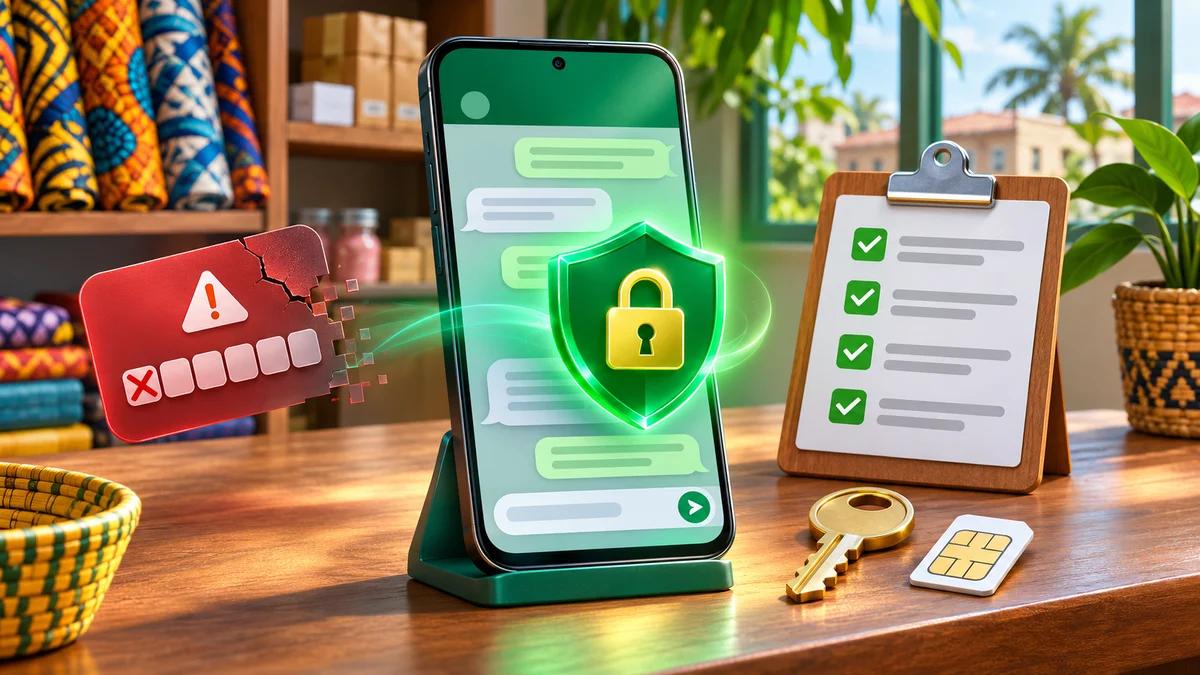
It almost always starts the same way. One morning WhatsApp Business shows "Your phone number is no longer registered with WhatsApp on this phone". An hour later a customer calls: she has just received a message from your number asking her to send 50,000 FCFA by Mobile Money "urgently", or to forward a code "sent by mistake". Your photo, your business name, your whole chat history are there. To her, it is you.
A hacked WhatsApp Business account is not just a lost account. It is a sales channel cut off, customers exposed to a scam carrying your name, and a reputation decided in the next few hours. The good news: in the vast majority of cases the account can be recovered. The bad news: most people waste precious time on things that do nothing (changing a password, reporting their own account, paying a "hacker" who promises to unlock it).
At Guelichweb we set up and secure business WhatsApp numbers for SMEs, NGOs and institutions. This guide puts what actually works in the right order: recover the account, protect your customers during the crisis, lock the account down afterwards, and organise your team so it does not happen again. Everything about the recovery procedure comes from WhatsApp's official help pages, which we link throughout.

Official WhatsApp logo (Meta). Source: whatsappbusiness.com.
The first 10 minutes: six moves, in this order
If you are reading this in the middle of a crisis, start here. Each step is explained further down.
- Re-register your number in WhatsApp Business, on your phone, with the SIM card for that number: Log back in, then enter the 6-digit code received by SMS or call. This is the only move that kicks the intruder out.
- Do not share that code with anyone. Not a "WhatsApp agent", not a friend, not a colleague writing from another number.
- Warn your customers through another channel (Facebook page, Instagram, SMS, Google profile, website): "our WhatsApp has been hacked, do not pay anything, do not send any code".
- If you still have access to the app, open Linked devices and log out anything you do not recognise.
- Take screenshots of everything: scam messages reported by customers, numbers used, times, any payment receipts.
- Do not report your own account before you have recovered it: WhatsApp warns it could ban it.
How do you know your WhatsApp Business account has been hacked?
In practice there are two very different situations, and you need to know which one you are in.
Situation 1: you have been logged out (the account was taken over)
Someone registered your number on another phone. The signs: the app logs you out saying your number is registered elsewhere; just before, you received an SMS or call with a WhatsApp code you never requested; when you try to log back in, the app asks for a PIN you never created. In this case the hacker cannot see your past conversations (they stay on your phone), but they receive new messages and write in your name.
Situation 2: you still have access, but someone is reading along
This is the sneakier version. Nothing changes on your phone, but an unknown device has been added to your account, like a computer with WhatsApp Web open. The signs: messages marked as read that you never opened, sent messages nobody on the team wrote, customers complaining about odd requests. You check this in Settings > Linked devices: any device you do not recognise must be logged out immediately (official help). If your team uses the desktop app, our guide to WhatsApp on a computer explains how to name and track these sessions.
How hackers take over a business WhatsApp account
People picture a genius hacker. In reality, almost every case we see in West Africa relies on manipulation, not on a technical flaw. These are the most common scenarios:
- The "code sent by mistake". A known contact (whose account has already been hacked) writes: "I sent you a code by mistake, can you send it back?". That code is the key to your account. This is how hacks spread from contact to contact.
- Fake customer support. A message or call claims to be "the WhatsApp team", "Meta Business" or a "green badge certification" service and asks for the code you just received to "verify your business account". WhatsApp will never ask you for that code.
- The vote or the photo. "Vote for my niece in this contest", "I just found your photo here": the link leads to a fake page that asks for your number, then makes you type a pairing code into WhatsApp. You have just added the hacker's computer to your account. Researchers at Gen Digital named this technique GhostPairing.
- Voicemail. The hacker requests the code by voice call at a time you will not pick up; the code lands in your voicemail, which some people check remotely with a default PIN. Côte d'Ivoire's national CERT issued an alert about this method in 2026.
- Fake WhatsApp apps. Modified versions (GB WhatsApp, WhatsApp Gold, WhatsApp Plus…) promise extra features and harvest your data in return. They have no place on a business phone.
- A phone or SIM the business does not control. A stolen phone, a SIM registered to an employee who leaves on bad terms, a shop phone left unlocked: no scam needed when physical access is enough.
What do they all have in common? A shared 6-digit code, or a device left unchecked. That is why prevention starts with your team, just as it does for phishing at work.
Recovering a hacked WhatsApp Business account: the official procedure
WhatsApp is very clear in its help center: the only way to remove someone from your account is to re-register your number with the 6-digit code sent to that number. The procedure is the same for WhatsApp and WhatsApp Business:
- Open WhatsApp Business on your phone, with the SIM card for the affected number. If the app is still open it will offer to log you back in; otherwise reinstall it from the official Play Store or App Store.
- Tap Log back in > Continue.
- If prompted, enter your full international number (for Benin, +229 followed by the 10 digits), then Next > OK.
- Enter the 6-digit code you receive by SMS or phone call.
As soon as the code is accepted, every device logged into your account is logged out, including the hacker's. WhatsApp also states that someone who re-registers your account on another phone cannot read your past conversations, because they are end-to-end encrypted and stored on your device.
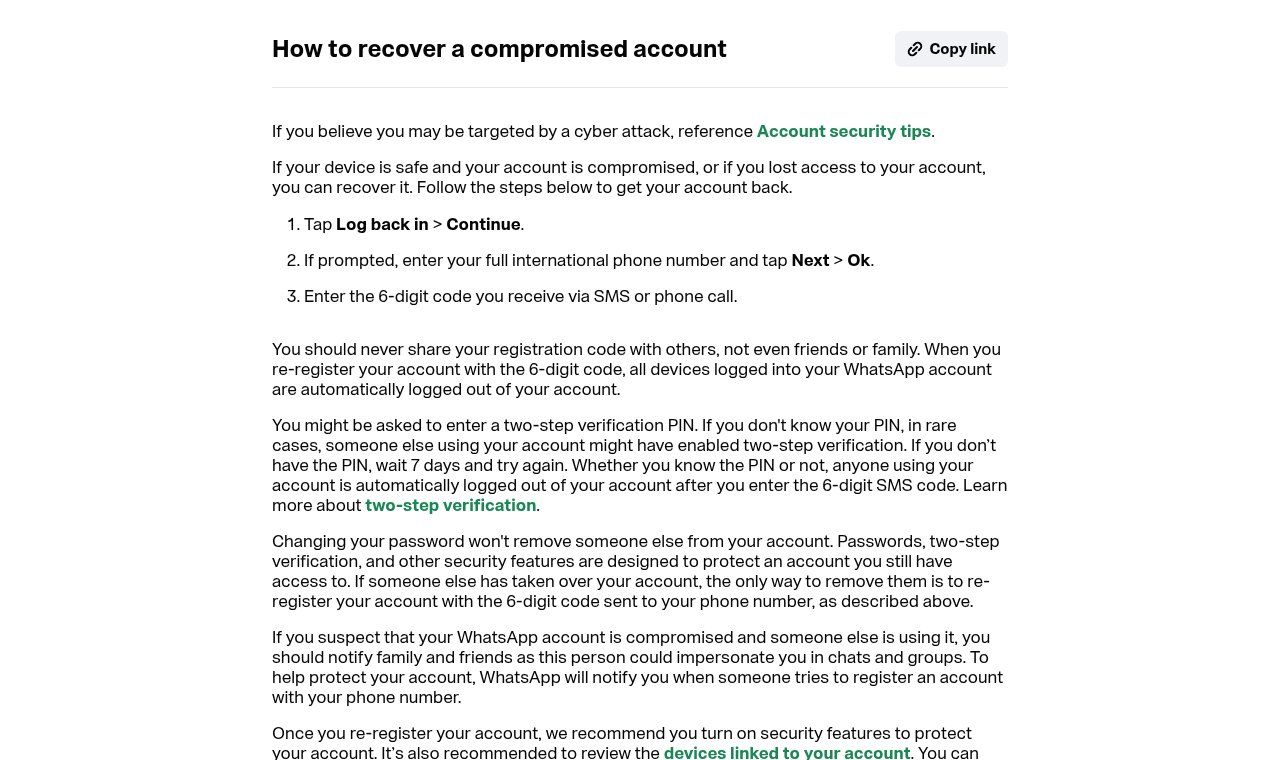
Source: WhatsApp Help Center, "How to recover a compromised account" (faq.whatsapp.com), viewed on 19 November 2026.
If WhatsApp asks for a PIN you do not know
This is the most stressful case, and a common one: the hacker turned on two-step verification with their own PIN to lock you out. Breathe. Even if you do not know that PIN, the hacker is logged out as soon as you enter the SMS code. They can no longer use your account.
Then there are two cases. If an email address you control was already linked to the account, use Forgot PIN? > Send email and follow the reset link. Otherwise, WhatsApp says you must wait 7 days and try again, at which point the reset option becomes available. Seven days without WhatsApp is a long time for a business, but that is the procedure, and nobody (no "technician", no "contact at Meta") can shorten it. Hence the importance of warning customers through other channels, which we come back to below.
If you no longer have the SIM card
Stolen phone, lost or damaged SIM: without a way to receive the code there is no recovery. Two options. First, WhatsApp says some existing accounts can complete verification without an active SIM, by email, provided an email address was added and verified beforehand. Otherwise, go to your mobile operator (in Benin: MTN, Moov Africa or Celtiis) with an ID document to get a replacement SIM with the same number. This is where a SIM registered to a former employee becomes a very concrete problem: the operator replaces the SIM for its registered holder, not for the business that was using it. Note too that blocking the SIM does not log other devices out of WhatsApp. You need to re-register the account.
If the intruder is only a linked device
You still have your account, but an unknown computer is linked to it (situation 2): open Settings > Linked devices, tap each suspicious device, then Log out. Then turn on two-step verification if it is not already on. If you have the slightest doubt, re-registering the number is still the radical fix, since it logs out everything.
What you must not do
- Change your password and think the job is done. WhatsApp says it plainly: passwords and two-step verification protect an account you still have access to; they do not remove someone who has already taken it over.
- Report your own account while the hacker controls it: WhatsApp warns it could ban it, and you would lose both the account and its data. Recover first.
- Pay someone to "unlock" the account. Ads for "guaranteed account recovery" on Facebook or Telegram are useless at best and a second scam at worst. Only WhatsApp manages accounts.
- Negotiate with the hacker or send money to get the account "back".
- Rush to create a new account on another number without trying recovery first: you break continuity with your customers for nothing.
Protecting your customers during the crisis: the part everyone forgets
For a business, this is where it really counts. As long as the hacker controls the number (and during a possible 7-day wait), they can message your customers using your identity. The classic message: a "new payment number", a promotion "to pay now by Mobile Money", a code to send back. Every customer who pays loses money, and you lose trust.
Our view is firm: warn people quickly, widely and without embarrassment. Hacks happen to serious businesses; a business that stays silent while its customers get scammed is what really damages a reputation. Use all your other channels at once:
- a post and a story on your Facebook page and Instagram account;
- an SMS or call to your most active customers, from another identified number;
- an update on your Google Business Profile, which many customers check to find your number;
- a banner on your website's home page;
- an email to your customer list, if you have one;
- for an NGO or institution, a message to partners and beneficiaries through the usual official channels.
A sample message to adapt:
Warning: our WhatsApp number [number] was hacked on [date]. Until we confirm otherwise here, do not respond to any request coming from that number. We will never ask you to send money to a new number or to share a code received by SMS. To reach us: [other number / page / email]. Please share this.
Once the account is recovered, post a second message to say so, and restate the rule that protects your customers in future: your official payment numbers never change through a simple WhatsApp message.
After recovery: lock the account down in 20 minutes
Got control back? Do not stop there. A recovered but unsecured account can be taken again the next day with the same trick. Here is the checklist we apply to the numbers we manage:
- Turn on two-step verification (Settings > Account > Two-step verification) with a PIN only the manager knows, and add an email address the business controls. According to WhatsApp Business, this is the single most effective protection against takeover.
- Add an email address to the account so you can log in without SMS (useful if the SIM is lost). A professional email address on your own domain is better than an employee's personal Gmail.
- Create a passkey (fingerprint, face recognition or screen lock) if your phone supports it, and turn on app lock.
- Review linked devices and keep only the ones you can name.
- Check what the hacker may have changed: profile name and photo, description, links, address, greeting and away messages, quick replies, catalog, broadcast lists, groups created or joined in your name.
- Update the app and the phone, and uninstall any modified version of WhatsApp.
- Secure the line's voicemail with a personal PIN, or turn it off if you do not use it.
- Check your backups (Google Drive or iCloud) and turn on end-to-end encrypted backup, protected by a password.
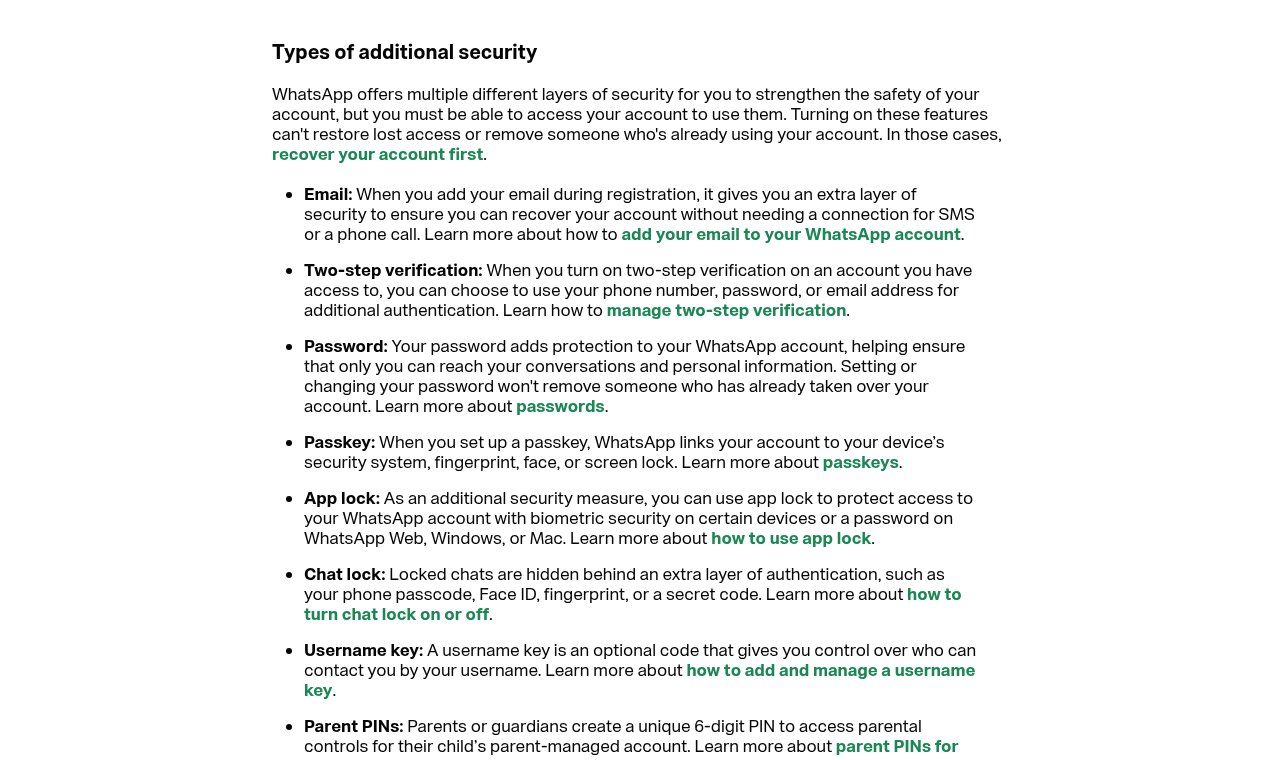
Source: WhatsApp Help Center, "Account security tips" (faq.whatsapp.com), viewed on 19 November 2026.
Teams, shared phones, departing staff: the rules that prevent the next crisis
Most of the business account hacks we see are not primarily a technical problem but an organisational one. The company's WhatsApp number often started on the founder's or an assistant's personal phone, with a SIM in their name, a PIN nobody else knows and three linked computers everyone has forgotten about. Five simple rules change everything:
- The SIM belongs to the business and is registered in its name (or the director's), not an employee's.
- The PIN and the recovery email are held by management, stored somewhere safe (a password manager, for example), not in a phone's photo gallery.
- Nobody shares the verification code, not even internally. If a colleague asks for "the code that just arrived", that is a red flag.
- Every linked device has a named owner, and the list is checked every month.
- An employee leaving triggers a procedure: log out their devices, change the PIN, take back access. WhatsApp itself recommends updating the PIN as soon as someone leaves the team.
If several people answer customers, WhatsApp recommends using Meta Business Suite to share the inbox with roles and permissions, without handing out login details or the phone number to everyone.
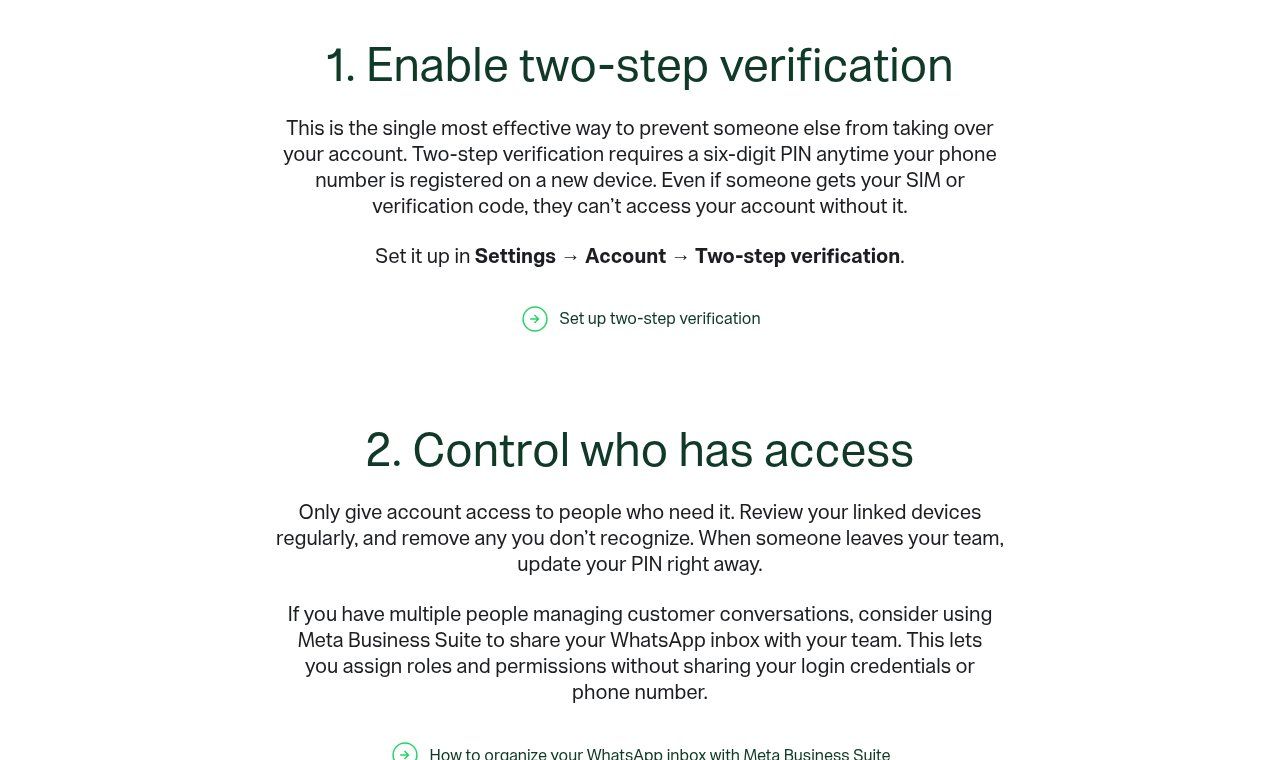
Source: whatsappbusiness.com, "Protecting your business on WhatsApp: Security best practices", viewed on 19 November 2026.
What if you use the WhatsApp Business API?
Everything above concerns the WhatsApp Business app, the one you install on a phone. If your number runs through the WhatsApp Business API (via a chatbot, a CRM or a tool like n8n), the risk moves elsewhere. There is no day-to-day SMS code to steal: the entry points are the accounts that administer the Meta business portfolio (often personal Facebook accounts), the access tokens stored in your tools, and contractors' access.
The right habits: mandatory two-factor authentication on every Meta admin account, at least two trusted admins (never just one), removing access for former contractors and employees, tokens kept in a vault rather than pasted into shared files, and alerts on abnormal sending volumes. This is exactly what we check when we set up a WhatsApp chatbot with n8n.
Filing a complaint and reporting: where to go
Recovering the account fixes the technical problem. If customers were scammed or your identity was impersonated, report it. First gather evidence: screenshots of scam messages, numbers used by the scammers, dates and times, Mobile Money transaction references, statements from affected customers.
- Benin: the Centre National d'Investigations Numériques (CNIN), which took over the duties of the former OCRC, accepts complaints online at cnin.bj/plainte or by email at plaintes@cnin.bj.
- Côte d'Ivoire: report to CI-CERT on the ANSSI platform, and file a complaint with the Plateforme de lutte contre la cybercriminalité (PLCC) in Abidjan.
- Senegal: online pre-report on the National Police platform, then a complaint with the Division spéciale de cybersécurité.
- France: Cybermalveillance.gouv.fr guides victims and explains what to do.
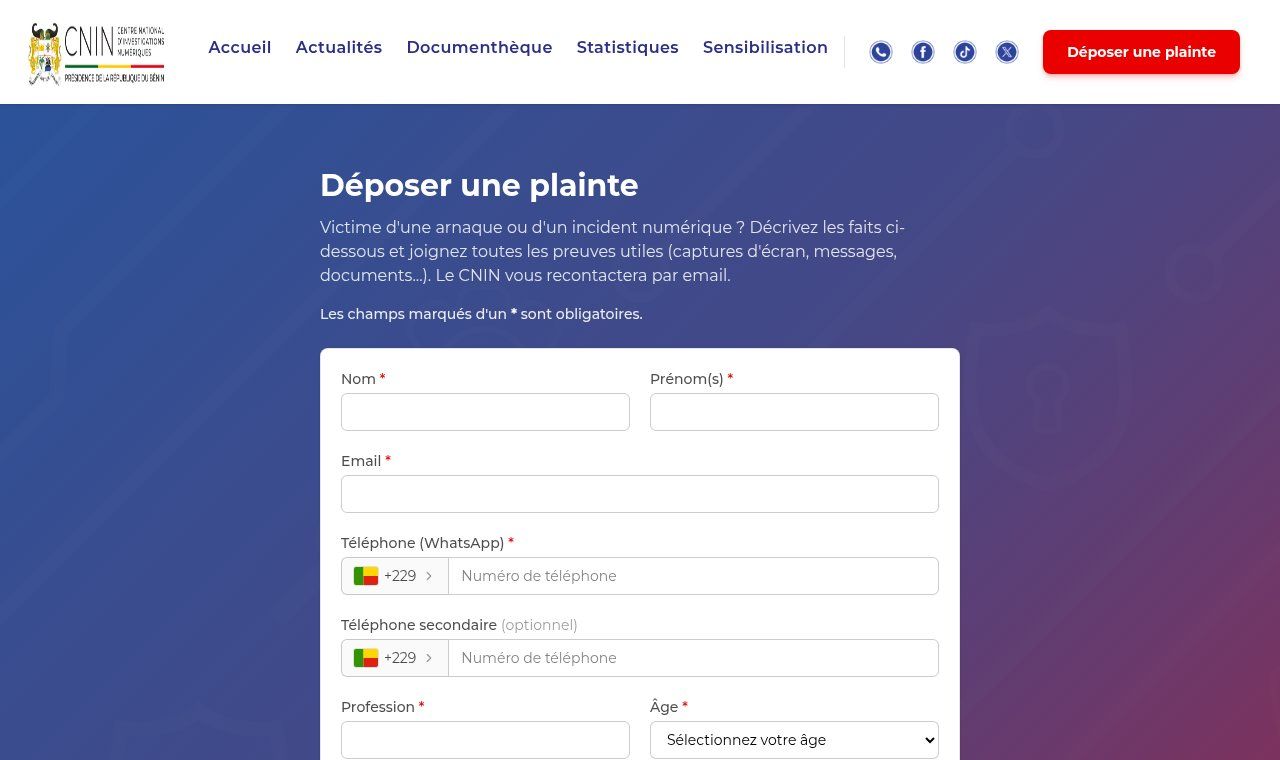
Source: cnin.bj, "Déposer une plainte" page, viewed on 19 November 2026.
Note that WhatsApp does not provide information about who accessed your account, or when and where: only an official investigation can go further. Finally, if customer data may have been exposed (for example through a device linked for weeks), check which personal data protection obligations apply to you; in Benin, that means the APDP.
If the number is lost for good
It happens: SIM impossible to recover, number registered to someone unreachable, account banned. In that case, create a WhatsApp Business account on a new number registered to the business, secured from day one, then go through every place the old number appears: website, wa.me links and QR codes printed on flyers and packaging, Google profile, Facebook and Instagram pages, email signatures, quotes and invoices. Announce the new number on every channel and ask customers to delete the old one. If you are simply switching SIMs while keeping the account, use WhatsApp's official change number feature instead, which transfers the account.
The quick-reference card for your team
Print it, stick it next to the shop phone or share it in the team group:
- A 6-digit WhatsApp code is never shared, with anyone.
- A "vote", "photo" or "verification" that asks for a WhatsApp code or QR scan: close it.
- Check Linked devices every month.
- Suspicious logout: tell the manager immediately, who re-registers the number.
- Warn customers through other channels within the hour.
- Never pay anyone to "unlock" the account.
Frequently asked questions
Can you recover a hacked WhatsApp Business account without the SIM card?
Only if an email address had been added and verified on the account before the hack. Otherwise you need a replacement SIM with the same number from your operator, which assumes the line is registered in your name.
Can the hacker read my old conversations?
If they re-registered your number on their phone, no: your old messages stay on your device. If they added a linked device to your account, they may have seen the synced history and everything that arrived afterwards. That is why you should check linked devices regularly.
How long does recovery take?
A few minutes if you have the SIM and no unknown PIN. Up to 7 days if the hacker turned on two-step verification and you have no recovery email. The hacker is logged out as soon as you re-register.
Should I contact WhatsApp support?
You can write to support from the app (Settings > Help > Contact us) with your number in international format. But support cannot shorten the 7-day wait or tell you who took your account. And be wary of any "support" that contacts you first.
Could my account have been hacked if I never shared a code?
Yes, in particular if you scanned a QR code or typed a pairing code on a website, if your voicemail is unprotected, if someone had access to the phone, or if you use a modified version of WhatsApp.
Does a verified badge protect against hacking?
No. A badge helps customers recognise your account; it does not stop someone from taking it. Real protection comes from two-step verification, a recovery email, a passkey and a team that never shares codes.
How much does it cost to have Guelichweb secure our WhatsApp?
It depends on the number of phone numbers, devices and users, and on whether you use the API or a chatbot. We start with a diagnosis, then a quote; our packages are described on our offers page.
Final word
A hacked WhatsApp Business account can almost always be recovered, as long as you make the right move straight away: re-register the number with the code you receive, and nothing else. For a business, the real issue is your customers during the hours (or days) of crisis, and the organisation that keeps it from happening again: a SIM in the company's name, a PIN held by management, a recovery email, linked devices under control, and a team that knows how to say no to a "code sent by mistake".
Want us to check the security of your business WhatsApp number, organise your team's access, or move cleanly to the API with a chatbot? See our services or contact Guelichweb: we start with a diagnosis of what you already use, then tell you frankly what is worth doing.