How to get Google reviews (without fake reviews): link, QR code, WhatsApp messages and reply templates
G. CHRIST
Published on November 7, 2026
"How do we get more Google reviews?" It is one of the questions we hear most, right after "why does my competitor show up before me on Maps?". The two are connected. And the honest answer fits in one sentence: ask everyone, at the right moment, with the right link. Everything else is organisation.
The trouble is that this organisation almost never exists. We see restaurants that are full every night with eleven reviews, serious clinics with three reviews from 2021, well-known NGOs without a single rating. Not because their customers are unhappy: because nobody ever asked them. At the other extreme, we also see profiles that gain forty five-star reviews in a week… and then end up with a warning banner from Google. This guide is about avoiding both situations.
At Guelichweb, we work with SMEs, shops, NGOs and public institutions in Benin and French-speaking Africa on their websites, their local visibility and the automation of their processes. So we will stay practical: where to find your review link and QR code, what to write on WhatsApp, how to reply (including to unfair reviews), what Google explicitly forbids, and how to automate review requests without crossing the red line.
In short: get the official link and QR code from your profile, ask every customer (not just the happy ones) for a review right after the service, with no reward and no hint about the rating. Reply quickly and calmly. Report what breaks the rules, live with the rest. And never buy reviews.
Why Google reviews matter so much (and not only for ranking)
Reviews work on two levels. First, local ranking: Google lists "prominence" among its three official local ranking factors, and review count and score are part of it. We cover those factors in our guide to local SEO. Second, and often more important, the customer's decision: when two pharmacies, two garages or two schools appear side by side on Maps, people call the one that feels trustworthy.
Our view is fairly blunt: volume and freshness matter more than perfection. A 4.4 rating with sixty reviews, several from last month, reassures more than a perfect 5.0 based on four old reviews. Google says so itself in its help pages: a mix of positive and negative feedback is often perceived as more trustworthy. A flawless 5.0 on a small profile mostly looks like the owner's family.
One prerequisite: without a verified profile, you get no review link and no right to reply. If that is not done yet, start with our step-by-step guide to creating and verifying a Google Business Profile, then come back here.
Official logo of Google Business Profile (formerly Google My Business), the free tool that manages your listing and your reviews. Source: Google.
What Google allows… and what it explicitly forbids
Before any technique, let us set the rules. They are stricter than many people think, and they apply to every profile, in Benin, France or anywhere else. The Maps user-generated content policy explicitly allows merchants to ask for or encourage content that reflects a genuine experience, as long as they offer nothing in return and do not try to influence the rating or the content of the review.
In other words, asking for a review is fine. What is forbidden:
- Offering a reward: a discount, a free drink, airtime credit, an entry into a prize draw, in exchange for a review, for changing a review or for removing a negative one.
- Selecting customers: asking only those who seem happy, or sending a home-made survey first and passing the Google link only to people who give high scores. Google calls this selectively soliciting positive reviews.
- Applying pressure: requiring a review on the spot, asking for specific content (for instance an employee's name), setting review quotas for staff.
- Conflicts of interest: reviews from employees, former employees, relatives or business partners. Even sincere ones are not allowed.
- Fake reviews: bought, written from several accounts, or posted on a competitor's profile to damage it.
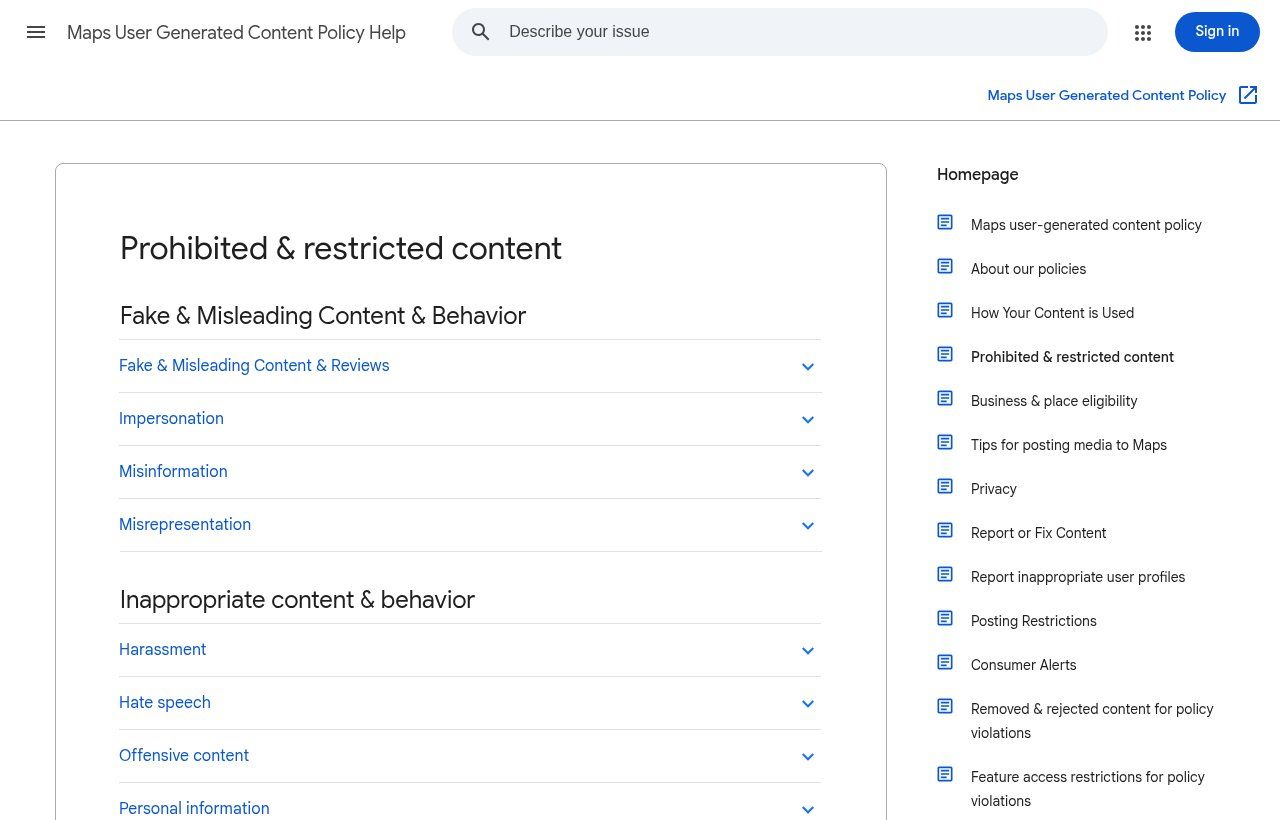
Source: screenshot of the "Prohibited & restricted content" page, Maps User Generated Content Policy Help (support.google.com), accessed on 7 November 2026.
The penalties are real. According to its page on restrictions applied to Business Profiles, Google may remove the reviews involved, block new reviews for a period, unpublish existing reviews and display a public warning saying that fake reviews were removed. For a local business, that is the worst possible advertising. In its report published in April 2026, Google says it blocked or removed more than 292 million policy-violating reviews over 2025. The "packs of 50 reviews" sold on social media very often end up in that figure.
On the legal side, in the United States the FTC's rule on consumer reviews and testimonials, in force since 21 October 2024, bans buying, selling and creating fake reviews and lets the regulator seek civil penalties. In France, getting fake reviews published is a misleading commercial practice punishable by two years in prison and a €300,000 fine, according to economie.gouv.fr. For other countries, check your local consumer law; but even without a specific text, Google's own rules are enough to make cheating a bad bet.
Step 1: get your official review link and QR code
This is the starting point, and the one that makes the biggest difference. Without a direct link, you are asking customers to search for your name, find the right profile (not a namesake), scroll down to reviews and then find the button. Half of them give up. With the link, they land directly on the rating window.
The official procedure, described on the page Create a Google link or QR code to request reviews:
- Sign in with the Google account that manages the profile, then go to your Business Profile (searching for your business name on Google is often enough).
- Select Read reviews, then Get more reviews.
- Copy the link with the Copy icon.
- For the QR code: right-click it, then "Save image as".
Two details that save hours of frustration. First, Google states that, for now, review QR codes can only be generated from a computer browser, not on mobile. Do it once, save the image in a shared folder and reuse it everywhere. Second, test the link on a phone that is not yours, ideally signed in to another Google account: it must open the review window of your profile, not a search page.
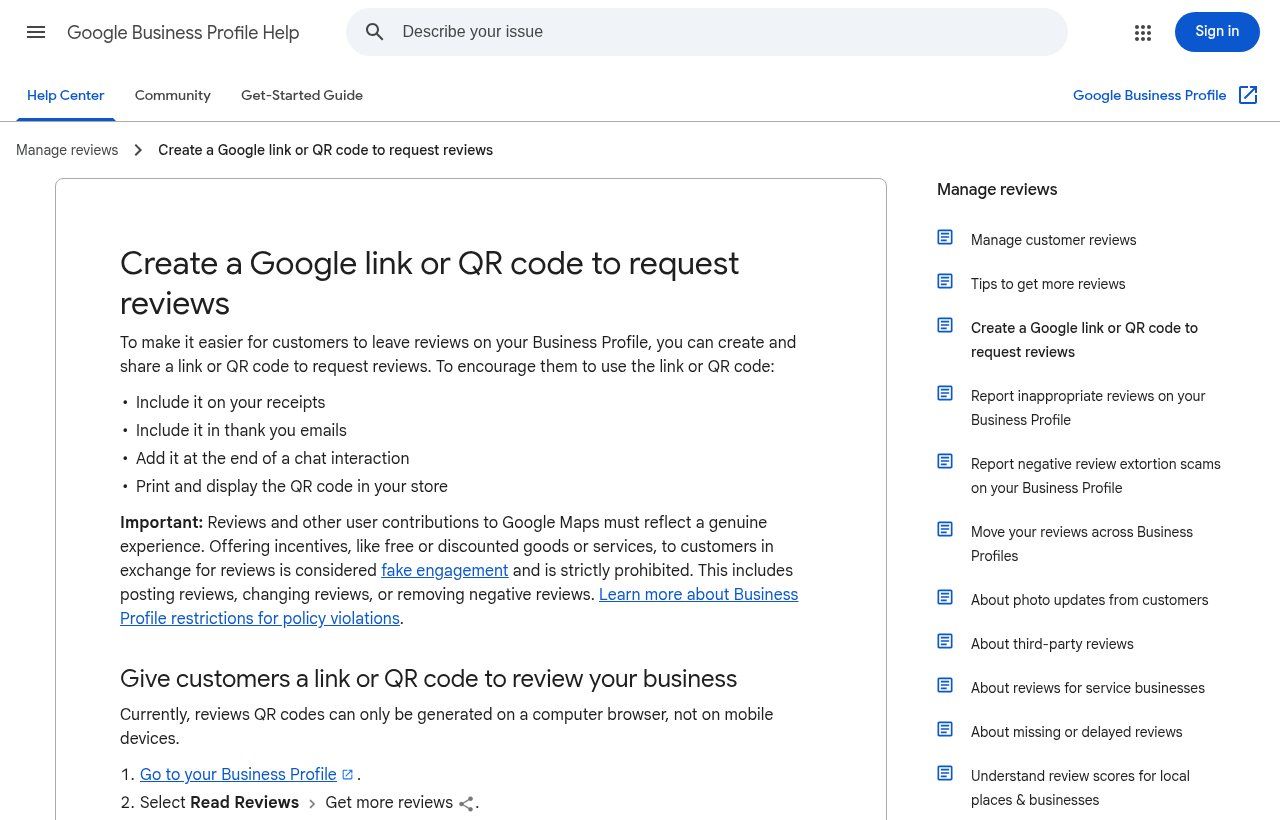
Source: screenshot of the "Create a Google link or QR code to request reviews" page, Google Business Profile Help (support.google.com), accessed on 7 November 2026.
Note that Google itself lists WhatsApp among the channels for sending a review request, alongside email and Facebook. Good news for us: in West Africa, that is often where the conversation with the customer already happens.
Step 2: ask at the right moment, and ask everyone
The best moment is when the customer sees the result. Not a week later. Not "when we have time to run a campaign". A few benchmarks for the businesses we work with:
- Restaurant, bar, hotel: when the bill arrives or at checkout, with the QR code on the table or at the counter.
- Shop, hardware store, pharmacy: at the till, with the QR code next to it and the link on the receipt.
- Tradespeople, construction, repairs: when handing over the keys or finishing the job, by WhatsApp the same day.
- Clinic, medical practice: with a lot of tact. No request in the context of a difficult diagnosis, and never any health information in the message. A discreet QR code in the waiting room works very well.
- School, training centre: when certificates are handed out or at the end of a course, with adult learners or parents.
- NGO, public institution: after a public event, a training session or a service delivered at the counter. Beneficiaries can share their experience too.
- B2B, agency, consultancy: at delivery or after a first measurable result, through a personal message from the project lead.
Above all: ask everyone. It feels counter-intuitive, but it is Google's rule and it is also in your interest. An unhappy customer who leaves a review gives you free information. They also give you the chance to reply publicly and calmly, in front of all your future customers. A profile with no negative review at all, over time, does not inspire trust.
Asking in person is still the most effective approach in shops and face-to-face services. One simple sentence is enough: "If you have a minute, a Google review really helps us. Shall I show you the QR code?" Offering to do it right away works better than "think about it when you get home", which almost never happens. But mind the nuance: offering is not insisting. A customer who says "later" gets the link by message, full stop.
Step 3: messages that work (WhatsApp, SMS, email)
A good request is short, personal, neutral about the rating and includes the link. Here are templates you can adapt. Replace the brackets and keep the tone.
WhatsApp template after a service
Hello [First name], thank you again for your trust today. If you have a minute, your review on Google would help us improve and help other customers find us: [link]. Have a good day! [Manager's first name], [Business name]
SMS template (short)
[Business]: thanks for your visit. Your Google review matters to us: [link]
B2B email template
Subject: Your feedback on our work together. Hello [First name], the [name] project is now delivered. Your honest review on our Google profile would help other organisations know what to expect when working with us: [link]. And if something did not work for you, please tell us too, directly or in the review. Thank you, [Signature]
What not to write: "Give us 5 stars", "a quick 5/5 please", "if you are satisfied, leave a review; if not, contact us". That last one sounds careful, but it amounts to filtering out negative reviews, which Google forbids. Do not slip a promotion into the message either: "leave a review and get 10% off" is the textbook example of an incentivised review.
A very practical obstacle in our region: customers must be signed in to a Google account to post. Google notes that they can create one with an email address other than Gmail. In practice, most Android phones are already linked to a Google account, but many people do not know it. If a customer gets stuck, do not improvise: explain that they can use the account on their phone, or let it go. Never post a review "on their behalf" from another account.
The printed QR code: where to put it, and one trap to avoid
Once printed, the QR code works while you serve. Placements that work: counter and till, table tent cards, exit door, waiting room, back of business cards, invoices and receipts, packaging, delivery vehicles. Add a readable invitation ("Your review helps us, scan here") rather than just a Google logo. For a clean result that matches your brand, have it laid out properly instead of printing the raw screenshot.
The trap: QR codes stuck on top of yours. Fraudsters sometimes cover a displayed QR code with another one that leads to a fake payment or login page. Check your materials regularly, scan them yourself, and prefer laminated supports or codes built into the design. We explain this kind of scam in our article on phishing at work.
Step 4: reply to reviews, positive and negative
You do not have to reply to every review: Google itself writes that you do not need to publicly thank every contributor. But a profile where the owner replies, especially to critical reviews, shows that someone is in charge. A few useful facts from the Manage customer reviews help page:
- You need a verified profile to reply.
- Google reviews replies: usually around 10 minutes, sometimes up to 30 days.
- The reply appears under the business name, not your personal name.
- The customer is notified of your reply and can edit their review afterwards.
Replying to a positive review
Short, specific, no sales pitch. No identical copy-paste on thirty reviews: people notice.
Thank you [First name] for your feedback on the furniture delivery. Glad the assembly went smoothly. See you soon! — Aïcha, [Business]
Replying to a negative review
This is where your reputation is decided. The method we recommend, in line with Google's official advice: thank the person, acknowledge what is true, explain without over-justifying, offer to solve it offline, sign. Never a personal attack, never private information (no "you were three months late paying").
Hello [First name], thank you for taking the time to write. You are right about the delay: the delivery was two days late and we should have warned you earlier. We have reviewed how we track orders. Could you message us at [business WhatsApp number] so we can find a solution? — Marc, customer service lead
If the customer is wrong on the facts, say so calmly and factually, once, without arguing. Your future customers read the reply far more than the review. And if the problem is solved, the customer may update their review on their own. You can politely suggest it, but without offering anything in return.
AI can help you draft a first reply, especially when emotions run high. But always reread, personalise, and never let a tool publish a reply to a negative review on its own. The usage rules we recommend are in our article on AI in business and AI usage policies.
Unfair review, fake review or extortion: what to do
Let us start with a disappointment: you cannot remove a review just because it is negative. Google says so clearly on its Report inappropriate reviews page: it does not take sides in disputes between a business and its customers. Only reviews that break the policy can be removed: spam, fake reviews, conflicts of interest, hateful or offensive content, personal information, off-topic content.
The process:
- From your profile, select Read reviews, then Report next to the review, and pick the most accurate reason.
- Track the report status in Google's review management tool. The review usually takes several days.
- If the report is rejected and you are still convinced the review breaks the rules, appeal from the same tool (up to 10 reviews at a time).
- Meanwhile, reply publicly and soberly: "We cannot find any record of your visit; please contact us at [number] so we can check."
One case deserves special attention: review extortion. Scammers flood a profile with one-star reviews, then demand money to stop or to "remove" them. Never pay. Google offers a dedicated reporting procedure for extortion attempts, and its 2025 report explains that when it sees a sudden spike of fraudulent reviews, it can remove the content, temporarily pause new reviews, alert the owner and show an explanatory banner to users. Keep screenshots of every exchange.
Automating review requests without cheating
This is where our automation work comes in. Asking every customer for a review is simple on paper, and it is exactly the kind of repetitive task everyone forgets as soon as the day gets busy. We explain the bigger picture in our article on task automation. A typical scenario with n8n or Make (see our comparison n8n or Make):
- Trigger: an order moves to "delivered" in your CRM, your Google Sheets or your point-of-sale software.
- Delay: wait a few hours (or until the next morning, not 11 pm).
- Send: a personalised WhatsApp, SMS or email message with the first name and the review link, to all delivered customers, with no satisfaction filter.
- Reminder: one only, a few days later, then stop. Nobody likes being chased for a review.
- Log: every send is recorded so the same customer is never asked twice for the same order.
For automated WhatsApp messages at scale, you need the WhatsApp Business API and message templates approved by Meta, with per-message pricing depending on the category. We cover all of this in our guide to the WhatsApp Business API. For a few dozen customers a month, a message sent by hand from WhatsApp Business, using a saved quick reply, is plenty.
In the other direction, n8n has a Google Business Profile trigger that fires on the "Review Added" event, plus a node that can read reviews and reply to them. So you can receive every new review in a WhatsApp group or internal channel, have a draft reply prepared, and publish it after human approval. That is the right balance: the machine alerts and prepares, a person decides.
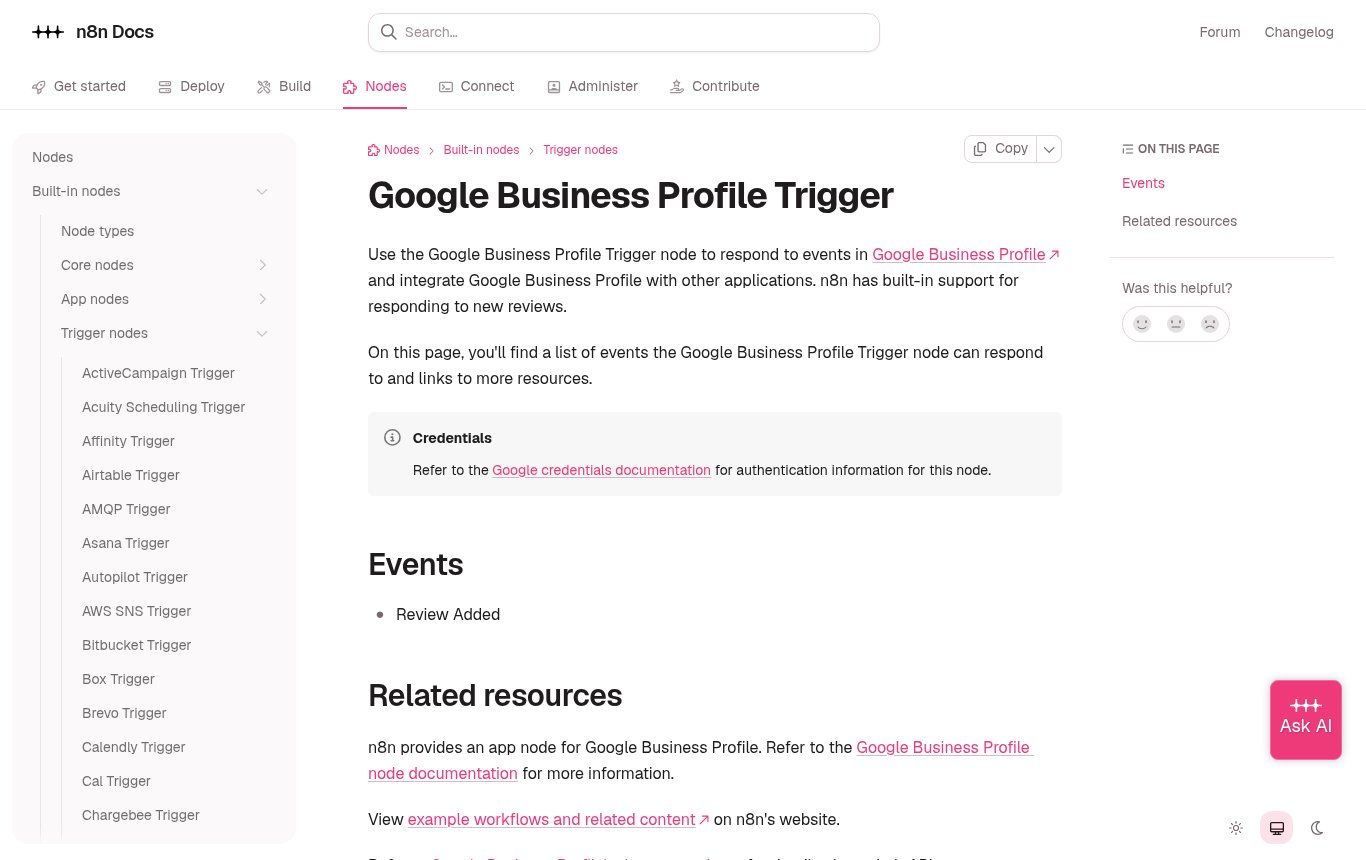
Source: screenshot of the official n8n documentation, "Google Business Profile Trigger" page (docs.n8n.io), accessed on 7 November 2026.
One limit to keep in mind: sending automated messages assumes you have the customer's number and their agreement to be contacted again. Say so in your privacy policy (see our guide to the legal notice and privacy policy), and always offer an easy way to stop receiving messages.
Measure: four numbers are enough
No need for a complicated dashboard. Track every month:
- Requests sent (this is your effort, the only number you truly control).
- New reviews received, and therefore the conversion rate of your requests.
- Average reply time to reviews, especially negative ones.
- Average rating over the last 90 days, more telling than the overall score.
Add them to the tracking you already have; our article on the KPI dashboard for SMEs shows how to fit them into a simple Google Sheet. If requests go out but reviews do not follow, test the link, shorten the message, change the timing. And if some reviews seem to be missing, Google explains that some may be delayed or filtered by its anti-spam systems; there is no point asking the customer to repost again and again.
The mistakes we see most often
- Asking for "a 5-star review" instead of "your review".
- Getting employees, family and friends to post reviews "to get started".
- Running a contest where "one review = one entry in the draw".
- Sending a home-made survey first and redirecting only satisfied customers to Google.
- Sharing a link to a Google search page instead of the direct review link.
- Replying to negative reviews in anger, or revealing private details.
- Ignoring the profile for months, then replying to forty reviews on the same day with the same text.
- Paying an "expert" who promises a guaranteed number of reviews.
A 30-day action plan
- Days 1 to 3: check that the profile is verified and complete; get the link and QR code; test them on two phones.
- Days 4 to 7: write your three templates (spoken, WhatsApp, email); brief the team, stressing "everyone, no pressure".
- Week 2: print and place the QR codes; add the link to receipts, invoices and email signatures.
- Week 3: reply to every review from the last six months that deserves an answer, starting with the negative ones.
- Week 4: review the four numbers; decide whether automation (CRM, n8n or Make, WhatsApp) is worth it given your customer volume.
Frequently asked questions about Google reviews
How can I get Google reviews for free?
By asking your real customers, using the link or QR code generated for free from your Google Business Profile. It is the only method that is both free and risk-free. Anything paid "in exchange for reviews" is forbidden.
Can I buy Google reviews?
Technically, sellers offer them. In practice, it is against Google's rules, increasingly detected, and punished with review removal, profile restrictions and a public warning. In several countries it is also illegal. We turn down this kind of request.
How do I remove a negative Google review?
You cannot delete a review left by a customer yourself. You can report it if it breaks Google's policy (fake, hateful, off-topic, conflict of interest, personal information). Otherwise, the best answer is a calm public reply and a real fix to the problem.
Can I ask my employees or family for reviews?
No. Google treats those reviews as conflicts of interest, even when they are sincere. They are likely to be removed and may draw attention to your profile.
My customer has no Google account. What now?
A Google account is required to post a review. They can create one with any email address, and many Android phones already have one. If they do not want to, do not insist, and above all do not post the review for them.
Why does my review, or my customer's review, not show up?
Google's anti-spam systems can delay or filter some reviews, especially when they arrive in bursts or come from new accounts. Wait a few days; if a legitimate review has disappeared, contact Google Business Profile support.
Can I display my Google reviews on my website?
Yes, it is a good way to reassure visitors, as long as you do not edit them or cherry-pick artificially. Show recent reviews with a link to your profile. It is something we often build into the websites we create in Cotonou.
How much does Guelichweb charge to help with reviews?
It depends on your starting point: a profile to create or take over, customer volume, existing tools (till, CRM, WhatsApp), and whether automation is needed. We provide a quote after a diagnosis, as explained on our offers page.
Conclusion: a simple system beats a one-off campaign
Businesses with lots of Google reviews have no secret. They have a habit: every customer hears or receives a request, at the right moment, with a link that works. They reply to reviews, including the bad ones, without losing their temper. And they do not cheat, because it is simply not worth it.
If you want to set up this system for your shop, clinic, school or NGO, with a well-kept profile, a website that reassures and, if your volume justifies it, clean automation through WhatsApp and n8n, tell us about your business on our contact page. We always start with a diagnosis. Meanwhile, our services and our blog give you plenty to move forward on your own.