KoboToolbox: what it is, who gets it free, and how to collect field data offline (2026 guide for NGOs, public bodies and SMEs)
G. CHRIST
Published on November 13, 2026
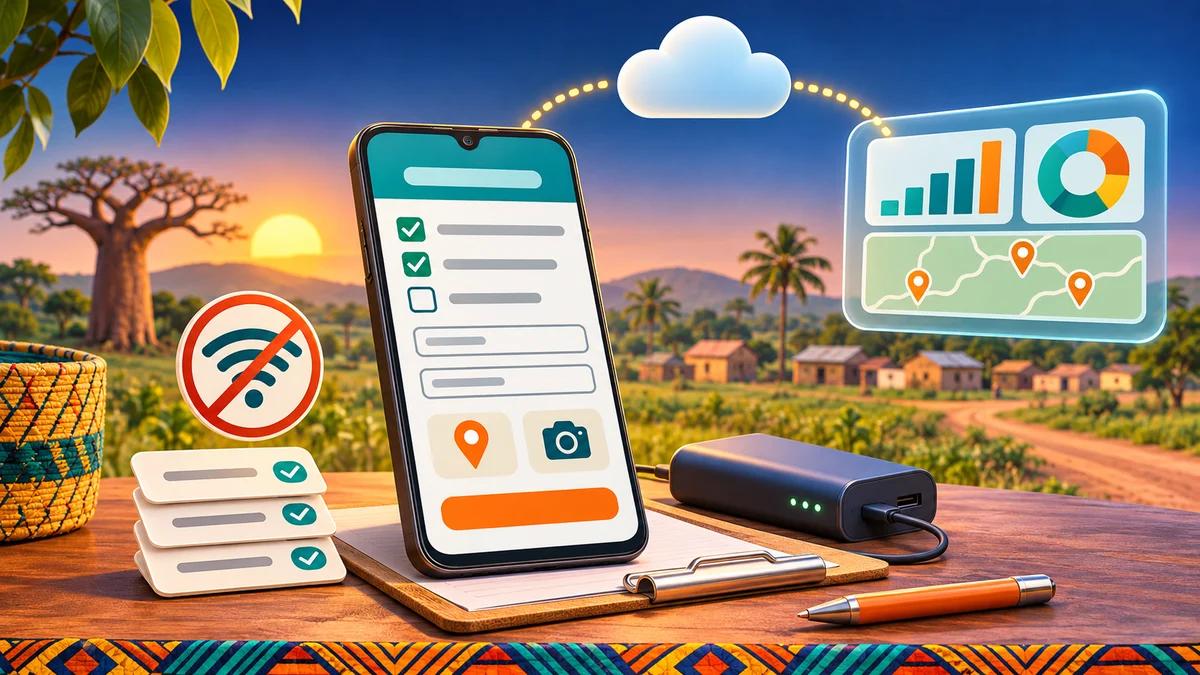
A failed field survey doesn’t look like a failure at first. You find out three weeks later, in front of a spreadsheet: villages spelled five different ways, people aged 250, unreadable paper questionnaires, photos that never left an enumerator’s phone. And a donor report due on Friday.
KoboToolbox exists to prevent exactly that. It is the most widely used data collection tool in humanitarian and development work, and it is everywhere in NGOs, projects and public bodies across French-speaking Africa. Yet two myths keep circulating: “it’s free for everyone” and “it’s just a more complicated Google Forms”. Both get expensive when you discover the truth in the middle of a mission.
In this guide we explain what KoboToolbox is, who really gets it for free (and what everyone else pays, in US dollars and CFA francs), how offline collection works, how it compares with Google Forms and ODK, and above all what to do with the data once it’s collected. That is usually where projects succeed or fail.
In short
- KoboToolbox is an open-source platform to build questionnaires, collect answers on phones, tablets or browsers, even without a connection, then analyse and export the data.
- The free plan (Community: 5,000 submissions a month, 1 GB of storage) is reserved for nonprofits, government agencies, UN agencies and nonprofit educational institutions.
- Businesses, consultancies and personal users must pay: from $25 a month (about 14,800 CFA francs) for 1,000 submissions a month.
- Offline collection works with the KoboCollect Android app and with web forms, provided you prepare the devices before leaving.
- Google Forms is fine for an online survey in town. As soon as fieldwork, skip logic, GPS or photos are involved, Kobo is the better fit.
- Your data can flow automatically into Excel, Google Sheets, Power BI or an n8n workflow (WhatsApp alert, CRM, dashboard).
What exactly is KoboToolbox?
KoboToolbox is a suite of data collection tools that started at the Harvard Humanitarian Initiative. It was designed from day one for difficult settings: rural areas, patchy networks, humanitarian crises. Today it is hosted and maintained by Kobo, an international nonprofit organisation, and the software is open source.
Official KoboToolbox logo. Source: kobotoolbox.org.
In practice it has four building blocks, well described in the official documentation:
- The Formbuilder: an online drag-and-drop editor to build a questionnaire (text, numbers, choices, dates, GPS, photo, audio, video, barcode and more), with skip logic, validation constraints and translations.
- XLSForm: you can write the questionnaire in an Excel file (three sheets: survey, choices, settings), which is very handy for long forms. It is a standard shared with the ODK ecosystem.
- Collection: through web forms (in any browser, iPhone included) or through the KoboCollect Android app.
- Data management: a submissions table, validation statuses (approved, not approved, on hold), reports, maps, XLS, CSV, KML and GeoJSON exports, and an API.
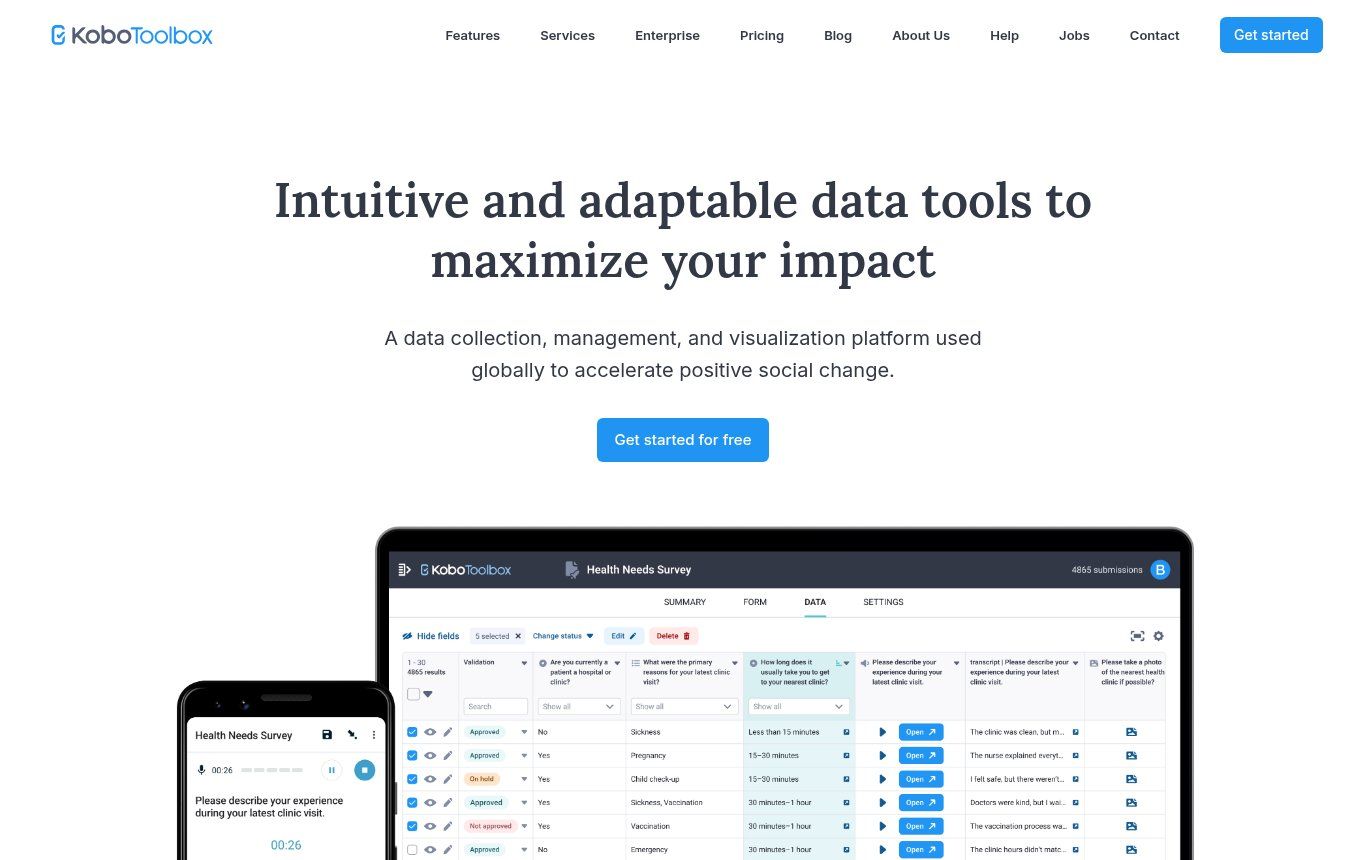
Source: kobotoolbox.org home page, screenshot taken on 13 November 2026.
Our view, after seeing many data collection projects: Kobo is not “a form”. It is a collection system, with quality rules, a validation workflow and exports. That is what makes it valuable, and it is also why it needs a bit of method.
What KoboToolbox does better than an ordinary form
An ordinary online form, like the ones in our guide to website contact forms, is there to receive a request. A field survey is a different animal: twenty enumerators, hundreds of households, questions that depend on earlier answers, and zero tolerance for mistakes on the village ID. Here is what makes the difference day to day:
- Real offline use: an enumerator fills in ten or fifty questionnaires with no signal, then sends everything once back in coverage.
- Skip logic: the “children under five” section only appears if the household has any. Fewer pointless questions, fewer errors.
- Constraints: an age between 0 and 120, a phone number in the right format, a date that can’t be in the future. The error is blocked at entry, not discovered back at the office.
- Repeat groups: describe every household member, every plot, every water point with the same block of questions.
- GPS, photo, audio: evidence and location become part of the answer.
- Multiple languages: one form in French, English and a local language, and the enumerator switches depending on the respondent.
- Validation: a supervisor approves or rejects each submission, which creates genuine traceability.
Kobo also offers automatic transcription and translation of audio answers, with modest quotas on the free plan (10 minutes of transcription a month). For more on that, our guide to audio-to-text transcription compares the options.
Is KoboToolbox free? Yes, but not for everyone
Most French-language tutorials skip this point, yet it is spelled out on the pricing page: as a nonprofit, Kobo cannot provide KoboToolbox for free to for-profit organisations, private companies or for personal use. The free plan is for the “Nonprofit” category, which covers:
- legally registered nonprofit organisations (NGOs, associations, cooperatives, community groups, Red Cross and Red Crescent societies and so on);
- government agencies and international organisations (UN agencies, intergovernmental bodies);
- educational institutions that are not run for profit, plus their students and staff.
So a town hall, a regional directorate, a public university or a local NGO qualifies for the free plan. An SME surveying its customers, a research consultancy, an engineering firm or an independent consultant does not.
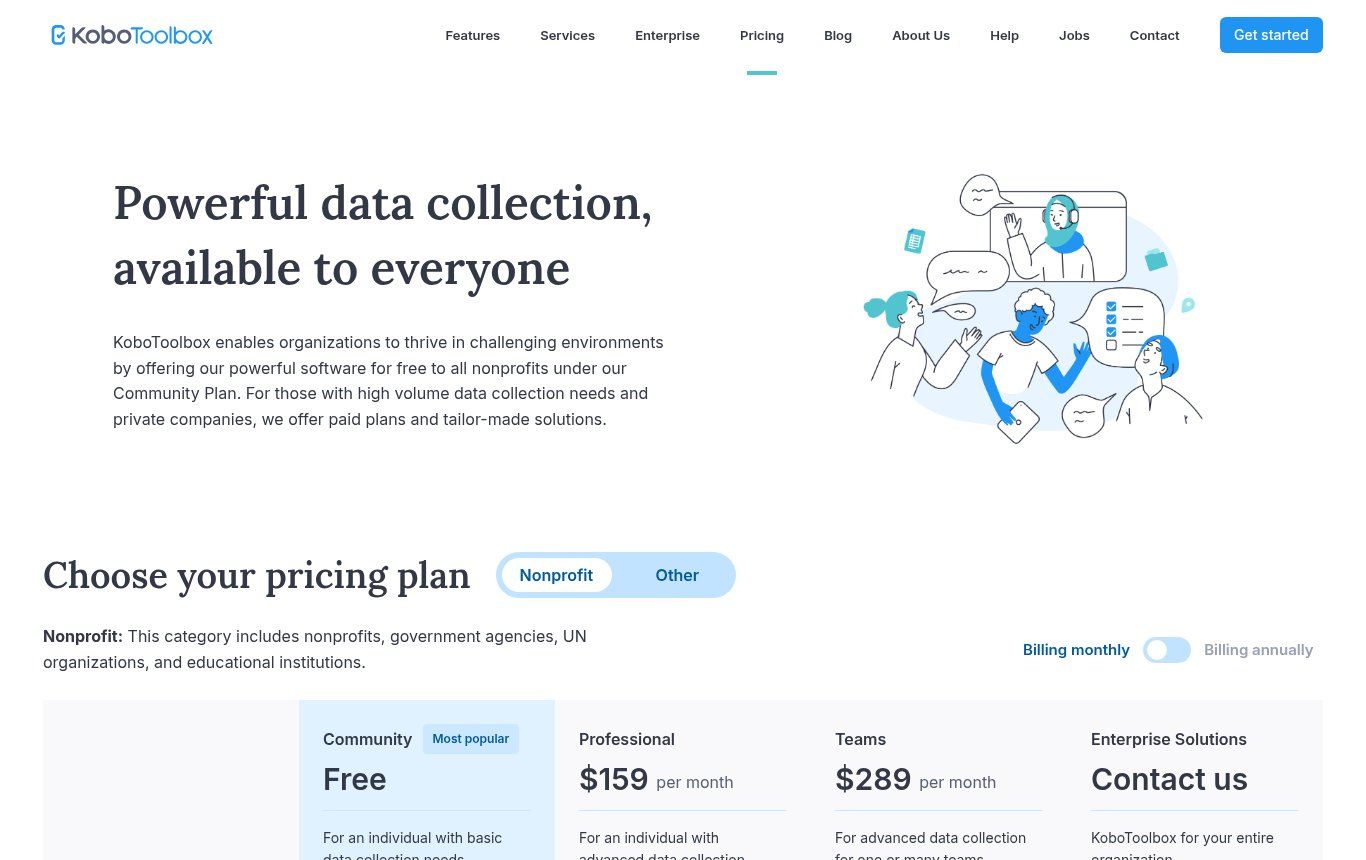
Source: kobotoolbox.org/pricing, Nonprofit tab, screenshot taken on 13 November 2026.
Prices as of 13 November 2026
Prices taken from the official page, monthly billing (the monthly price on annual billing is in brackets). CFA conversions are rounded at about 593 CFA francs to the dollar on 13 November 2026 and will move with the dollar.
- Nonprofits, government, education: Community free (5,000 submissions a month, 1 GB); Professional $159 a month, about 94,300 CFA ($129); Teams $289 a month, about 171,400 CFA ($249).
- Businesses and personal use (“Other”): Starter $25 a month, about 14,800 CFA ($21), 1,000 submissions a month; Community $99 a month, about 58,700 CFA ($88), 5,000 submissions a month; Professional $199 a month, about 118,000 CFA ($166), 25,000 submissions a month; Teams $359 a month, about 212,900 CFA ($309), 50,000 submissions a month.
- Extra storage (Starter and Community): from 5 GB for $9.95 a month up to 50 GB for $69.95 a month.
Payment is by card online; annual plans can also be paid by invoice or bank transfer. The page does not mention Mobile Money, which is a real issue for many organisations in West Africa: plan for a card (a prepaid dollar card can help) or an annual payment by transfer.
The quota trap
The free plan’s 5,000 submissions are counted per account, across all projects, and reset on the first day of each month. Once you hit the quota, your projects stop accepting new submissions until the following month. A one-off household survey of 3,000 questionnaires is no problem. Monthly monitoring of several programmes on one account is a different story, so do the maths before you launch. Storage works the same way: 1 GB fills up fast with high-resolution photos, so set the image size in KoboCollect.
A consultancy working for an NGO: whose account?
A common case: an NGO commissions an evaluation from a private firm. Quotas and eligibility depend on the account that owns the project. Our recommendation is to create the project in the NGO’s account and add the consultancy as a collaborator. The NGO keeps its data when the contract ends, which is healthy anyway. If you are unsure about eligibility, ask Kobo before you start. It costs nothing and is far better than a survey blocked in the middle of fieldwork.
Global server or EU server: decide on day one
When you sign up, Kobo offers two public servers: the Global server (kf.kobotoolbox.org), used by most people, and the European Union server (eu.kobotoolbox.org), hosted in Ireland and Germany. The features are identical. What differs is where your data is stored, and the fact that a project cannot be shared across the two servers: everyone working on a project needs an account on the same server.
If your donor or European partner requires EU hosting, pick eu.kobotoolbox.org straight away. Switching later means recreating accounts and redeploying forms.
What about data protection in Benin?
A survey almost always collects personal data: names, phone numbers, locations, sometimes health or social circumstances. In Benin, the Digital Code governs this processing and the APDP is the supervisory authority; neighbouring countries have comparable rules. Without giving you legal advice, a few habits are essential:
- collect only what the analysis needs (a full name is rarely essential);
- start the form with a clear consent note that the enumerator reads aloud;
- restrict project access to the people who need it, and turn on two-factor authentication;
- for sensitive data, consider encrypted forms: answers are encrypted on the phone as soon as they are finalised and can only be decrypted with your private key (at the cost of maps and exports inside Kobo, which stop working);
- document all of this in your privacy policy, as explained in our article on legal notices and privacy policies.
Building your first KoboToolbox form, step by step
The interface is available in French, which answers a very common search, and in English. Here is the method we follow on every project:
- Write the questionnaire on paper or in a document before you touch the tool. For each question, note why you are asking it and which indicator it feeds. Anything that serves no purpose comes out.
- Create the account on kobotoolbox.org, choose the server (Global or EU), and activate it with the emailed link (valid for 24 hours).
- Build the form in the Formbuilder for a short questionnaire, or in XLSForm once it passes thirty or so questions or has lots of lists. Long lists (municipalities, districts, villages) are much easier to manage in an Excel file.
- Add the safeguards: required questions, constraints (age, phone, amounts), skip logic, a unique ID (household code, beneficiary code).
- Test in preview, then have two or three people who did not write the form fill it in. They will spot what you no longer see.
- Deploy the form. Any later change requires redeployment: avoid renaming questions’ technical names during collection, or your export columns will shift.
- Train the enumerators with a real field test, phone in hand, in airplane mode.
- Monitor collection daily: number of submissions, outliers, supervisor validation.
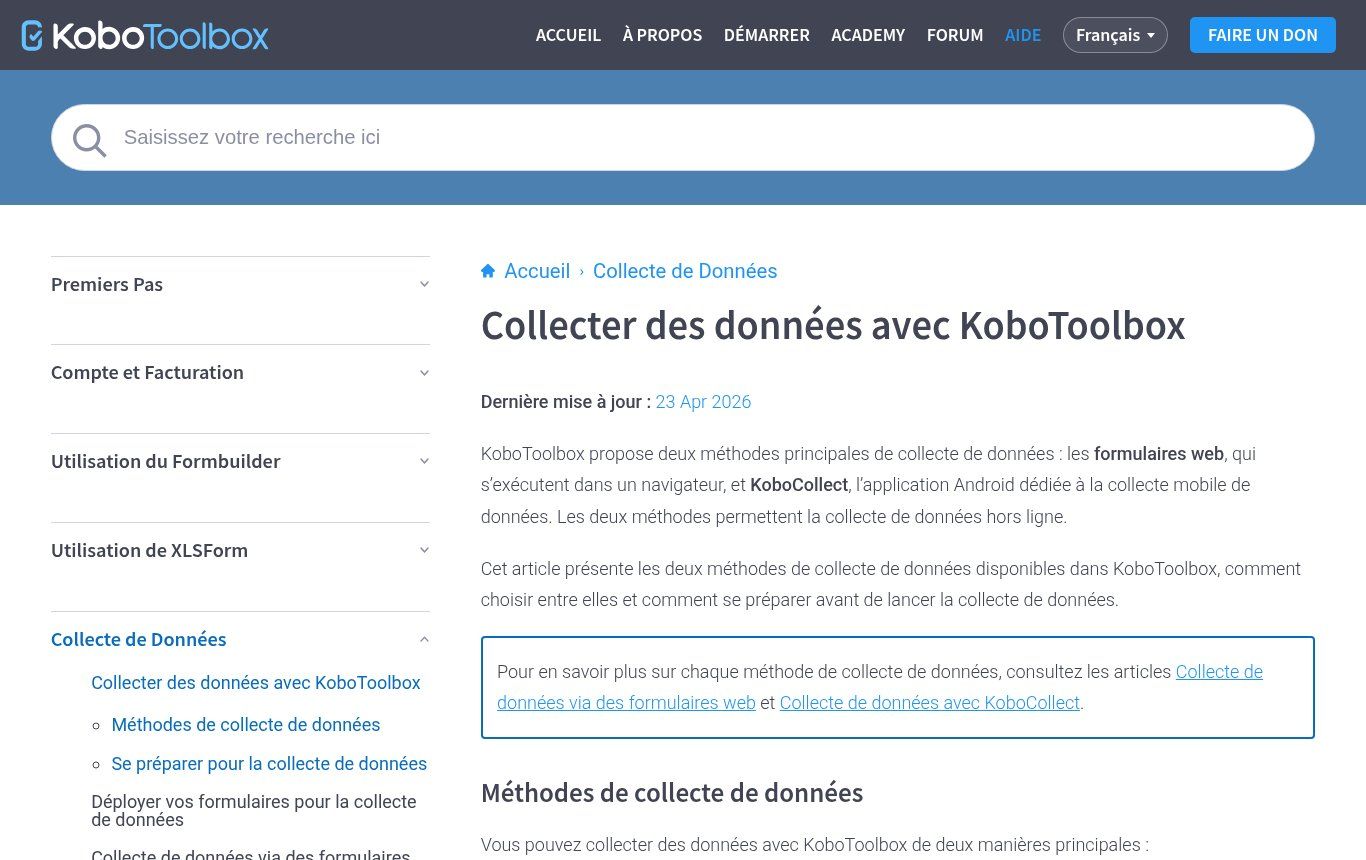
Source: support.kobotoolbox.org/fr, “Collecter des données avec KoboToolbox” page, screenshot taken on 13 November 2026.
Offline collection: how it really works
Offline use is Kobo’s number-one selling point, and it is also where missions fail for lack of preparation. The documentation describes two modes, both usable without a connection:
- KoboCollect (Android): the enumerator downloads blank forms while online, fills them in offline, saves drafts, finalises them and sends them when the connection returns. The app only runs on Android, and recent versions need Android 8.0 or later.
- Web form (Enketo): it opens in the browser, on Android, iPhone or computer. To use it offline you must open it once while connected and wait until it has fully loaded and been cached; answers are sent automatically when the network comes back.
Our preference for fieldwork is KoboCollect, because the enumerator can see clearly what has been sent and what is still on the phone. Web forms are perfect for self-completion (a link shared by WhatsApp or email) or for a team equipped with iPhones.
The pre-mission checklist
- Form deployed in its final version and downloaded on every device (check the version number).
- A full airplane-mode test on every phone, including sending once the network is back.
- Charged batteries, power banks and cables. Over a day in the field, GPS and screen time will drain an entry-level phone.
- Enough free storage if you collect photos or audio.
- One simple rule: send finalised submissions whenever there is signal, every evening at the very least. A lost phone with three days of unsent data means three days lost.
- Someone who checks the submissions table every day and calls enumerators who have sent nothing.
KoboToolbox, Google Forms or ODK: which one?
These three tools come up in every discussion. They don’t solve the same problem.
Google Forms: great online, unsuitable for fieldwork without signal
Google Forms is free with a Google account, familiar to everyone, and links to a Google Sheets file in two clicks (we show how in our Google Sheets guide). But it has no real offline mode: Google itself says draft autosave does not work offline (Google Forms help), and Forms is listed among the files that are not available offline on Chromebooks (Chromebook help). It also lacks a GPS question type and proper repeat groups.
Our rule of thumb: Google Forms for workshop registrations, satisfaction surveys or calls for applications shared online. Kobo as soon as enumerators, villages, photos or quality checks are involved.
ODK: the same foundation, more technical
ODK (Open Data Kit) is the open-source project Kobo builds on: same XLSForm format, and an ODK Collect app very close to KoboCollect. Self-hosting ODK Central is free if you have the skills to install, secure and back it up. The hosted version, ODK Cloud, starts at $199 a month on annual billing (about 118,000 CFA). ODK suits technical teams that want their own server, and longitudinal follow-up thanks to its Entities features.
Our decision grid
- NGO, public body, university, development project: KoboToolbox on the free plan. It is often the standard partners expect.
- SME running a few surveys a year: Google Forms if everything happens online; Kobo Starter ($25 a month) only during field months, since plans can be cancelled at the end of each billing period.
- Consultancy or company with lots of fieldwork: paid Kobo or ODK, depending on your ability to run a server.
- Highly sensitive data or sovereignty requirements: self-hosting (Kobo or ODK) on a server you control, with a real backup plan. This is not a weekend project.
One warning for businesses: the pricing page states that when a for-profit plan is cancelled, you may lose access to the data you collected. Export your data at the end of every campaign, without exception.
After collection: where most projects stop too early
Many teams use Kobo as a mailbox: collect, download an Excel file at the end of the mission, then hack together pivot tables. That’s a shame, because Kobo can push its data elsewhere automatically. There are three official mechanisms:
- Synchronous exports: you save a named export (columns, language, filters) and Kobo gives you a CSV or XLSX link that updates with new submissions. Power BI, Excel or Google Sheets can read that link (documentation). It is the basis of a monitoring dashboard.
- REST Services: on every new submission, Kobo sends the data as JSON or XML to an address you choose. Note that this only happens on creation: a submission edited later is not resent. If delivery fails, Kobo retries three times (after 60, 600 and then 6,000 seconds) (documentation).
- The API: to read, filter or update submissions and their validation status from other software.
Useful automations with n8n
n8n, the automation tool we use most, has a native KoboToolbox node and trigger that creates the webhook on the Kobo side by itself. Here is what that enables without heavy development:
- Supervisor alert: an answer flags an urgent case (a malnourished child, damaged infrastructure, a complaint) and the manager gets a WhatsApp message or email within a minute.
- Live tracking sheet: each submission lands in Google Sheets, cleaned and enriched (municipality name from its code), then feeds a dashboard.
- Automatic quality control: a questionnaire completed in under five minutes, GPS outside the area, a duplicate household code: the status is set to “on hold” and the supervisor gets a list to check.
- Beneficiary follow-up: the registration form creates or updates a contact in the organisation’s CRM.
- Weekly report: a numeric summary sent to the project team every Monday.
One rule we apply everywhere: automation prepares, people decide. An alert doesn’t replace a supervisor’s visit, and any status changed automatically must remain easy to check. If you’re torn between n8n and Make for this kind of flow, our n8n or Make comparison will help.
The 7 mistakes we see most often
- Using the free plan for a business. Kobo’s terms don’t allow it. Budget for a paid plan or use the client NGO’s account.
- A questionnaire that is too long. Beyond 30 to 40 minutes, answer quality drops. Every question must serve an indicator.
- Open questions where a list would do. “Municipality” as free text yields twenty spellings. A drop-down list yields none.
- Changing the form mid-collection by renaming questions: exports become inconsistent.
- Not testing in airplane mode before leaving.
- Leaving data asleep on phones for days.
- No plan for analysis: collecting without knowing which table or report you need. Start from the end, with the report your donor or management expects.
What is it used for, in practice?
- NGOs and projects: baseline and endline surveys, beneficiary monitoring, distributions, rapid assessments after a flood.
- Town halls and public bodies: mapping public facilities, inventories of water points or markets, user satisfaction surveys.
- Schools and universities: research surveys, theses, cohort follow-up.
- Businesses: point-of-sale checks, store or site audits with photos, customer surveys in rural areas, equipment inventories across several sites.
For an NGO, data collection is only one link in the chain: the website, communication and donor reporting matter just as much. We cover those in our article on what an NGO website should include and in our guide to digital transformation for SMEs and NGOs.
What does a complete data collection project cost?
The licence is only part of the budget, sometimes the smallest part. A serious project includes questionnaire design, XLSForm programming, testing, phones and power banks, enumerator training, supervision, then cleaning, analysis and a dashboard. For an NGO on the free plan, the real cost is mostly people and equipment.
At Guelichweb we don’t quote a price before we understand the need: number of questionnaires, areas, deadlines, integrations wanted. We prepare a quote after a diagnosis, and our packages are presented on our offers page. You can also browse all our services, including automation and WhatsApp chatbots built with n8n.
KoboToolbox FAQ
Is KoboToolbox free?
Yes for nonprofits, government agencies, UN agencies and nonprofit educational institutions (Community plan: 5,000 submissions a month, 1 GB). No for businesses and personal use: plans start at $25 a month.
Is KoboToolbox available in French?
Yes. The interface can be displayed in French, and much of the official documentation is translated at support.kobotoolbox.org/fr. Your forms can also be offered in several languages.
Does KoboCollect work on iPhone?
No, KoboCollect is an Android app. On iPhone you use web forms, which also work offline once cached.
Can I use KoboToolbox on a computer?
Yes: building forms, managing data and filling in web forms all work in a desktop browser. Only the KoboCollect app is Android-only.
What is the difference between KoboToolbox and KoboCollect?
KoboToolbox is the platform (form building, storage, analysis). KoboCollect is the Android app used to fill in forms in the field and send them to your KoboToolbox account.
How do I connect KoboToolbox to Excel, Google Sheets or Power BI?
Use a synchronous export: save a named export in the Data tab, then paste the CSV or XLSX link into Power BI (Get Data, Web), Excel or Google Sheets. For richer processing (alerts, CRM), use the API or n8n.
KoboToolbox or Google Forms for a survey?
Google Forms for a simple online survey of connected respondents. KoboToolbox for fieldwork, offline, with skip logic, GPS, photos and quality control.
What happens if I hit 5,000 submissions in a month?
Your projects stop accepting new submissions until the start of the next month, unless you upgrade. Check your usage in the account settings before a large campaign.
Our conclusion
KoboToolbox is an excellent tool, as long as you treat it for what it is: a field data collection system, free for NGOs and public institutions, paid for businesses. The real gain doesn’t come from the form itself but from everything around it: a short, well-controlled questionnaire, enumerators prepared for offline work, and data that flows into a dashboard on its own instead of sleeping in an Excel file.
Planning a survey, beneficiary monitoring or a field inventory, and want the data to actually be used? Contact Guelichweb: we help you design the form, train the team and automate everything that happens after collection.