What is a search engine? A simple definition and how Google crawls, indexes and ranks your website
G. CHRIST
Published on October 19, 2026
"Our website has been live for two months, but when we type our name into Google, nothing comes up." It's one of the sentences we hear most often when an SME, an NGO or a public service gets in touch with us. Most of the time, there is nothing mysterious about it. The problem sits at a specific step in a search engine's work, and you can check it in a few minutes, as long as you know how the machine operates.
That's what this article is about. First, I give a clean definition of a search engine, with examples and usage figures for Benin and Africa. Then I open the bonnet: how Google discovers a page, reads it, stores it in its index, and decides whether or not to show it. For each step, I point out what breaks most often on the websites we audit, and the check to run. If you are looking for the actual steps to get your site to appear (Search Console, sitemap, first actions), they are covered in our guide How to appear on Google. Here, we talk about the mechanism.
Search engine: a definition
A search engine is an online service that automatically explores the Web, records what it finds in a huge database, and then, when you type a few words, returns in a fraction of a second the list of pages that best answer them. Google, Bing, Yahoo!, DuckDuckGo, Ecosia and Qwant are search engines.
Mozilla's glossary describes it as a software system that collects information from the World Wide Web and presents it to users who are looking for specific information (MDN, Search engine). The key point hidden in that definition: a search engine does not search the Internet at the moment you type your query. It searches its own database, built in advance.
Every search engine rests on three building blocks:
- a crawler (also called a spider or a bot), a program that visits pages and follows links;
- an index, the database where page content is analysed and stored, a bit like the index at the back of a book;
- a ranking algorithm, which decides, for each search, which pages to show and in what order.
France's data protection authority, the CNIL, describes the same three stages in plain words: crawling, indexing and ranking (CNIL, in French).
Official Google and Google Search Console logos (trademarks of Google LLC), taken from Google's websites.
And "search engine" in computing, in the broader sense?
The term also covers the small search bar built into a website (finding a product in an online shop), an email app or Windows. The principle is the same on a smaller scale: a set of documents is indexed in advance, then queried. In the rest of this article, I talk about Web search engines, and mainly about Google.
Search engine, browser, website: three different things
The confusion is widespread, including among communication managers. Chrome, Firefox, Safari and Opera are browsers: software that displays web pages. Google is a search engine: a service that helps you find those pages. guelichweb.online is a website: a set of pages published at an address. When you open Chrome and type a question into the address bar, Chrome passes the question to the default search engine, often Google. Chrome isn't the one searching.
We explain this difference in detail, with examples, in What is a web browser and which one to choose. For the address itself, see What is a URL? What each part of a web address means.
Examples of search engines, and the ones people actually use in Benin
There are dozens of search engines, but their real weight varies enormously. According to StatCounter, which measures visits across a large panel of websites, here are search engine market shares in September 2026, across all devices:
- Benin: Google 95.11%, Bing 4.16%, Yahoo! 0.25%, DuckDuckGo 0.16%, Yandex 0.14% (StatCounter, Benin).
- Africa: Google 95.66%, Bing 3.58%, Yahoo! 0.26% (StatCounter, Africa).
- France: Google 88.16%, Bing 5.47%, Yahoo! 2.75%, Ecosia 1.34%, Qwant 0.86% (StatCounter, France).
- Worldwide: Google 89.94%, Bing 5.29%, Yahoo! 1.36% (StatCounter, worldwide).
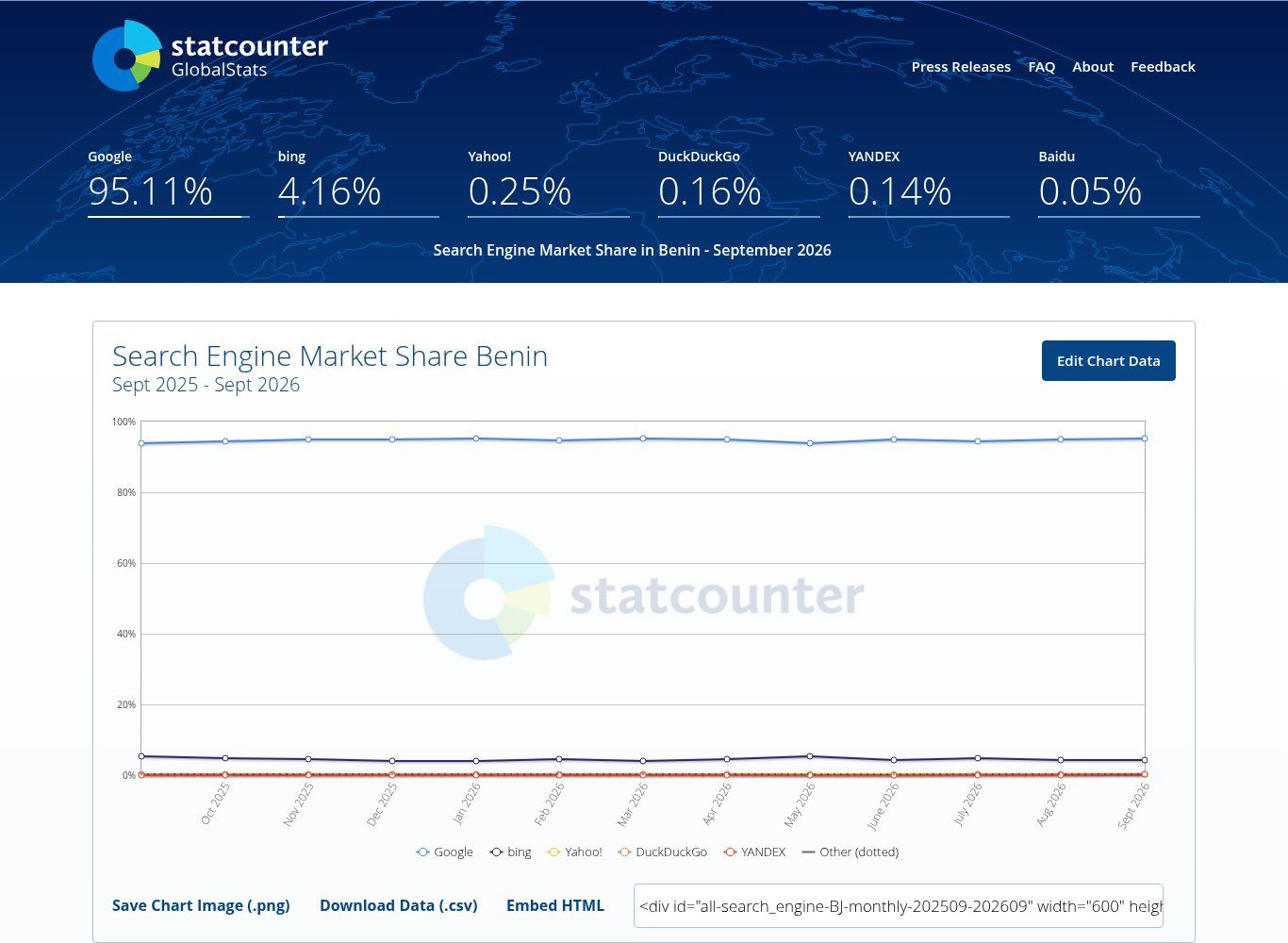
Source: StatCounter Global Stats, search engine market share in Benin, screenshot taken on 19/10/2026.
Our reading is simple: for a business or an organisation in Benin, working on visibility means working on Google first. That doesn't mean ignoring Bing: it carries more weight in France and worldwide, and registering your site in Bing Webmaster Tools takes ten minutes. But if you only have half a day to spend on it, that half day goes to Google.
The main types of search engines
- Crawler-based engines (Google, Bing, Yandex, Baidu): they explore the Web themselves and build their own index. This is the dominant model.
- Engines that rely on someone else's index or on several sources (sometimes called metasearch engines): the interface is different, but part of the results come from elsewhere.
- Directories, the ancestors of search engines: humans sorted websites into categories. The method hit its limits as the Web exploded.
- AI search engines: they write an answer based on pages found online, with links to their sources. Google does this itself with AI Overviews and AI Mode (more on that below).
- Internal and specialised engines: a website's own search, scientific search engines, image or video engines such as YouTube.
What is the process search engines use called?
Many people type this question word for word, often for homework or a digital skills test. The answer depends on what you mean:
- the process by which a search engine travels across the Web by following links is called crawling. It is carried out by crawlers;
- the process by which it analyses and stores page content in its database is called indexing;
- the process by which it orders the results for a query is called ranking.
Google itself talks about crawling, indexing and serving search results (Google Search Central, In-depth guide to how Google Search works). If you are asked for a single word for "the process of exploring the Web with robots", the answer is crawling. If the question is about recording pages in the database, the answer is indexing.
In practice, Google adds a step between the first two that people often forget, and that costs a lot of visibility: rendering. Here is the full journey.
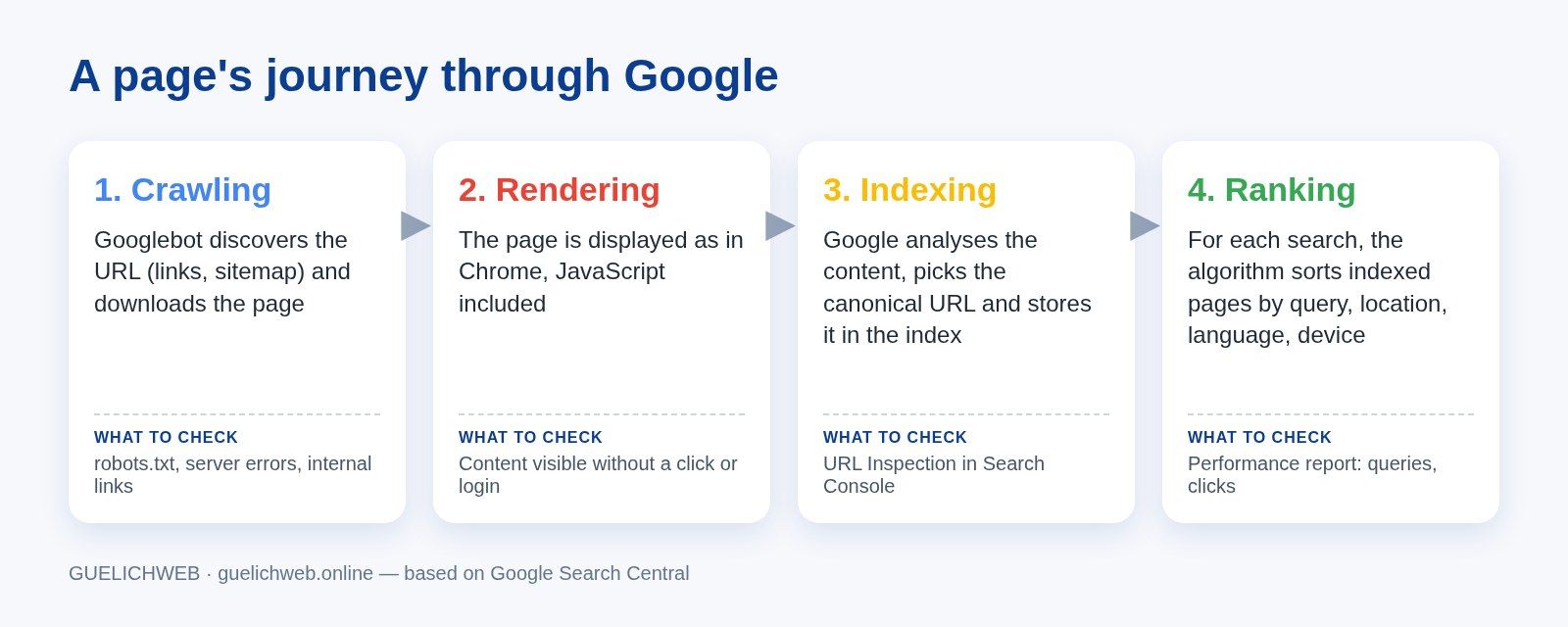
Guelichweb diagram based on Google Search Central documentation: the steps a page goes through, and the check to run at each one.
Step 1: crawling
There is no central registry of the pages on the Web. Google has to discover addresses on its own, a process it calls "URL discovery". It mainly finds a new page by following a link from a page it already knows, or because the site owner has given it a list of addresses, the sitemap (Google, In-depth guide).
The program that does this work is called Googlebot. It comes in two versions, smartphone and desktop, and for most sites Google primarily indexes the mobile version of the content (Google, Googlebot overview). In other words, if your site looks fine on a computer but is cut down on a phone, the cut-down version is what Google keeps. In Benin, where mobile accounted for about 60% of web visits in September 2026 (StatCounter, platforms in Benin), that's a double penalty.
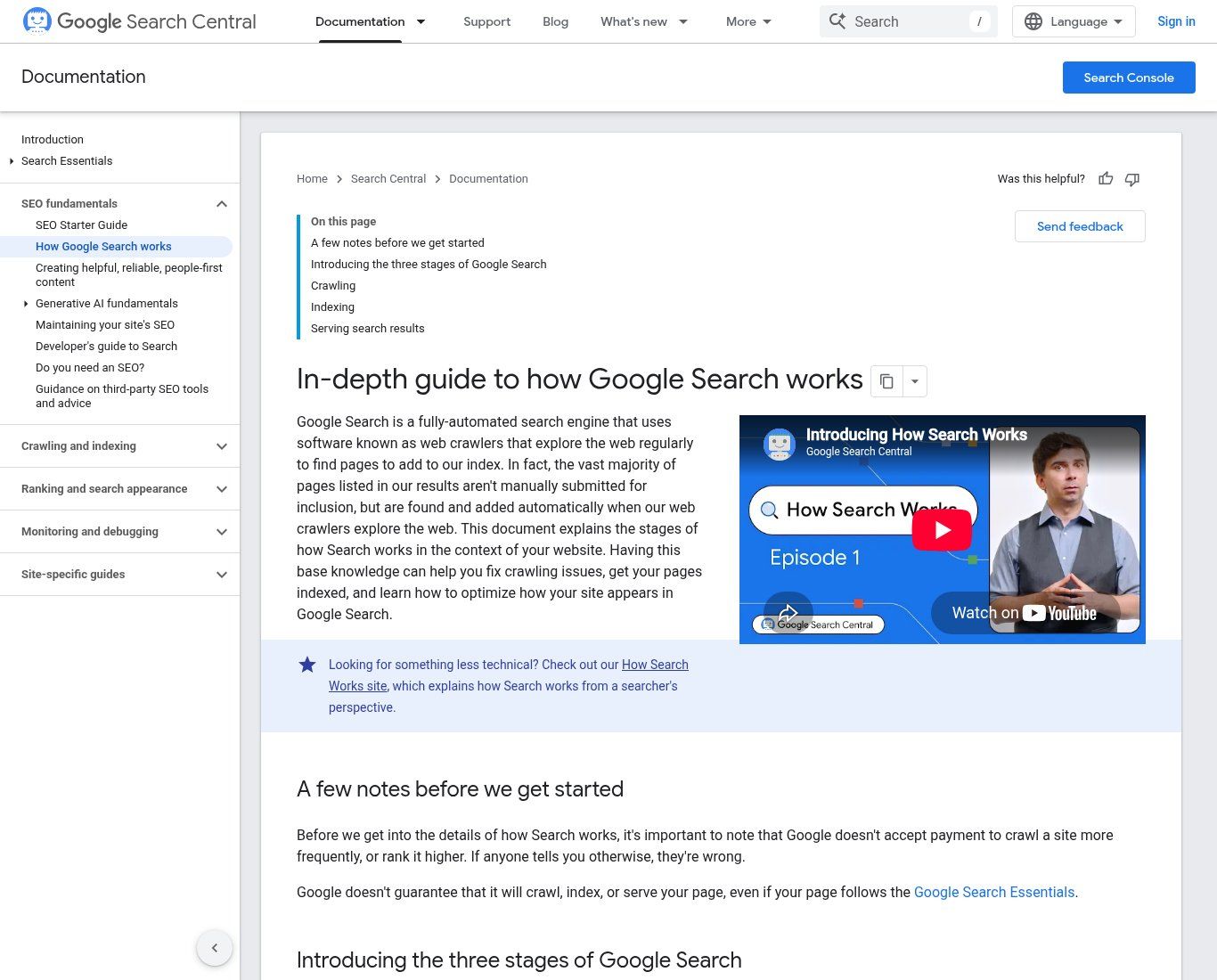
Source: Google Search Central, "In-depth guide to how Google Search works" (developers.google.com), screenshot taken on 19/10/2026.
A few official details with very concrete consequences:
- Googlebot doesn't read endless files. According to the documentation checked on 19/10/2026, it crawls the first 2 MB of an HTML file or another supported file type, and the first 64 MB of a PDF. Anything beyond that is ignored.
- It slows down when your server struggles. Server errors (500-type) are read as a signal to slow down. Overloaded or frequently failing hosting therefore mechanically reduces crawling.
- It can't see what is behind a login. A members-only page or a client area is not crawled.
- It respects the robots.txt file, placed at the root of the site, which lists the areas not to crawl.
What blocks crawling on the sites we audit
- A page that nothing links to: it exists, but no menu, no article and no other site points to it. People share it on WhatsApp, and Google never finds it.
- Entry-level hosting that regularly goes down or takes several seconds to respond.
- A robots.txt file left in "block everything" mode after the development phase.
- An entire site hidden behind an "under construction" page or a forgotten maintenance mode.
The check to run: open your-site.com/robots.txt in your browser and make sure it doesn't contain a "Disallow: /" line under "User-agent: *". Then make sure every important page can be reached in two or three clicks from the home page.
Step 2: rendering, the step everyone forgets
Once the page is downloaded, Google displays it the way your browser would, running the JavaScript with a recent version of Chrome. Google says so itself: without rendering, it might not see the content, because many sites rely on JavaScript to display it (Google Search Central).
Rendering works well on a properly built site. The problems come from elsewhere:
- Text locked inside an image. This is the great classic in West Africa: the event poster, the price list or the list of services is published as a JPG, exactly as on Facebook. A human can read it. For a search engine, it's an image with no text, unless you fill in alternative text, and even then it gets one sentence instead of a full page.
- The scanned PDF. An annual report or a tender notice scanned as a photo isn't text. Google can read PDFs, provided they contain real text.
- Content that only appears after a click on a tab loaded on demand, or after filling in a form.
The check to run: on your page, try to select the text with your mouse. If it won't select, it's an image, and Google won't read it as text. To go further, the URL Inspection tool in Search Console shows the HTML Googlebot actually received.
Step 3: indexing
Indexing means working out what the page is about: Google analyses the text, key tags such as the title, image alt attributes, and videos. It then stores the result in its index, a database spread across thousands of computers. According to Google, this index contains hundreds of billions of web pages and is well over 100,000,000 gigabytes in size (Google, How Search organises information).
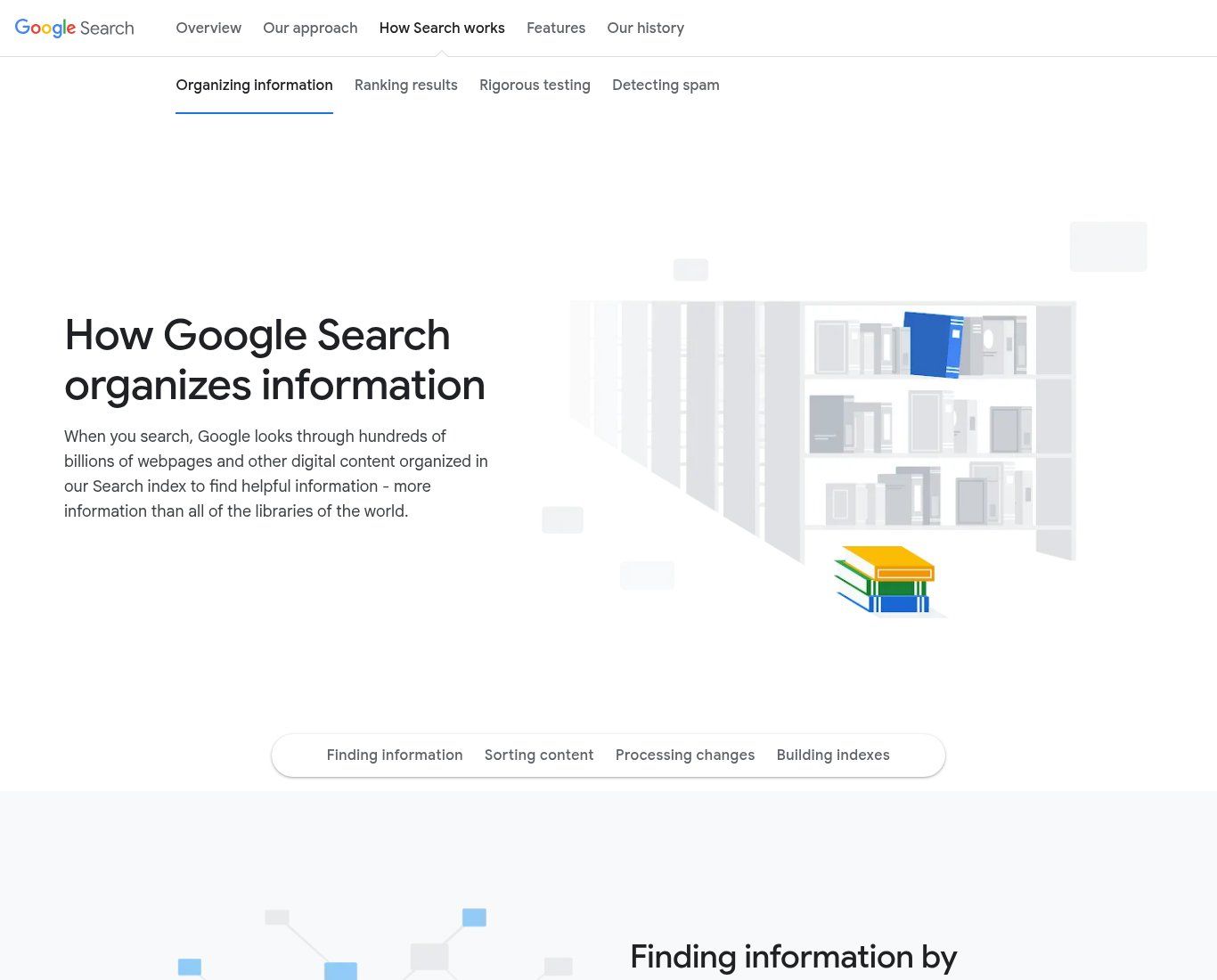
Source: Google, "How Search works", organising information page (google.com/search/howsearchworks), screenshot taken on 19/10/2026.
Two things happen during this step that few site owners know about.
Google picks a canonical page. It groups pages with identical or very similar content, then keeps the most representative one: that's the one that can appear in results. If your site answers on both http and https, with and without www, or if the same product page exists at three addresses, Google makes the choice for you. Properly configured HTTPS solves part of the problem; we explain it in What does HTTPS mean.
Google collects signals about the chosen page: its language, the country the content targets, how usable it is. A clear page that names its city and country is therefore more likely to be shown to someone searching from Cotonou.
Above all: indexing is not guaranteed. Google says it in black and white. Not every crawled page gets indexed, especially when the content is judged low quality, when a robots meta tag forbids indexing, or when the site's design makes analysis difficult (Google Search Central).
robots.txt and noindex: an expensive confusion
Many people think that blocking a page in robots.txt is enough to make it disappear from Google. It isn't. Google explains that robots.txt is for managing crawler traffic, not for hiding a page: if other sites link to it, its address can still appear in results, without a description (Google, Introduction to robots.txt). To keep a page off Google, you need a noindex rule, password protection, or to delete it.
The opposite mistake is even more common: a noindex tag added during development so the unfinished site isn't indexed, then forgotten at launch. The site is beautiful, fast, and completely invisible. On WordPress, it's a single tick box in the reading settings. We check it every time.
The check to run: type site:your-domain.com into Google to see some of the indexed pages. For a specific page, the URL Inspection tool in Google Search Console tells you whether it is in the index and, if not, why.
Step 4: ranking and serving results
When someone types a query, Google doesn't crawl the Web: it queries its index and ranks the matching pages. It says it uses hundreds of factors, including the user's location, language and device. Its own example: "bicycle repair shops" doesn't return the same results in Paris and in Hong Kong. Apply that to "printing shop in Cotonou" or "accounting firm Parakou": location changes everything.
Two points we often remind the people we work with:
- You can't pay Google to rank higher in organic results. Google writes that it doesn't accept payment to crawl a site more often or to rank it higher, and warns against anyone who claims otherwise. Paid ads exist, but they are labelled as sponsored and run on a separate system.
- A page can be indexed and never shown. If its content doesn't match what people search for, or if it's weak, it stays in the index without being served.
The format of results also changes with the query. A search with local intent brings up a map and business listings, which depend not on your website but on your Google listing. If that's what you're after, read Create your Google Business Profile.
The check to run: the Performance report in Search Console shows the queries your pages appear for, the number of impressions and clicks. It's the only reliable source on your real visibility. Screenshots of "we're number one" taken on your own phone are worth very little, because your results are influenced by your history and your location.
And AI: what does it change in how search works?
Google's AI Overviews and AI Mode write an answer and add links to it. You might think a special "AI optimisation" is now required. Google says the opposite: no additional requirements, no special optimisation. To appear as a link in these answers, a page simply has to be indexed and eligible to be shown with a snippet. Google even states that you don't need to create new machine-readable files or AI text files, or add special structured data (Google, AI features and your website).
Our view is clear-cut: if someone sells you an "AI SEO" package while your site isn't even properly indexed, say no. The same fundamentals work for classic results and for AI answers. That's good news for small organisations: there's no second project to fund.
How long before a new page appears?
There is no guaranteed delay. Google says crawling can take several days or even months, depending on how often its systems decide a page needs refreshing. A brand-new site with no links from anywhere else will be discovered more slowly than a page added to a site Google already knows well.
What genuinely speeds things up: a link to the new page from the home page or another indexed page, a sitemap submitted in Search Console, an indexing request through URL Inspection, and a few quality external links (a serious business directory, a partner, a local news site). What's useless: paying a few thousand francs to "submit your site to 300 search engines".
What this means for an SME, an NGO or an institution
Understanding the mechanism lets you ask the right questions of your web provider, or of yourself. Here's the checklist we apply, step by step:
- Crawling: is the site reliably online? Does robots.txt let Googlebot through? Does every important page receive at least one internal link?
- Rendering: is the key information (services, opening hours, address, prices or how to get a quote, contacts) written as text, not only inside images? Does the site display fully on an entry-level phone?
- Indexing: is there a single version of the site (https, with or without www, not both)? No forgotten noindex tag? Does each page have a unique title and content of its own?
- Ranking: do the pages answer questions your customers, donors or users really ask, in the words they use? Are your city and country clearly mentioned?
- Measurement: is Search Console set up, and does someone look at it at least once a month?
An NGO that publishes its activity reports as scanned PDFs, a town hall whose notices are photos of posters, an SME whose catalogue only exists on Facebook: in all three cases, the information exists, but the search engine can't read it. No advanced technique will make up for that. A regular business blog, on the other hand, gives Google a reason to come back and crawl the site; we explain how to keep one going in How to create a business blog.
Common myths about search engines
- "A Facebook page is enough to be on Google." Google can show your Facebook page, but you control neither its content nor its structure, and it doesn't replace a website you own.
- "The more pages, the better." Dozens of empty or near-identical pages end up grouped together or ignored at indexing. Ten useful pages are better.
- "robots.txt protects my documents." No. Only crawlers that choose to respect it follow it, and it doesn't remove an address from results. A confidential document needs a password.
- "Being indexed means being first." Indexing gets you into the library. Ranking decides whether anyone finds you on the shelf.
Once you understand the mechanism, the method for becoming visible is set out in How to appear on Google, and the reasons a visible site can still bring in nothing are covered in Why your website is not bringing you customers.
Related reading: What is local SEO and What are SEO keywords and how to find them for free for your website.
Frequently asked questions about search engines
What is a search engine, in one sentence?
A service that explores the Web with crawlers, stores pages in an index, then shows you the most relevant ones when you type a query.
What is the most used search engine in Benin?
Google, with 95.11% of searches in September 2026 according to StatCounter, far ahead of Bing (4.16%).
What is the difference between crawling and indexing?
Crawling is the crawler's visit to the page. Indexing is the analysis and storage of its content in the search engine's database. A page can be crawled without being indexed.
Is Google a browser?
No. Google is a search engine. Google's browser is called Chrome. You can use Google in Firefox, and another search engine in Chrome.
How do I know if my site is indexed by Google?
Type site:your-domain.com into Google for a first idea, then use URL Inspection in Google Search Console, which is free, for a page-by-page answer.
Can I pay Google to get indexed faster?
No. Google doesn't accept payment for crawling, indexing or ranking in organic results. Only ads are paid, and they are labelled as such.
Will AI search engines replace Google?
They are taking a real share of complex questions, but Google already builds AI into its results and relies on the same index. For a website, the priority remains being crawled, readable and indexed: that's the condition for being cited, by a classic search engine and by an AI alike.
Is your site live but impossible to find?
At Guelichweb, we support SMEs, NGOs and institutions in Benin and French-speaking Africa: websites built to be read by search engines, indexing diagnostics, Search Console, and automations that save the team time. The price depends on your situation: we quote after a diagnosis, as explained on our offers page. Discover our services and our website creation in Cotonou, or contact us so we can look at where your site gets stuck.