What is Google Tag Manager? How to install it and track WhatsApp clicks, calls and forms (2026 guide)
G. CHRIST
Published on November 20, 2026

Many business websites in Benin and across French-speaking Africa share the same problem: they get visits, sometimes enquiries, but nobody can say where the quote requests actually come from. Did the Facebook ads bring anything in? Does anyone click the WhatsApp button? Does the contact form even work? People guess, assume, and keep paying.
Google Tag Manager (GTM) is the tool that answers those questions without calling a developer every time. It is free, it runs on a very large share of professional websites worldwide, and it has just changed in a big way: since November 2026, Google has been merging its "Google tag" with Tag Manager. If you already have GA4 on your site, this affects you, whether you know it or not.
At Guelichweb, we set up GTM on most of the websites we deliver, and we regularly take over badly configured containers. This guide explains what Tag Manager is in plain language, how to install it cleanly, and above all how to track what really matters for an SME, an NGO or a public institution here: clicks to WhatsApp, phone calls and form submissions.
Official Google Tag Manager logo. Source: gstatic.com (Google).
What is Google Tag Manager? The simple definition
Google Tag Manager is a free tag management system from Google. A "tag" is a small piece of code that a tool asks you to add to your website: the Google Analytics 4 code, the Meta pixel for Facebook and Instagram ads, Google Ads conversion tracking, LinkedIn, TikTok, a heatmap tool, and so on.
Without GTM, each snippet is pasted straight into the site's pages. Two years later, nobody knows what is running, who added it, or why. With GTM, you install a single snippet on the site, called the container, and then manage every other tag from a web interface: add, test, publish, roll back if needed. Google's official Tag Manager introduction puts it this way: update tracking codes quickly and easily without editing your website's code each time.
An analogy often helps. Your website is a house and the tags are electrical appliances. Without GTM, each appliance is wired straight into the wall by a different electrician. With GTM, you install a clean fuse board with labelled switches. You know what is on, and you can switch off what you no longer use.
Source: official Google Tag Manager page, marketingplatform.google.com (screenshot taken 20 Nov 2026).
Is GTM free?
Yes. The standard version of Google Tag Manager is free, with no time limit, and it is more than enough for an SME, an NGO or a government body. There is a paid edition, Tag Manager 360, part of Google Marketing Platform for very large accounts; you will most likely never need it. What costs money is not the tool: it is the setup time, and the mistakes when the setup is done badly.
Tag Manager, Google Analytics 4, Search Console: who does what?
This is the most common confusion. These three free tools complement each other; they do not compete:
- [Google Search Console](/en/blog/google-search-console-what-it-is-how-to-use-it) shows what happens in Google before the click: which searches your site appears for, how often it is clicked, which pages have problems.
- [Google Analytics 4](/en/blog/what-is-google-analytics-4-track-website-visits) measures what visitors do once they are on the site: page views, time spent, traffic sources, events.
- Google Tag Manager measures nothing on its own. It installs and controls the measurement codes, including GA4's, and decides when they fire.
In other words, GTM does not replace GA4. It lets you send GA4 (and other tools) more detailed information than plain page views, such as "someone clicked the WhatsApp button on the Pricing page".
The three ideas to understand: tag, trigger, variable
All of GTM's logic fits in one sentence: "fire this tag when this trigger happens, using these variables". Remember that sentence and you understand 80% of the tool.
- The tag: the code to run. For example "send a whatsapp_click event to GA4" or "send the Lead event to the Meta pixel".
- The trigger: when the tag runs. On every page load, on a click on a specific link, when the thank-you page is displayed, after 75% scroll depth, and so on.
- The variable: a useful piece of information. The page address, the URL of the clicked link, the button text, a form name.
There is a fourth, more technical idea: the data layer. Think of it as a mailbox where the website drops information ("a quote request was just sent", "amount: 150,000 CFA francs") that GTM can then read. You do not need it to get started, but it is what makes tracking truly reliable on a custom-built site. Google's help page on Google Tag Manager components covers all four.
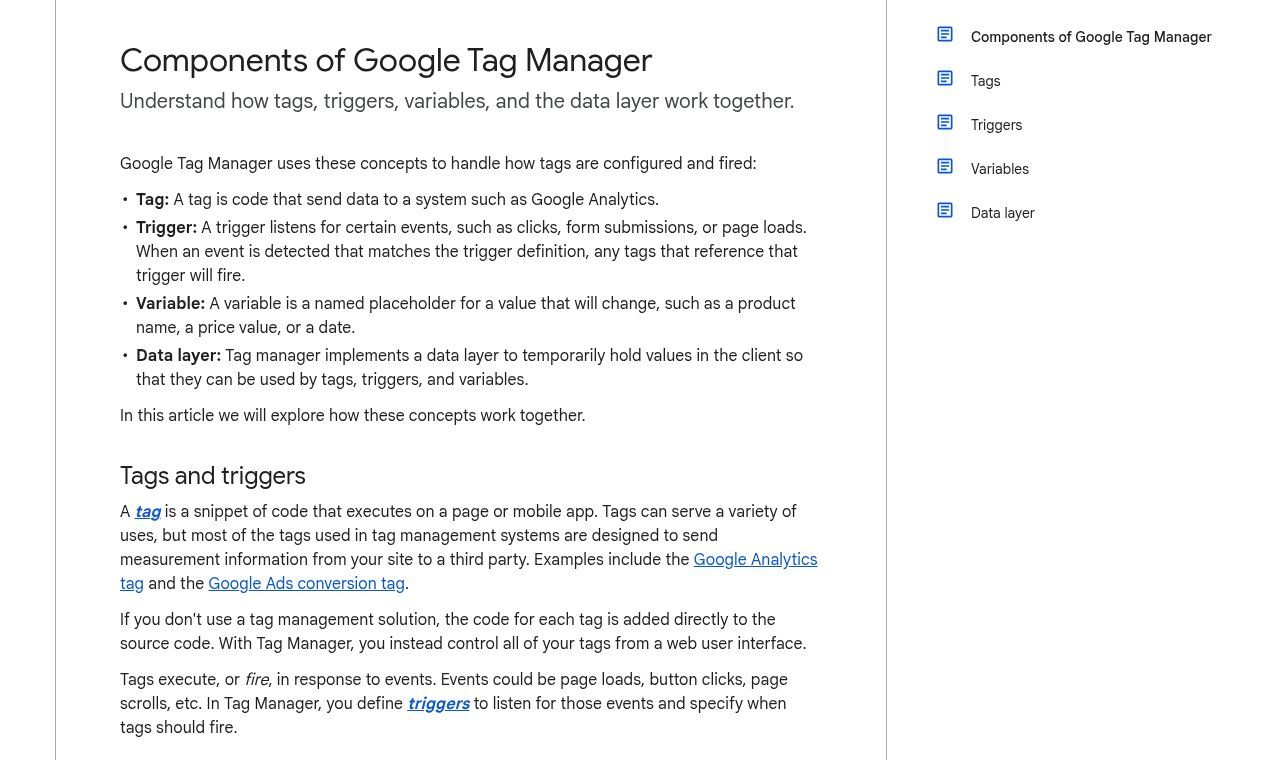
Source: Tag Manager Help, support.google.com/tagmanager (screenshot taken 20 Nov 2026).
What changed in 2026: the Google tag becomes a GTM container
Most guides have not caught up with this yet. Google announced a set of changes in August 2026 and rolled them out over the autumn. According to the official Tag Manager release notes:
- 12 October 2026: GTM containers can now send data directly to Google products (GA4, Google Ads) without loading an extra gtag.js script. Google calls this an "optimised container" and highlights faster websites. The optimisation is not automatic: a banner in the interface offers it.
- 17 November 2026: the Google tag and Tag Manager are unified. Each Google tag becomes a Tag Manager container. A site that only used the GA4 tag (a G-XXXX ID) gets access to the GTM interface, preview mode and version history. On-page behaviour does not change.
- Tag Manager permissions now also govern access to data in Tag Assistant. And "unsupported" installations will receive the upgrade in January 2027: Google advises fixing your setup before then.
Our take: for a small organisation, this is good news. The old debate, "should I install GTM or just use the GA4 code?", loses much of its meaning now that the two are converging. It is, however, the right moment for a clean-up: check who has access to the container, delete orphan tags, and get rid of the duplicates we discuss below.
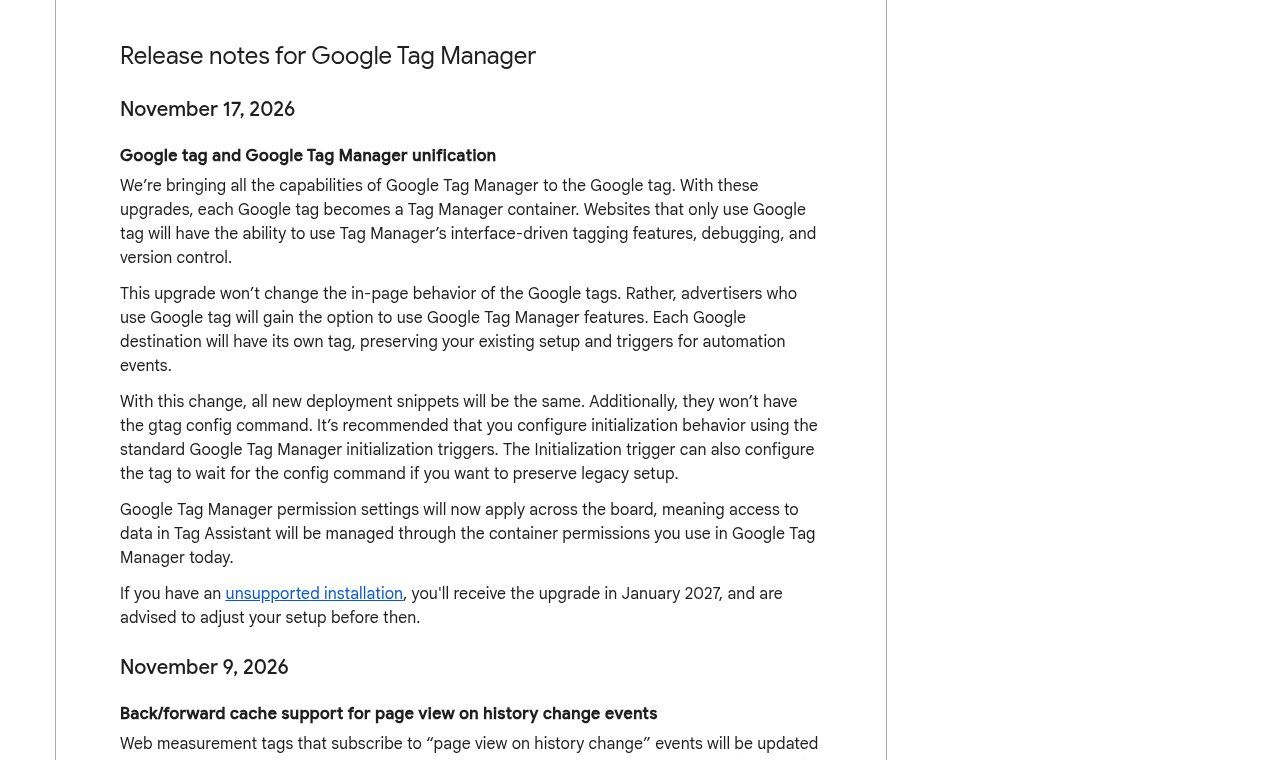
Source: Google Tag Manager release notes, support.google.com/tagmanager (screenshot taken 20 Nov 2026).
Does a small website really need GTM?
Not always, and we would rather say so plainly. If your showcase site only needs to count visits, the GA4 code added by your theme or CMS is enough. Installing GTM "because the pros do it" without measuring anything more adds nothing.
GTM becomes useful, even essential, as soon as one of these is true:
- you run ads (Meta, Google Ads, TikTok) and want to know which campaigns bring in enquiries, not just "clicks";
- most of your sales happen on WhatsApp or over the phone, and you want to know which pages push people to contact you;
- you use at least two tracking tools, or will add one this year;
- you change providers often and want to stay in control of your tracking codes;
- you report to a donor, a board or senior management and need figures you can defend (registrations, report downloads, information requests).
For an NGO or institution, that last point matters a lot. A report that says "1,240 downloads of the annual report, 38% of them from the WhatsApp campaign" carries far more weight than a vague "the website did well".
Installing Google Tag Manager: the clean method in 6 steps
Before you start, here is the advice we give every client: create the GTM account with a Google account owned by the organisation (for example a generic company address), never with the personal address of an intern or a contractor. We see too many organisations that can no longer change their tracking because the freelancer who created the container has stopped answering.
- Create the account and container at tagmanager.google.com: account name = your organisation, container name = the website address, target platform = Web. The help page Create an account and container shows every screen. One account is enough for the whole organisation, even with several websites.
- Copy the two code snippets. The first goes as high as possible in the head of every page, the second right after the opening body tag. Your ID looks like GTM-XXXXXXX.
- Install them on the site. On a custom site, that means editing the shared template. On WordPress, a dedicated plugin such as GTM4WP avoids touching the theme (and survives updates). On Wix, Shopify or Squarespace, there is a field for it in the settings.
- Remove old duplicate codes. If GA4 is already installed directly in the theme or through a plugin, and you add it in GTM as well, every visit will be counted twice. This is mistake number one.
- Test with Preview mode. The "Preview" button opens Tag Assistant next to your site: you see live which tags fire, and on which action.
- Publish with a clear version name, such as "Add WhatsApp click + quote form". Since September 2026, GTM even suggests an AI-written version summary; read it before you confirm. Every version is kept: if something breaks, you roll back to the previous one in two clicks.
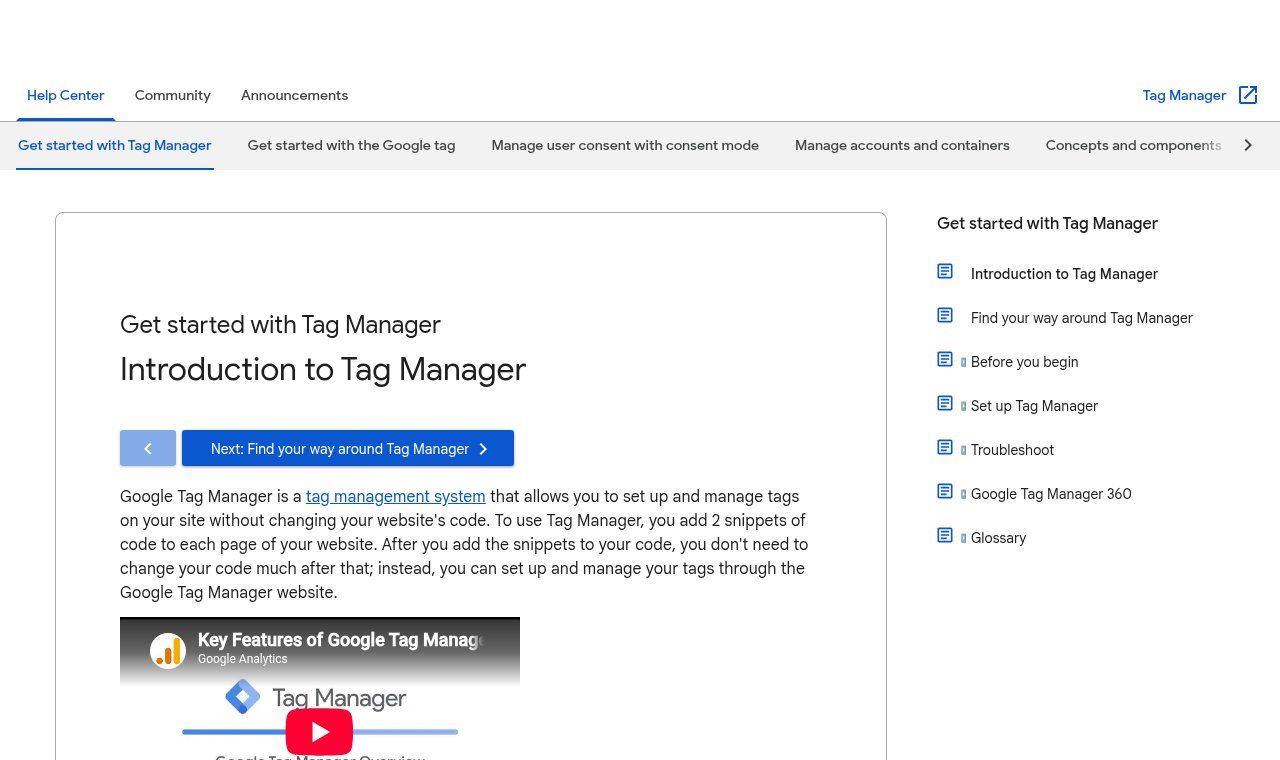
Source: Tag Manager Help, Introduction to Tag Manager page, support.google.com (screenshot taken 20 Nov 2026).
What to track first in Benin and French-speaking Africa
English-language tutorials mostly talk about e-commerce baskets and credit cards. Here, the reality is different: customers discover the business on the website or on Facebook, then message on WhatsApp, call, or walk into the shop. Payment is often made by Mobile Money, outside the website. If you only measure page views, you miss the point. These are the four things we track first.
1. Clicks to WhatsApp
For most of the SMEs we work with, this is by far the most important action. The recipe in GTM:
- In Variables, enable the built-in click variables (Click URL, Click Text).
- Create a "Click – Just Links" trigger that fires when Click URL contains wa.me, or api.whatsapp.com, or whatsapp://.
- Create a "Google Analytics: GA4 Event" tag with a clear name, for example whatsapp_click, and add the page URL and button text as parameters.
- Test in Preview mode, publish, then in GA4 mark the event as a key event (what used to be called a "conversion").
One tip that changes everything: use a wa.me link with a pre-filled message that differs by page ("Hello, I'm coming from the Website design page"). You then cross-check two sources: GTM tells you how many people clicked, WhatsApp shows you how many actually sent the message. The gap between the two is often revealing.
2. Phone calls
Same logic with tel: links (tap-to-call numbers on mobile). Trigger: Click URL starts with tel:. Event: call_click. On a site where more than 80% of visits come from smartphones, this number often says more than the count of form submissions.
3. Form submissions
GTM has a "Form Submission" trigger, but it is unreliable with many modern plugins that submit without reloading the page. The most dependable method is simple: redirect to a thank-you page (/thank-you-quote, for instance) and fire the event when that page is displayed. If your contact form has no thank-you page, now is the time to create one; it also reassures the visitor and tells them what happens next (reply time, WhatsApp link).
4. Confirmed payments and registrations
If your payment gateway sends customers back to a confirmation page after a Mobile Money or card payment, treat that page like a thank-you page. But be careful: many customers close the tab as soon as the payment is approved on their phone, so the page is never seen. For a reliable figure, the confirmation has to come from the server, through a webhook sent by the payment aggregator, then passed on to GA4 or your CRM. That is exactly the kind of flow we build with n8n.
For an NGO or institution, replace "payment" with "training registration", "application submitted" or "PDF report download" (trigger: Click URL ends with .pdf). The principle is the same.
Meta pixel, Google Ads, TikTok: run everything through GTM?
Yes, and that is the main point of the tool. Once your triggers exist (WhatsApp click, form, call), you can reuse them across several tags: the GA4 event, the Meta pixel Lead event, the Google Ads conversion. One trigger, three tools fed, one place to maintain.
For the Meta pixel there are two routes: a tag template from the GTM Community Template Gallery, or the partner integration offered in Meta Events Manager. Both work. Our view: the second is easier to start with, the first gives more control. Either way, do not keep a pixel installed by a site plugin in parallel: once again, guaranteed duplicates.
A word on server-side tagging, which gets a lot of attention. It improves data quality and gives you more control over what is sent to platforms, but it needs dedicated hosting, which means a monthly cost and maintenance. For most SMEs here it is not the priority: a clean web container with the right events already delivers 90% of the value.
Consent and personal data: what you cannot ignore
A tracking tag often means cookies and personal data. We covered this in detail in our article on cookies and trackers. For GTM, keep three things in mind:
- In Benin, the Digital Code governs the processing of personal data, overseen by the APDP. Collecting data about your visitors means informing them clearly and getting their consent where the law requires it.
- If part of your audience is in Europe (diaspora, partners, donors), the GDPR applies to those visitors, and Google requires consent mode for some advertising features with regard to the European Economic Area. Its parameters (ad_storage, analytics_storage, ad_user_data, ad_personalization) are configured directly in GTM, linked to your cookie banner.
- Never pass personal data through your events: no phone numbers, names or email addresses in GA4 parameters. Google's policies forbid it, and it breaks your visitors' trust.
This is not legal advice; an institution or NGO handling sensitive data still needs a specialist opinion. Technically, though, GTM is precisely the tool that lets you honour those choices properly: an advertising tag only fires if the visitor has accepted.
The 7 mistakes we fix most often
- Double counting: GA4 installed both in the theme and in GTM. Symptom: an abnormally low bounce rate and inflated visits.
- The container belongs to someone else: created by a former provider, with no admin access for the organisation. Getting access back can take weeks.
- Everyone is an administrator: GTM offers permission levels (read, edit, approve, publish). An intern does not need publishing rights.
- Publishing without testing: a misconfigured tag can break a form or slow the site down. That is what Preview mode is for.
- Meaningless names: "Tag 12", "New trigger (3)". Name everything: "GA4 – WhatsApp click – all pages".
- Tracking everything and anything: 40 events whose figures nobody looks at. Five well-chosen events tied to your goals are worth more.
- Forgetting speed: every script adds weight. Remove tags for tools you no longer use and keep an eye on page loading speed after every significant addition.
Our standard tracking plan for an SME or NGO
To make this concrete, here is the base setup we most often propose, adjusted after a diagnostic:
- GA4 configured through GTM (once, with no duplicates), with internal traffic filtered out;
- whatsapp_click, call_click, email_click, form_submit (via a thank-you page) and pdf_download events;
- two or three events marked as key events in GA4, no more;
- Meta pixel and Google Ads conversion wired to the same triggers, if you run ads;
- consent mode linked to the cookie banner;
- a one-page document listing each tag, what it does and who owns it.
That last item looks trivial. Yet it is what allows your next provider, or your own team, to take over the tracking without breaking everything. Going further, these events can feed a CRM: when a lead arrives on WhatsApp after reading the Pricing page, your sales team knows it. That is the website, WhatsApp and CRM trio we often talk about.
Do it yourself or get help?
If you are comfortable with computers, the steps above are within reach in half a day, especially the WhatsApp click and the form. Google's guides are well made, and Preview mode limits the risk.
Get help if you are launching ad campaigns with a meaningful budget, if your site is custom-built (the data layer needs a developer), if you have strict consent obligations, or if you inherit a container nobody understands. A website audit often starts right there: opening GTM and seeing what is hiding inside.
At Guelichweb, we install or take over GTM containers, define the tracking plan with you and connect it to GA4, your campaigns and, where useful, your WhatsApp automations. The price depends on the site and the number of tools to connect: we provide a quote after a short diagnostic, as with all our offers.
FAQ: Google Tag Manager
Does Google Tag Manager replace Google Analytics?
No. GTM installs and fires tracking codes; GA4 stores and analyses the data. You need both, or at the very least GA4.
Does GTM slow down my website?
The container itself is light and loads asynchronously. What slows things down is the tags you add to it. Since October 2026, optimised containers also avoid loading a separate gtag.js script for Google products.
Do I need to code to use GTM?
Not for everyday uses (clicks, forms with a thank-you page, scroll depth, downloads). Yes for the data layer on a custom site or an advanced online shop.
How do I know whether GTM is already on my site?
View a page's source code (Ctrl+U) and search for "GTM-". You can also use Tag Assistant. If you find an ID but nobody in the organisation has access, ask the former provider to add you as an administrator.
My Google tag was converted into a container: do I need to do anything?
Nothing urgent if your installation follows the official snippets: on-page behaviour does not change. Use the opportunity to review access and accept the suggested optimisation after previewing it. If your installation is "unsupported", fix it before January 2027.
Can I track WhatsApp messages received, not just clicks?
Not with GTM alone, which only sees what happens on the website. To count conversations actually opened, cross-check with WhatsApp Business statistics, or use the WhatsApp API with an automation that logs every conversation in a CRM. See our WhatsApp chatbot with n8n page.
Does GTM work on a landing page or an online shop?
Yes, on any web page where you can add the two code snippets. On a campaign landing page, that is actually where it pays off most.
In short
Google Tag Manager is free, powerful and, since November 2026, at the heart of all Google tracking. For an SME, NGO or institution in French-speaking Africa, its real value is not technical: it is finally knowing which pages and campaigns make people message you on WhatsApp, call, or fill in a form. Start small, with three or four well-named events, and keep ownership of your container.
Want us to review your current tracking, or set up a clean tracking plan on your website? Contact us: we start with a diagnostic, then send you a tailored quote.