What is HTML? A simple definition, the essential tags and what it means for your website
G. CHRIST
Published on October 27, 2026
Try this. Open your company website on a computer, right-click anywhere on the page and choose "View page source" (or press Ctrl+U). A window full of odd symbols appears: angle brackets, English words, quotation marks everywhere. What you are looking at is HTML. It is the real content of your site, the version that browsers and Google read before any decoration is applied.
Most business owners close that window within ten seconds, and that is a shame. You don't need to become a developer, but understanding what HTML is lets you ask your web provider the right questions, spot mistakes that quietly cost you customers, and understand why two sites that look alike on screen can perform very differently on Google. At Guelichweb we write HTML every day. Here is what we wish every manager of a small business, NGO or public institution knew about it.
HTML: the simple definition
HTML stands for HyperText Markup Language. According to the reference documentation on MDN, it is the most basic building block of the Web: it defines the meaning and structure of web content. Other technologies, mainly CSS and JavaScript, handle how a page looks and how it behaves.
Each of the three words tells you something useful:
- HyperText: text that contains links to other text. That is what lets you move from one page to another and from one website to another. Without links there is no Web, just isolated documents.
- Markup: each piece of content is "marked" to say what it is. This is a heading. This is a paragraph. This is an image. This is a link to the contact page.
- Language: a shared set of rules, published openly and followed by every browser, from Chrome and Safari to the built-in browser on an entry-level Android phone.
In one sentence: HTML is the standard way of telling a browser what a web page contains and what each element is for. Not how pretty it should be. What it is.
Official HTML5 logo, published by the W3C under a Creative Commons Attribution 3.0 licence (w3.org/html/logo).
No, HTML is not a programming language
People often talk about "coding in HTML" or "programming a site in HTML". Strictly speaking, that is wrong. HTML calculates nothing, makes no decisions and cannot check whether a customer has paid. It describes. It is a markup language, much like a well-structured Word document with its "Heading 1" and "Heading 2" styles, except that here the styles are written out in plain text.
That distinction matters in practice. Writing valid HTML is within reach of many people, but writing good HTML takes discipline. The hard part is not technical, it is editorial. You need to know what the real title of the page is, what matters and what doesn't, and what an image actually shows. Those are questions about content, not code.
How an HTML page travels from your server to your customer's screen
When someone types your web address or clicks a Google result, this is roughly what happens:
- The browser asks the server hosting your site for the page, using its address (the URL, which we break down in What is a URL?).
- The server sends back a text file: the HTML document. Sometimes that file sits on the server as is; sometimes WordPress or an application builds it on the fly.
- The browser reads the HTML from top to bottom, builds the structure of the page, then fetches the other files it mentions: CSS stylesheets, images, JavaScript.
- It displays the result. On a good connection this usually takes less than two seconds. On a congested mobile network, with a heavy page, it can take much longer.
The browser plays a central role here, and each one interprets HTML with small differences. We cover this in What is a web browser and which one to choose.
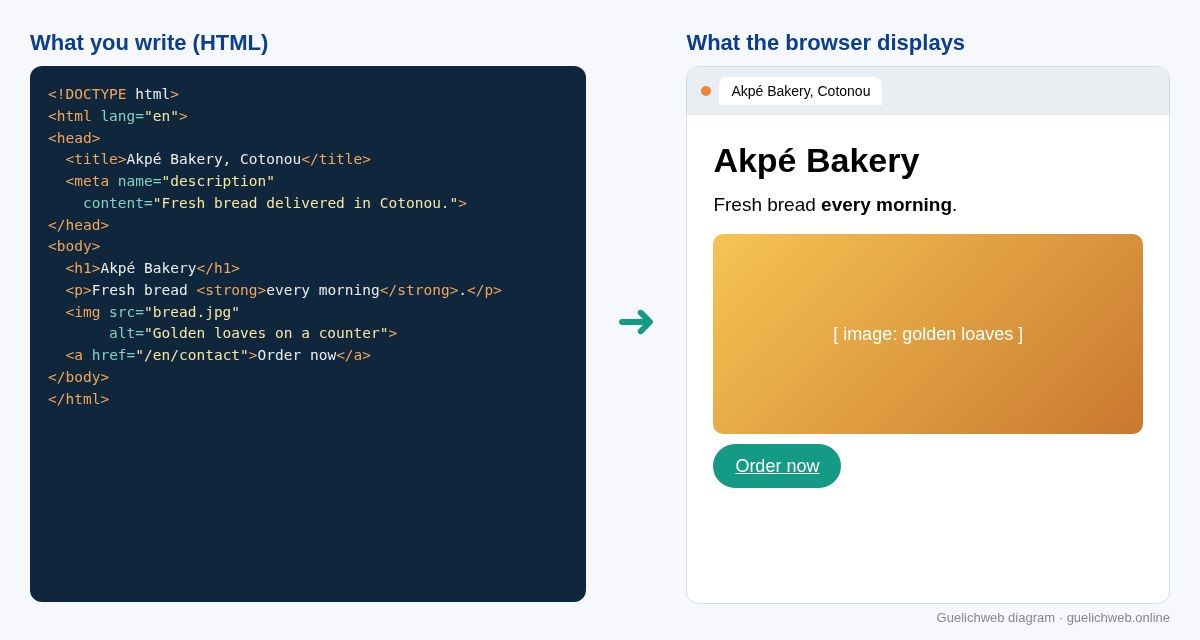
Guelichweb diagram: on the left, the HTML of a sample page (fictional business); on the right, what the browser displays.
A real HTML example, line by line
The diagram above shows a tiny but complete page. Let's go through it line by line, because these few tags cover about 80% of what matters for a business website.
- <!DOCTYPE html>: the first line tells the browser it is reading modern HTML. Nobody thinks about it any more, but leaving it out can cause strange display problems.
- <html lang="en">: the wrapper for the whole page. The lang attribute declares the language of the content. It helps screen readers pronounce the text correctly and helps search engines understand who the page is for.
- <head>: the invisible part. It holds information about the page, not the page itself.
- <title>: the title shown in the browser tab and, very often, as the blue headline in Google results. It is probably the single most important line for your visibility.
- <meta name="description">: the short summary Google may show under the title in its results. It does not lift your ranking, but it makes people want to click, or not.
- <body>: everything the visitor sees.
- <h1>: the main visible heading of the page. As a rule there is one per page, and it states clearly what the page is about.
- <p> and <strong>: a paragraph, and a passage highlighted because it is important.
- <img src="…" alt="…">: an image, with its alternative text. The alt text describes the image for anyone who cannot see it: visually impaired visitors, people whose connection is too slow to load the image, and Google's crawlers.
- <a href="…">: a link, here to the contact page. This is the "hypertext" in the name.
Notice that each element has an opening tag, such as <h1>, and a closing tag with a forward slash, </h1>. The content sits between the two. Some tags, such as <img>, have no closing tag because they contain no text.
The HTML tags that really matter for a business website
The full list of HTML elements runs to well over a hundred. On a typical brochure site, NGO site or small online shop, about twenty of them do most of the work. These are the ones we always check:
Headings: h1 to h6
They structure the page like the table of contents of a report. One h1 for the topic of the page, h2s for the main sections, h3s for subsections. The classic mistake is picking a heading level for its size on screen instead of its place in the hierarchy. Size is CSS's job.
Page regions: header, nav, main, footer
These so-called "semantic" tags divide the page into recognisable regions: the header, the menu, the main content and the footer. They change nothing visually, but they let a screen reader jump straight to the content and help search engines tell the menu repeated on every page apart from the text that is unique to this page.
Lists, links and buttons
A list of services should be a real list (ul and li), not a series of lines with hand-typed dashes. A link (a) takes you somewhere; a button (button) triggers an action, such as submitting a form. Mixing them up looks harmless, but it breaks keyboard navigation and muddles analytics tools.
Forms: form, label, input
Quote requests, sign-ups, donation forms: this is often where conversions happen or don't. Every field needs a label linked to it, so that the phone, the screen reader and autofill all know what is expected. A "Phone" field without a label is a form some visitors abandon without you ever knowing why.
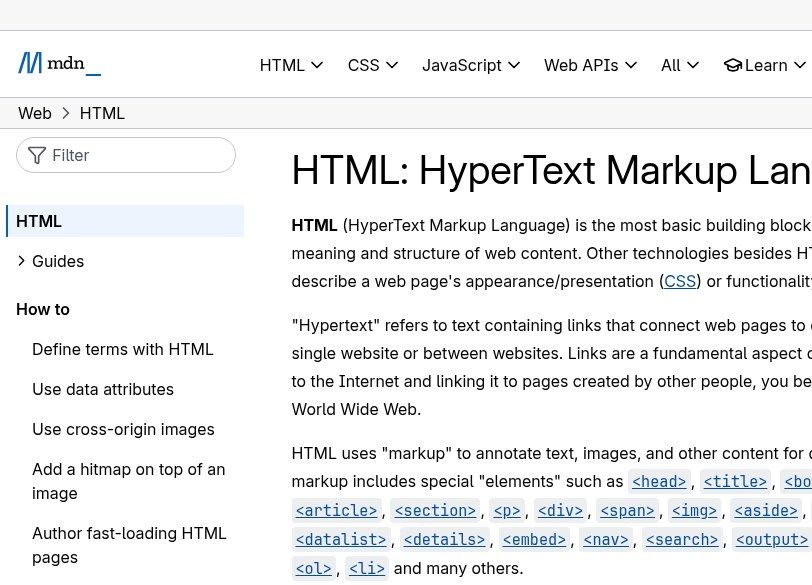
Source: MDN Web Docs (Mozilla), "HTML: HyperText Markup Language", developer.mozilla.org, screenshot taken on 27 October 2026.
HTML, CSS and JavaScript: who does what
These three languages work together and are often confused. Take a quote request form on the website of a construction company in Abidjan or Parakou:
- HTML says there is a heading "Request a quote", three fields (name, phone number, project description) and a "Send" button.
- CSS decides that the button is green, that the fields have rounded corners and that everything stacks neatly on a phone screen.
- JavaScript checks that the phone number has the right format before sending, shows a confirmation message, or passes the request on to an automation tool.
Remove the CSS and the page becomes ugly but stays readable and usable. Remove the JavaScript and you lose some comfort. Remove the HTML and nothing is left. That is why we treat HTML as the foundation, and why we refuse to leave it as an afterthought to the theme or the page builder.
A note for readers of our article on APIs: HTML is made for humans, through a browser. When two pieces of software exchange data directly, they usually use JSON instead. Both live side by side on the same website.
HTML5 and the "Living Standard": where HTML comes from and who keeps it moving
HTML was born at CERN, near Geneva. Tim Berners-Lee proposed a system of documents connected by links in 1989, and the first website went online in the early 1990s; CERN tells the story on its own site. The language then went through several numbered versions up to HTML5, which made built-in video and audio without plugins, semantic tags and richer forms mainstream.
Today, version numbers have largely disappeared. HTML is a living standard (the HTML Living Standard), maintained by the WHATWG, a group that brings together the major browser vendors, in coordination with the W3C. The reference text is updated continuously; on the day we took our screenshot, it showed an update dated the day before.
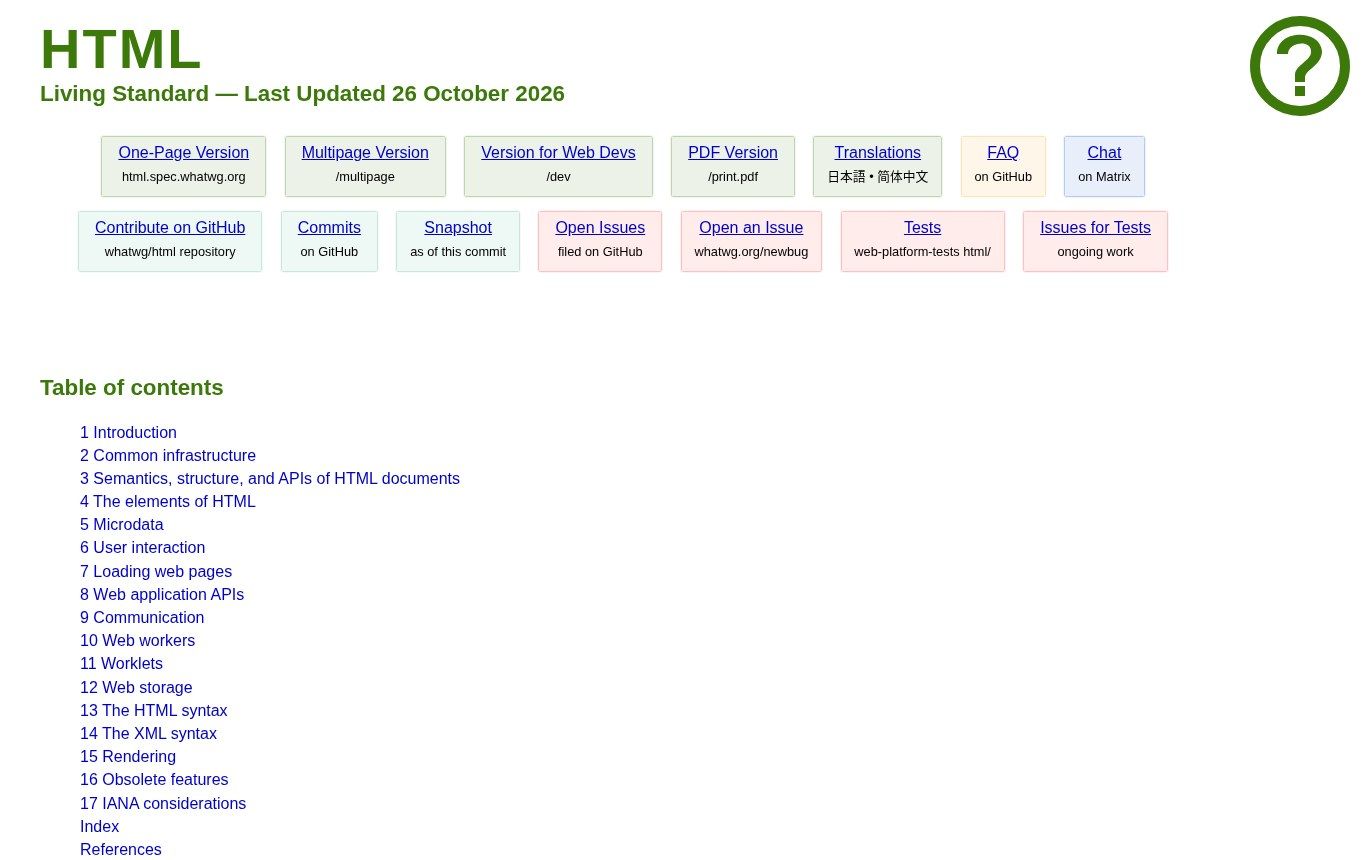
Source: official WHATWG HTML Living Standard specification, html.spec.whatwg.org, screenshot taken on 27 October 2026.
What this means for you: when a provider boasts about building "an HTML5 website", that is not a selling point. Every modern site is. Ask instead whether the HTML is valid, accessible and well structured.
Why HTML has a real impact on your Google rankings
Google does not see your website the way your customers do. It reads the HTML first. If information is missing from it, or poorly marked up, it counts for little. A few concrete points, all documented by Google itself:
- The title tag is the main source for the headline shown in search results. Google's documentation on title links recommends descriptive titles that are unique to each page and free of keyword stuffing. A site where every page is called "Home" is shooting itself in the foot.
- The meta description may be used as the snippet under the title; Google explains on its page about snippets that it uses it when it describes the page better than the visible text.
- Image alt text helps Google understand what images show, which matters for Google Images (official guidance).
- h1, h2 and h3 headings give the topic its structure. They are not a magic formula, but a well-organised page answers specific searches better.
- Links between your pages, with clear anchor text ("see our brochure website packages" rather than "click here"), help Google discover your pages and understand what they are about.
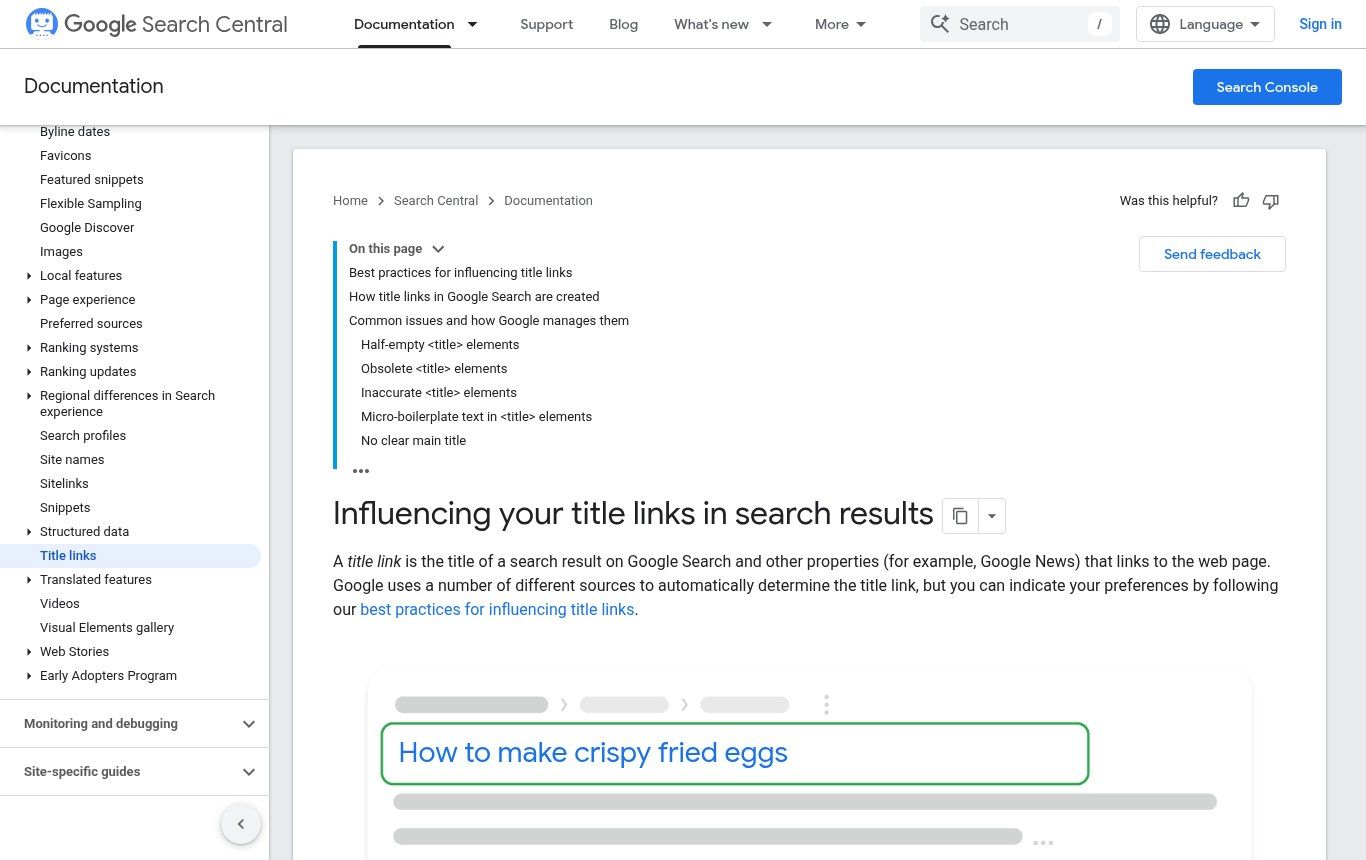
Source: Google Search Central, "Influencing title links in Google Search", developers.google.com, screenshot taken on 27 October 2026.
For the bigger picture on search, read What is SEO?, and to choose the words that belong in those tags, see What are SEO keywords and how to find them for free.
HTML and accessibility: the topic almost everyone forgets
Every year, the organisation WebAIM runs an automated analysis of the home pages of the one million most popular websites. In its 2026 report, 95.9% of pages had detectable failures against the WCAG accessibility guidelines. Among the most common: images without alternative text on 53.1% of pages, form fields without labels on 51%, and no declared document language on 13.5%. Three problems that are all fixed... in the HTML.
For a small business, this is about lost customers: a visually impaired visitor, or simply an older one with poor eyesight, who cannot fill in your form will go elsewhere. For an NGO or a public institution, it is often more serious. Donors, international agencies and many public tenders refer to the W3C's WCAG guidelines. A website that ignores them can become a weak point in an application.
Our position is simple: basic accessibility is not a premium extra. Headings in the right order, honest alt text, form labels and a declared language are the minimum we deliver, whatever the budget.
Plain HTML site, WordPress or a framework: do you have to choose?
We hear this question a lot, and it rests on a misunderstanding. Every website ends up as HTML. WordPress, Wix, Shopify, a Next.js site or a custom application: at the end of the chain, the browser receives HTML. The real question is: who produces that HTML, and who can change it?
- A static site written directly in HTML and CSS is fast, secure and cheap to host. But every text change goes through someone who can edit code. Good for a page that rarely changes.
- A CMS such as WordPress generates the HTML from content entered in an admin interface. Your team can publish on its own. The quality of the HTML then depends on the theme and plugins, which can be very verbose. We cover its strengths and limits in What is WordPress and when to choose it.
- A modern framework with a headless CMS separates content (in an editing tool) from presentation (the site's code). The HTML output is controlled end to end, at the cost of more technical development.
Our view: if your organisation wants to publish regularly, avoid hand-written HTML for every page. For a single, stable page, such as an event or campaign page, hand-written HTML is often the lightest solution. The different kinds of websites are explained in What is a website? Definition, types and examples. And be wary of one-click generated sites: the HTML produced by some AI or automatic builders is often heavy and poorly structured, as we explain in AI website builder vs professional website.
Should you learn HTML if you run a small business or an NGO?
To build your site yourself? Honestly, no. Your time is worth more than that, and a professional website takes far more than HTML: responsive CSS, security, hosting, performance, analytics.
To read a dozen tags? Yes, absolutely. Knowing what title, meta description, h1, alt and href are gives you real oversight. You can check in five minutes whether your provider did the job, understand an SEO audit report and speak the same language as the technical team. For the people on your team who manage content, half a day of training on these basics prevents a lot of mistakes.
If you still want to dive in, the free tutorials on MDN are the best starting point. For a first complete page, follow our method in How to make a web page.
Check your website's HTML in 10 minutes: our checklist
No paid tool needed. Open your home page, then one service page, and run these checks:
- Open the page source (Ctrl+U on a computer) and search for <title> with Ctrl+F. Does the title really describe the page, with your business and your city? Is it different on every page?
- Search for "description". Is there a meta description written for humans, one or two sentences long?
- Search for "<h1". There should be one, stating the topic of the page. Zero or five is a warning sign.
- Search for "lang=" near the top. An English site should say lang="en", a French one lang="fr". French-language sites quite often end up declared as English simply because the theme was installed as is.
- Search for "alt=" and look at what is between the quotes. Empty, "image1.jpg" or "photo": fix it.
- Run the page through the official W3C validator (validator.w3.org). It lists syntax errors. Not all of them are serious, but hundreds of errors point to careless HTML.
- Test on a phone, on 3G if you can. HTML is not the whole story, but a page that displays badly or slowly on mobile deserves an audit. Our guide What is a responsive website and how to check it on mobile explains the method.
The most common HTML mistakes on business websites
Some mistakes come up again and again, and they are especially widespread on the sites of small organisations in French-speaking Africa, where a poster quickly turns into a web page:
- Text inside images. The promotion poster, opening hours, prices, the workshop agenda: all inside an image made in Canva. Google cannot read it properly, customers cannot copy the phone number, and the image is heavy on mobile. Put the text in HTML and use the image as an illustration.
- PDFs instead of pages. An annual report or a catalogue belongs in a PDF download. But if all your key information lives only in PDFs, it is less visible, harder to read on a phone and often poorly indexed. A summary HTML page with the PDF as a complement works much better.
- The silent WhatsApp button. A green icon with no text and no label. Sighted visitors get it; a screen reader just announces "link" or "button". A label such as "Message us on WhatsApp" solves it.
- Headings chosen for their size. Three h1s because "it's bigger", h4s because "it's more discreet". The content hierarchy becomes unreadable for machines.
- "Click here" links. They say nothing about where they lead, neither to Google nor to people navigating by keyboard.
- The same title everywhere, often just the company name. In Google, all your pages look alike and none of them makes anyone want to click.
None of these mistakes requires a new website. Most can be fixed during proper website maintenance, in a few hours of work.
HTML is not only for websites: emails, signatures, newsletters
Your monthly newsletter, your email signature with logo and links, the automatic order confirmation emails: all of that is HTML too. With one frustrating twist: email clients (Gmail, Outlook, mobile mail apps) interpret HTML in a far more limited and unpredictable way than browsers. An email that looks perfect in Gmail can fall apart in Outlook.
Practical tip: for newsletters, use a sending tool with tested templates rather than pasting home-made HTML. And for a consistent brand image, start with a professional email address on your own domain.
Frequently asked questions about HTML
What does HTML stand for?
HTML stands for HyperText Markup Language. It is the standard language that describes the content and structure of web pages: headings, paragraphs, images, links and forms.
What is HTML in computing?
It is a markup language, not a programming language. It does no calculations: it tells the browser what each element of a page is. It works alongside CSS, which handles appearance, and JavaScript, which handles interaction.
What is the difference between HTML and CSS?
HTML defines the content and its role (this is a heading, this is a button). CSS defines the appearance (colour, size, position, how it adapts to a phone). The same HTML can be styled in a thousand different ways with CSS.
What is HTML5?
HTML5 refers to the modern generation of HTML, with built-in video and audio, semantic tags such as header and main, and richer forms. Today HTML evolves continuously as the HTML Living Standard, maintained by the WHATWG.
Can you build a professional website with HTML only?
A simple page, yes, with HTML and CSS. A complete professional website also needs hosting, often a content management system, forms connected to email or a CRM, analytics and ongoing maintenance. HTML remains the foundation, but it is only part of the job.
How do I see the HTML code of a web page?
On a computer, right-click and choose "View page source", or use Ctrl+U (Cmd+Option+U on a Mac). The "Inspect" tool (F12) also shows the HTML, element by element.
Does HTML matter for SEO?
Yes. Google reads the HTML to understand your pages. The title tag, meta description, headings, image alt text and links all influence how your pages are understood and presented in search results.
Want to know how good your website's HTML really is?
If you are not sure your site is well built under the hood, we can look at it with you. Contact Guelichweb: we review the structure, basic SEO and accessibility of your main pages, tell you frankly what needs fixing and what can wait, then send you a quote after the assessment, as for all our packages. You can also explore our website design service in Cotonou and the full range of our services.