What is Meta Business Suite? How to schedule posts and manage Facebook, Instagram and WhatsApp in one place (2026 guide)
G. CHRIST
Published on November 22, 2026

In many small businesses, the Facebook Page lives on the owner’s phone. The Instagram account sits on a former intern’s phone. WhatsApp Business runs on a third device at the front desk. And the day someone wants to schedule a Saturday-morning promotion, or answer twenty messages that came in overnight, nobody knows who has access to what anymore.
Meta Business Suite was built for exactly that mess. It is Meta’s free tool for managing Facebook, Instagram and, in many countries including Benin, the WhatsApp Business inbox from a single screen. This guide explains what it really does, how to log in (including “on PC”), how to schedule posts, what its inbox is worth, and above all how to set it up so you never lose your Page. Everything was checked against Meta’s official help pages on 22 November 2026.
What is Meta Business Suite, in one sentence?
Meta Business Suite is Meta’s business dashboard: from a browser or a mobile app, you publish and schedule Facebook and Instagram content, reply to messages and comments from Messenger, Instagram and WhatsApp, track your insights and run simple ads. According to Meta’s help page, it is free on desktop and in the mobile app.
Official Meta Business Suite app logo (source: Meta Platforms, Inc. listing on Google Play).
Our take, straight away: for an SME, NGO or public body that communicates mostly on Facebook, Instagram and WhatsApp, this is the baseline tool to set up before paying for anything else. It is far from perfect, but it is free, official, and it fixes the most expensive problem we run into: access scattered across personal phones.
Business Suite, business portfolio, Ads Manager: who does what
Half the confusion comes from the names. Meta has renamed its tools several times, and plenty of tutorials still talk about “Business Manager”. Here is the map as it stands in late 2026:
- The business portfolio (formerly Business Manager): the container. It “owns” your Facebook Page, Instagram account, WhatsApp Business and ad accounts, plus the list of people who can access them. This is what you protect first.
- Meta Business Suite: the day-to-day workspace. You post, schedule, answer messages and check numbers here. When you click “Settings” inside Business Suite, you are actually managing your business portfolio.
- Ads Manager: the full tool for paid campaigns, with advanced targeting and detailed tracking. Business Suite lets you boost a post or create a simple ad; for anything more, Meta points you to Ads Manager.
Keep one picture in mind: the portfolio is the safe, Business Suite is the office, Ads Manager is the advertising workshop. You can work in the office without touching the workshop, but if the safe is a mess, everything else is fragile.
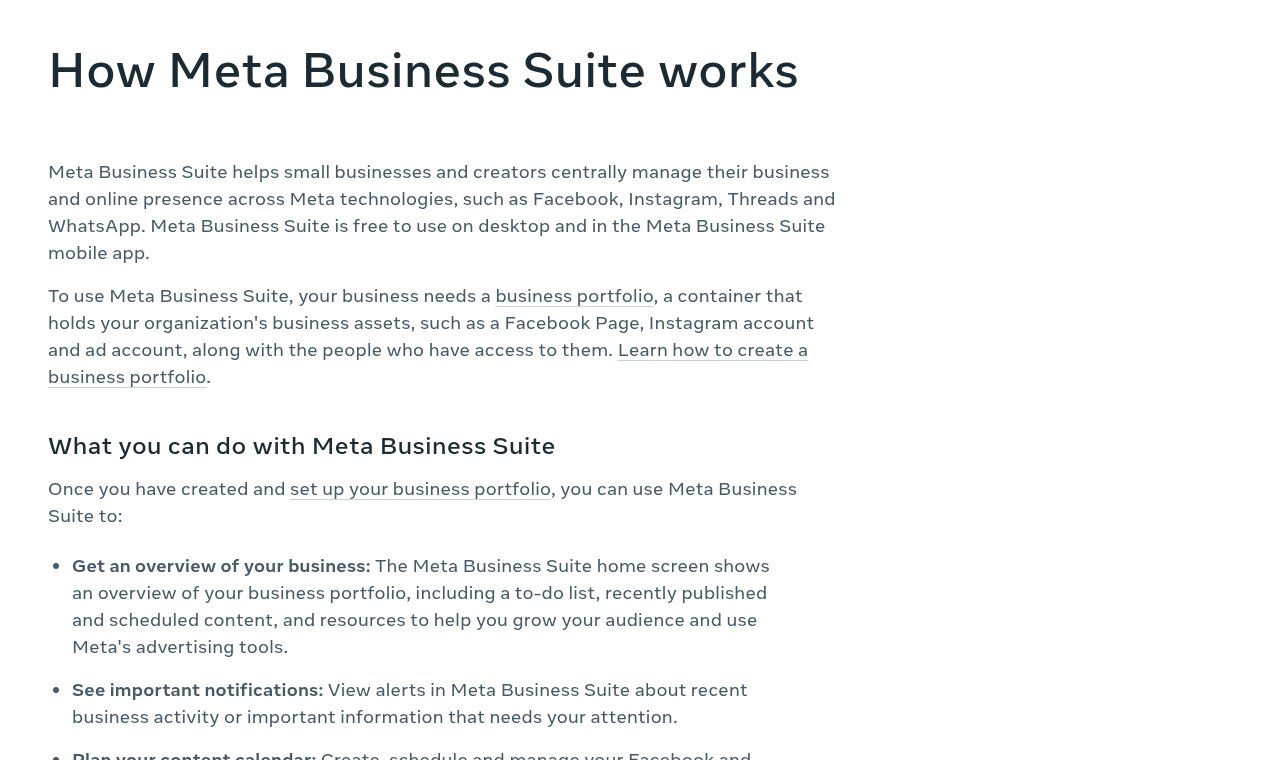
Source: Meta Business Help Center, “How Meta Business Suite works” (facebook.com/business/help), screenshot taken 22/11/2026.
Is Meta Business Suite free?
Yes. There is no Meta Business Suite subscription and no “premium” version to buy. Scheduling posts, replying to messages, reading insights and setting up automatic replies cost nothing. What you pay for are the ads you decide to run, at the budget you set.
Watch out for two traps we see regularly. The first: messages pretending to be “Meta Support” that threaten to disable your Page unless you click a link. Meta does not contact you that way; always open business.facebook.com yourself. The second: sellers offering “Business Suite access” or a “verified Page” for a fee. The tool is free, and access bought from a stranger is access you do not control. Our article on phishing in small businesses covers these scams in detail.
What changes in November 2026: creators move, businesses stay
On 18 November 2026, Meta announced that the tools aimed at creators (publishing, scheduling, insights, inbox, monetisation) are now grouped in Facebook’s Creator Dashboard on desktop, formerly the “Professional Dashboard” (coverage of the announcement). Business Dashboard remains the home for businesses.
For an SME, NGO or government office, nothing changes in the short term: Meta has not announced the end of Business Suite for businesses. However, if your organisation leans on a personality (a highly visible founder, a trainer, an artist), some screens may move for that person’s profile. Do not panic if a menu “disappears”: it has probably just moved.
Logging in to Meta Business Suite (and the “for PC” question)
On a computer, Meta Business Suite opens in your browser at business.facebook.com. There is no software to download for Windows or Mac: be wary of sites offering a “Meta Business Suite for PC” as an .exe or .apk, that is not Meta. On a phone, you need the Meta Business Suite app, available on Google Play and the App Store; the regular Facebook app does not cover everything.
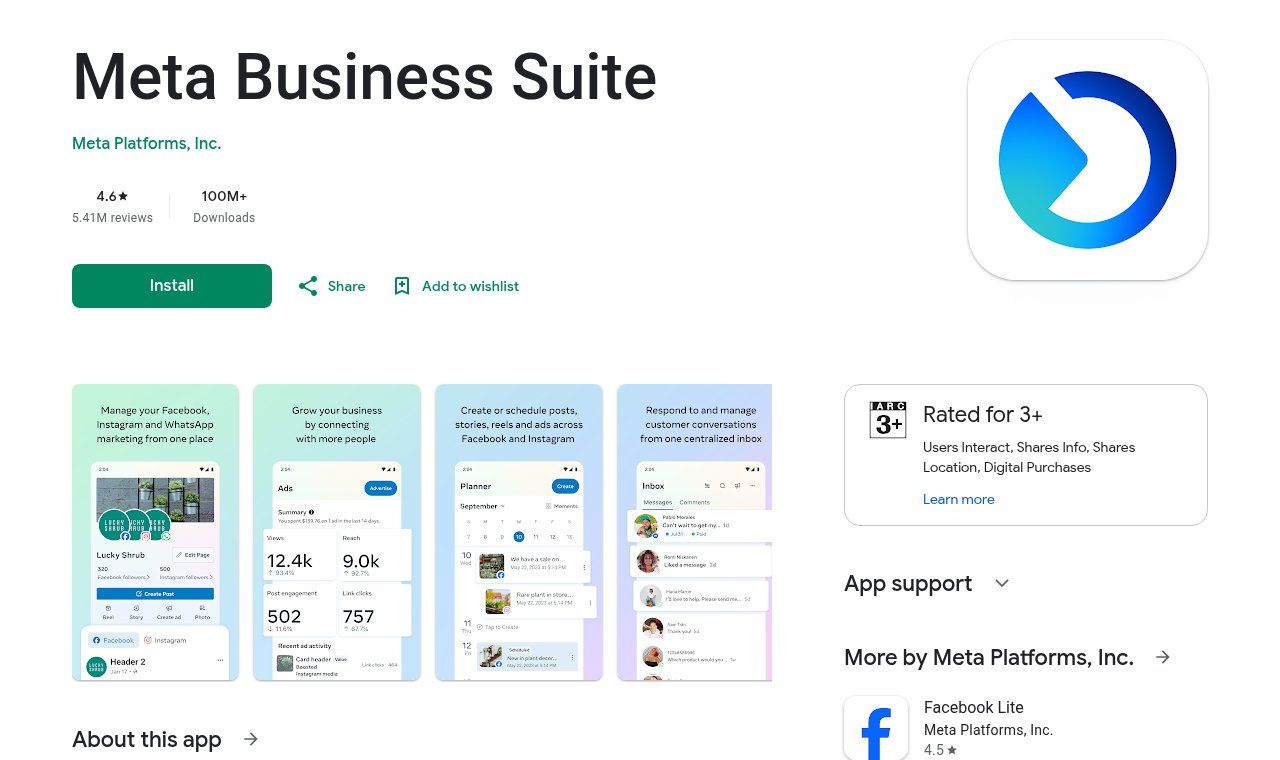
Source: Google Play listing “Meta Business Suite” (Meta Platforms, Inc.), screenshot taken 22/11/2026.
You log in with your Facebook account (or, in some cases, Instagram). That is normal: at Meta, business tools are accessed through a personal account that is then granted rights over the company’s assets. What is not normal is creating a fake “Shop Whatever” profile to run the Page, or sharing the owner’s profile password. Both end badly.
The most common login problems
- The Page does not show up: you are logged in with the wrong profile, or in the wrong portfolio (top-left menu), or nobody has given you access. Ask an admin to check.
- Instagram is missing: the account is still personal. Switch it to a professional account and connect it to the Page in settings.
- Two-factor code unavailable: new phone, old SIM. Use a saved recovery code; otherwise follow Meta’s account recovery steps.
- Blank page or login loop: try a private window or another browser, then clear facebook.com cookies.
- Account restricted or disabled: follow Meta’s on-screen steps; if you were hacked, start at facebook.com/hacked.
Setting up Meta Business Suite properly, in 7 steps
If you do only one thing after reading this guide, do this. A clean setup takes about an hour; recovering a lost Page can take weeks, when it is possible at all.
- Create (or find) the business portfolio in the organisation’s name, using a business email address you control, ideally on your own domain.
- Add the Facebook Page to the portfolio. If a contractor or former employee created it, now is the time to get it back: whoever holds it must first remove it from their own portfolio.
- Connect the professional Instagram account to the Page and to the same portfolio.
- Add your WhatsApp Business account under Settings, then WhatsApp accounts. Only WhatsApp Business accounts can be added, and each can belong to only one portfolio.
- Appoint at least two admins with full control, two trusted people inside the organisation. Never just one: if that account is hacked or the person leaves, you are locked out.
- Turn on two-factor authentication for everyone, preferably with an authenticator app rather than SMS, and require it across the whole portfolio.
- Give everyone else partial access: content, messages, insights or ads, depending on their role. Your social media manager does not need full control to schedule posts.
How to schedule a post in Meta Business Suite
This is the feature most people open the tool for, and it works well. On desktop, the steps are:
- Open business.facebook.com and check, top left, that the right Page is selected.
- Click Create post (or Create reel, Create story) from Home, the Content tab or the Planner.
- Choose where to post: the Facebook Page, the Instagram account, or both. If they are connected, Meta selects both by default; untick one if needed.
- Add photos or video, then your text. You can customise the text for Facebook and for Instagram: a clickable link on one side, keywords and an invitation to send a message on the other.
- In the scheduling options, switch on Set date and time, then pick a slot for each platform.
- Click Schedule. The post appears in the Planner’s calendar view, where you can move or edit it.
A few useful rules. Business Suite publishes to a Page, a professional Instagram account or a Facebook group, not to a personal profile. For a Page, Meta’s help says you can schedule up to 29 days ahead, which is plenty for a monthly calendar. The button that suggests “times when your audience is most active” relies on a short window; compare it with your own numbers over several weeks before following it blindly.
Our most profitable advice: prepare your visuals in one sitting (in Canva, for instance), write all the month’s captions at once, and schedule everything on the first Monday of the month. Then keep time each week for timely posts. A Page that is 100% scheduled sounds fake.
The unified inbox and WhatsApp Business
In our view, this is the most underrated feature. The Business Suite inbox brings together messages and comments from your Page, Messenger, Instagram and your WhatsApp Business account. Several people can reply from a computer, assign conversations to each other and see which ones are still waiting. For a small sales team or an information desk, it is a real gain.
Syncing the WhatsApp Business app with this inbox is not available everywhere. As of 22 November 2026, Meta’s help page excludes Australia, Japan, Nigeria, the Philippines, Russia, South Africa, South Korea, Turkey, the European Economic Area, the European Union and the United Kingdom. Benin, Côte d’Ivoire, Senegal and Cameroon are not on that list, but Meta says the feature is only open in certain regions: if the WhatsApp tab does not appear in your inbox, it may simply not be switched on for your account yet. Businesses in the UK or the EU will need another route.
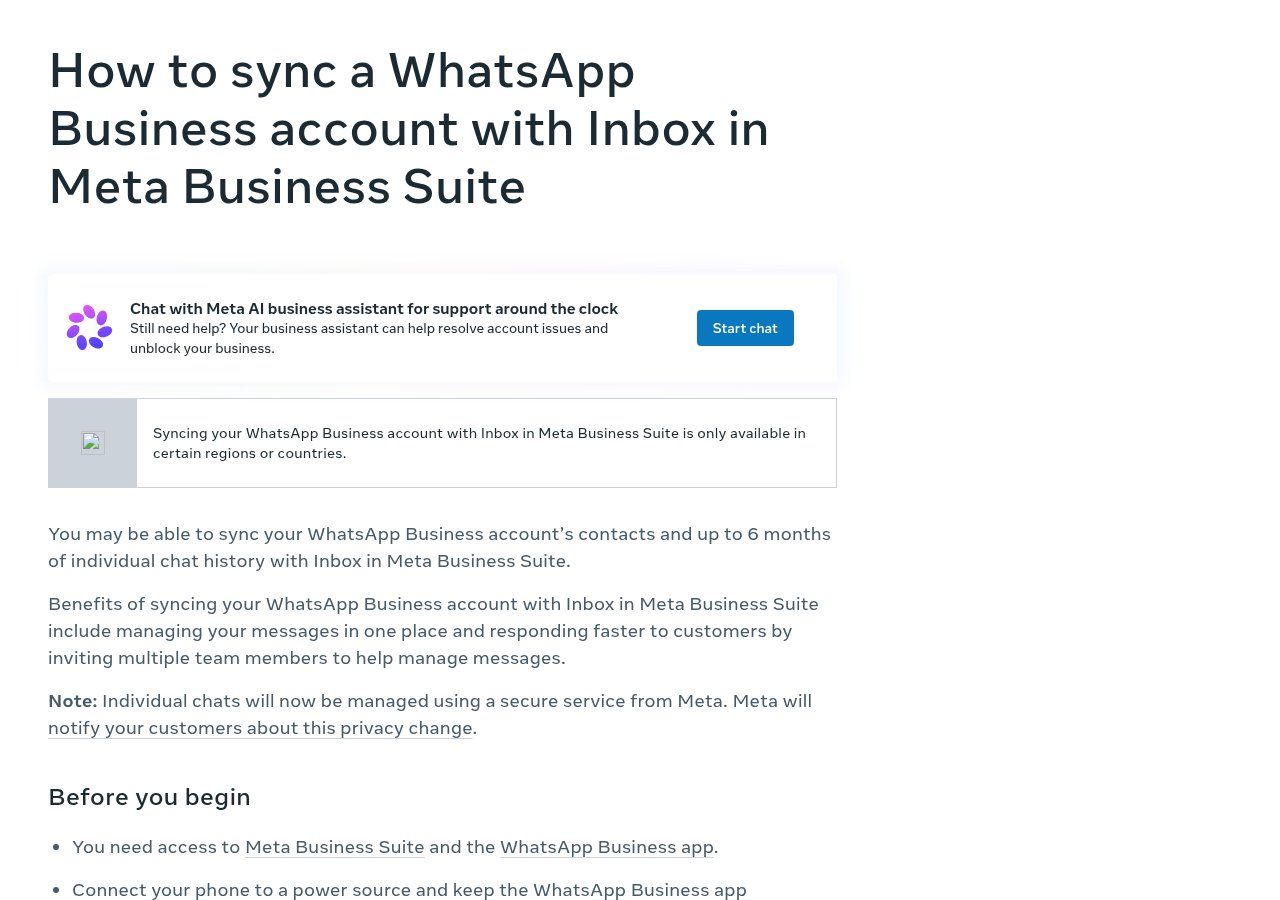
Source: Meta Business Help Center, “How to sync a WhatsApp Business account with Inbox in Meta Business Suite”, screenshot taken 22/11/2026.
Before you connect your number, know the limits Meta lists:
- only contacts and up to six months of individual chat history are brought over;
- groups and status are not available in the inbox (you keep managing them in the app);
- you must open the WhatsApp Business app at least once every 20 days, or the sync disconnects and has to be set up again;
- Meta notifies your customers that their chats are now handled by a secure service from Meta.
Our take: for a team of two to five people answering customers, it is an excellent free solution, often better than passing a phone around or piling up linked devices (see our guide to WhatsApp on a computer). Beyond that, or as soon as you want to connect WhatsApp to a CRM, a website or a chatbot, the WhatsApp Business API is what you should look at.
Automatic replies: useful, as long as they stay simple
Business Suite offers inbox automations for Facebook, Instagram and WhatsApp Business. According to Meta’s help, they include:
- instant reply, sent to someone’s first message;
- away message, when you are not available;
- frequently asked questions, suggested to the person writing to you, with their answers;
- replies about your location, contact details and hours;
- custom keywords (desktop only): up to five words or phrases, case-sensitive, with the reply sent after 15 minutes if nobody has answered first;
- comment to message (desktop only): a private reply when a comment contains a specific hashtag.
A detail few guides mention: if you turn on Meta’s AI agent (Meta Business Agent), your existing automations, such as away messages or instant replies, are paused. So test one or the other, not both blindly.
Our position is firm: an automatic reply should say what happens next (“we reply between 8 am and 6 pm, here are our prices and our catalogue”), not imitate a conversation. For ready-to-use wording, see our WhatsApp Business auto-reply templates.
Insights: five numbers to watch, not fifty
The Insights tab shows reach, activity on your content and audience information. It quickly gets overwhelming. For an SME or NGO, we recommend tracking only these each month:
- messages received (Messenger, Instagram, WhatsApp): the closest number to real demand;
- link clicks (website, form, WhatsApp link);
- post reach, to see whether your content gets beyond your followers;
- the month’s three best posts, to understand what works;
- follower growth, last, because it is the least useful of the five.
Likes feel good; messages pay the bills. If you want to connect these numbers to what happens on your website, add click tracking with Google Tag Manager and bring it all together in a KPI dashboard.
Boost a post or use Ads Manager?
Business Suite lets you boost a post in a few clicks and create simple ads, for example to get people to message you on WhatsApp or Messenger. For a neighbourhood shop, a training course or an event, that is often enough. Ads Manager becomes useful when you want to test several visuals, target more precisely, or track what happens after the click on your website.
Two practical tips for West Africa. First check, under Billing and payments, which payment methods Meta offers for your ad account: that is often where things get stuck. And never pay for the company’s ads from an employee’s personal ad account; the day they leave, the history and audiences leave with them.
Security and access: the part everyone neglects
Every month, organisations lose their Page because their only admin was hacked, because a contractor kept it in their own portfolio, or because the person who created it left. Here are our non-negotiable rules:
- Never hand over a password. Add the person with their own account and only the rights they need.
- Partial access by default: content, messages, ads or insights. Full control lets someone add or remove admins, and even delete the Page.
- Agencies and contractors: partner access. Their portfolio can work on your assets, but ownership stays in yours. It is exactly what we ask of our own clients.
- At least two admins, with app-based two-factor authentication.
- Quarterly access review: remove former employees, interns and contractors as soon as they leave.
- Zero trust in “Meta Support” messages received via Messenger, email or WhatsApp.
If the worst happens: secure the account first at facebook.com/hacked, remove any people and partners you do not recognise, then contact Business Support. When the Page is held by an unreachable former employee or contractor, Meta offers a Page admin dispute process requiring an ID, an attestation letter and proof of ownership. Better never to get there. The same logic applies to your number: see our guide to a hacked WhatsApp Business account.
What Meta Business Suite does not do
Let’s be honest about its limits, because that is where disappointment comes from:
- It only handles Meta. No TikTok, LinkedIn or YouTube. If those matter to you, you will need a third-party tool (Metricool, Buffer, Hootsuite and others), often paid beyond a certain usage.
- It does not post to a personal profile, only to a Page, a professional Instagram account or a group.
- It is not a CRM. You cannot see at a glance which customer has already ordered, how much they spent or where they are in the process.
- Automations stay basic: no complex conditional logic, no link to your stock, invoices or calendar.
- Insights are limited for long-term comparisons and for reports to a board or a donor.
- The interface changes often, and menus are not always named the same way across accounts and countries.
When to go further: automation, chatbot and CRM
Business Suite is an excellent starting point, and many organisations need nothing else for a long time. The signs that it is time to move up are fairly clear:
- you receive more messages than the team can handle, and customers wait for hours;
- the same questions keep coming (prices, availability, lead times) and could be handled by a WhatsApp chatbot connected to your real data;
- you manually copy contacts from Messenger or WhatsApp into a spreadsheet or CRM;
- you want to follow up automatically with prospects who asked for a quote, or send a reminder before an appointment.
That is where automation tools like n8n or Make come in, connected to the WhatsApp Business API and Meta’s APIs (see our n8n or Make comparison), with a CRM at the centre, as in our article on the website, WhatsApp and CRM trio for SMEs. It does not replace Business Suite: often the team keeps posting and replying from Business Suite, and automation takes care of the rest.
A 30-minute weekly routine
A tool is useless without a habit. Here is the routine we recommend to a small organisation:
- Monday, 10 minutes: check the week’s Planner, add a news post if needed.
- Every day, two passes through the inbox at fixed times, aiming to leave no message unanswered for more than a few hours.
- Friday, 10 minutes: look at the week’s messages and clicks, note the post that performed best.
- Once a month: prepare and schedule next month’s content, reread the automatic replies, check the access list.
The 7 mistakes we see most often
- A Page created and run by a single employee, or by the contractor who designed the logo.
- A password shared in the team’s WhatsApp group.
- Full control given to everyone “so that it works”.
- An Instagram account left personal, and therefore invisible in Business Suite.
- Automatic replies promising a call-back that nobody makes.
- Ads paid from a personal account.
- Scheduling everything three months ahead, then never looking at the inbox again.
Use cases for SMEs, NGOs and public bodies
- A shop or restaurant: schedule the week’s promotions, answer WhatsApp and Instagram orders from a computer, and point people to the WhatsApp catalogue.
- A school or training centre: plan enrolment announcements, use FAQs for fees and dates, track messages received during the campaign.
- An NGO: publish field activities on Facebook and Instagram, give a volunteer access without handing over the Page, keep insights for partner reports.
- A town hall, public service or professional association: share scheduled announcements, answer recurring questions with sober automatic messages, and add a WhatsApp channel for broadcasts.
- A firm or service SME: centralise quote requests, then feed them into a sales funnel and a proper sales follow-up.
How much does Guelichweb’s support cost?
Meta Business Suite is free. What we charge for is the work around it: cleaning up access and the business portfolio, securing accounts, connecting WhatsApp, writing useful automatic replies, training the team and, when it makes sense, automating message follow-up with n8n, a chatbot or a CRM. Since every situation is different (number of Pages, people involved, state of access), we do not quote fixed prices: we prepare a quote after a diagnosis, as explained on our offers page. Details of what we do are on our services page.
FAQ: Meta Business Suite
Is Meta Business Suite really free?
Yes, on desktop and on mobile. Only ads cost money, at the budget you choose.
Do I need to download Meta Business Suite for PC?
No. On a computer it runs in the browser at business.facebook.com. Only the mobile app is downloaded, from Google Play or the App Store.
What is the difference from Business Manager?
Business Manager is now called the “business portfolio”: the container that owns your Pages, accounts and access. Meta Business Suite is where you work with those assets every day.
Can I manage WhatsApp Business in Meta Business Suite from Benin?
Benin is not on the list of excluded countries published by Meta as of 22 November 2026, but the feature is only open in certain regions. If the WhatsApp tab appears in your inbox, you can sync your WhatsApp Business account; if not, try again later or use the WhatsApp Business API.
Can I schedule posts to a personal Facebook profile?
No. Business Suite publishes to a Page, a professional Instagram account or a Facebook group. For business activity, you need a Page.
How do I give my social media manager access without sharing my password?
In Business Suite settings, add the person to the portfolio with their own account, then give them partial access to the Page (content, messages, insights). For an agency, use partner access.
I lost access to my Page. What should I do?
First ask another admin to add you back. If you were hacked, go to facebook.com/hacked. If a former employee or contractor holds the Page, Meta’s Page admin dispute process can help, provided you can prove you own it.
In short
Meta Business Suite will not make you visible on its own, and it will not replace a website or proper sales follow-up. But for an organisation that lives on Facebook, Instagram and WhatsApp, it is the foundation: one place to post, reply and measure, and above all a clean way to control who has access to what. Sort out the portfolio and access first, schedule next, automate last.
Want us to review the state of your Meta access, or connect your WhatsApp messages to automated customer follow-up? Contact Guelichweb: we always start with a diagnosis.