WhatsApp channel: what it is, how to create one and use it for your business (2026 guide)
G. CHRIST
Published on November 21, 2026
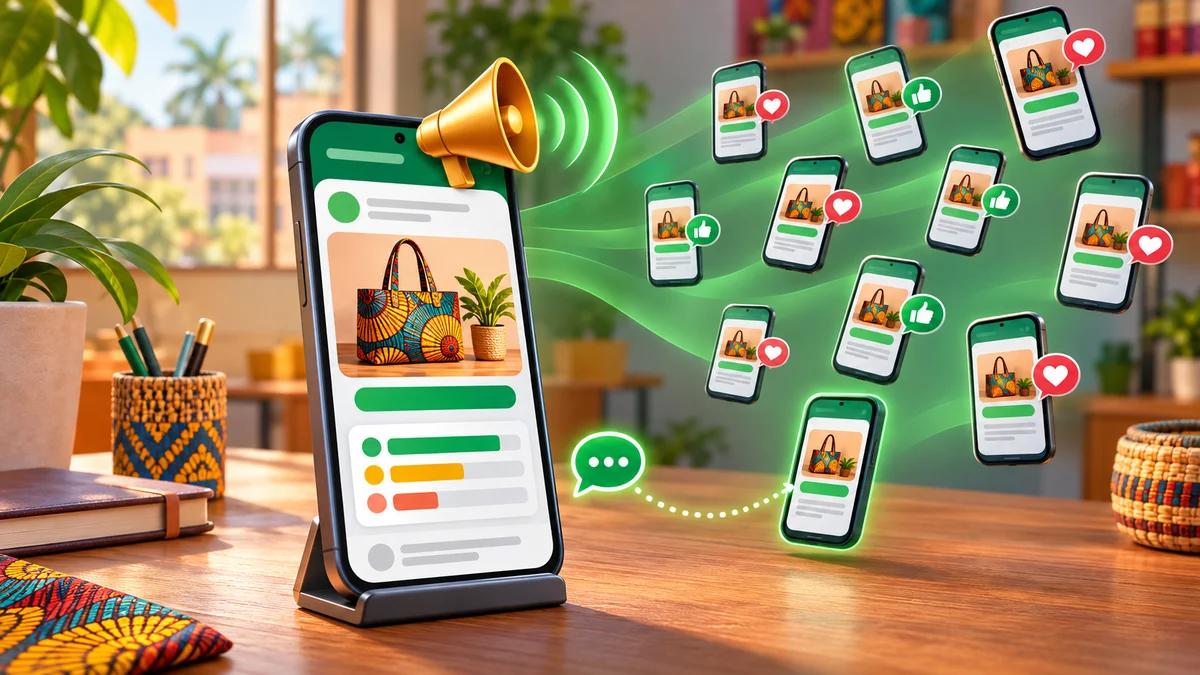
You post the same promotion in three groups, ten statuses and a broadcast list that only reaches half the people on it. Customers complain they are being spammed, one group drifts into a political argument, and your personal number ends up with strangers. There is a tool built for exactly this problem, and many businesses still ignore it: the WhatsApp channel.
In this guide we explain what a WhatsApp channel is, how it differs from a group, a community or a broadcast list, how to create one from WhatsApp Business, what to post and how to grow it without buying fake followers. We also cover what it does not do, because that is where most SMEs, NGOs and public institutions waste time. Everything here was checked against WhatsApp’s help pages on 21 November 2026.
What is a WhatsApp channel, in one sentence?
A WhatsApp channel is a public, one-way announcement feed: you post, your followers read, react with an emoji or vote in a poll, but they cannot reply. It lives in the app’s Updates tab, next to Status, not in the chat list.
Think of a digital notice board in front of your shop, or a ministry’s news page, delivered straight to the phones of people who chose to follow you. WhatsApp itself describes channels as a “broadcast” service: one voice speaking to many people.
Official WhatsApp logo (Meta). Channels are available in both WhatsApp and WhatsApp Business.
In practice, a channel can publish text, images, videos, stickers, links, audio and polls. No follower limit is announced, which already sets it apart from a group.
What your followers see, and what they don’t
This is the point that convinces our clients most often, and the one that is explained the least. According to WhatsApp Business help:
- Your number stays hidden. For a channel created from WhatsApp Business, followers do not see the business profile name, profile picture or phone number. That is a real improvement over groups, where every member sees everyone else’s number.
- Followers cannot see each other. Nobody can harvest your customer list to sell to them behind your back.
- They cannot message you from the channel. For a question or an order, they have to start a normal chat with your number. We come back to this below, because it is the main trap.
- Admins can see each other. If you hand the channel to an agency or an intern, they will see the other admins’ details.
- The channel is public. Anyone can find it, follow it and read the updates. Never post anything you would not put on a poster.
One more detail that changes how you measure results: a follower does not necessarily get a notification for every update. Many people only open the Updates tab now and then. A follower count is therefore not a count of people alerted.
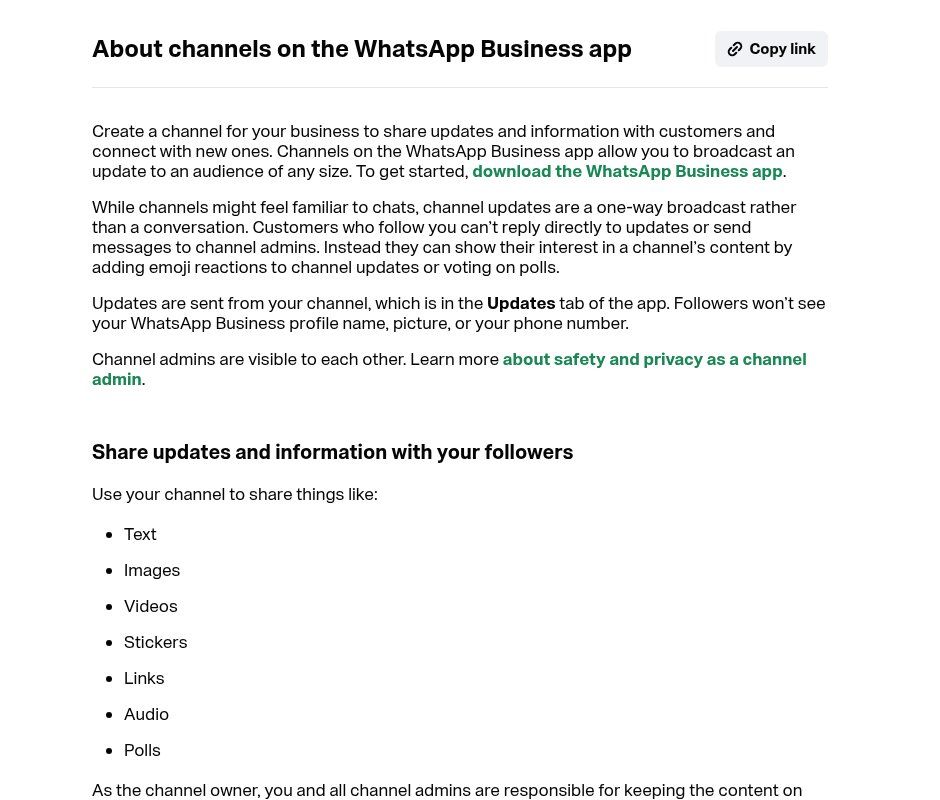
Source: faq.whatsapp.com, “About channels on the WhatsApp Business app”, screenshot taken 21/11/2026.
Channel, group, community, broadcast list or Status: which one should you use?
The question we hear most is not “how do I create a channel” but “do I even need one if I already have a group?”. Here is our tool-by-tool view.
The channel: announce to many people, quietly
One-way, unlimited followers, hidden number, voluntary follow. Ideal for promotions, new arrivals, opening hours and official notices. Weak for customer service, since nobody can reply.
The group: conversation, but at small scale
Everybody talks and everybody sees everybody’s number. A group is capped at 1,024 members; WhatsApp is gradually rolling out a 1,500 cap, according to WABetaInfo as reported by iPhoneSoft on 20 November 2026. Great for a team, a training cohort or a small circle of loyal customers. A poor choice for pushing promotions to hundreds of strangers: it is the fastest route to mass exits and spam reports.
The community: several groups under one roof
A community brings together up to 100 groups with a shared Announcements group, and 2,000 members in total according to WhatsApp help. Useful for a school, an association, a federation or a network of outlets. Note that you cannot create a community from the WhatsApp Business app for now, only from the regular WhatsApp app.
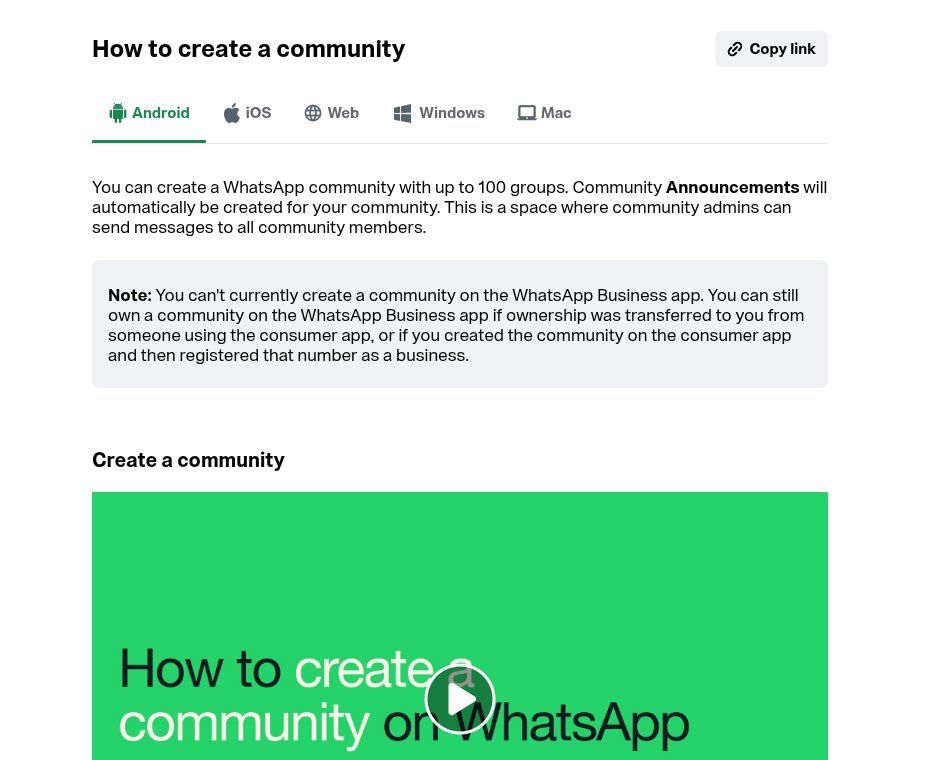
Source: faq.whatsapp.com, “How to create a community”, screenshot taken 21/11/2026.
The broadcast list: one-to-one, in bulk
Each recipient gets the message privately and can reply. But a list is limited to 256 contacts, and only people who saved your number receive it. On WhatsApp Business, this kind of sending is increasingly restricted in 2026; we covered it in our article on banned or restricted WhatsApp accounts.
Status: visible for 24 hours, to your contacts
Free, quick and effective with people who already have your number. But it disappears after 24 hours and never reaches anyone who has not saved you.
Our simple rule: the channel to announce, the private chat to sell and serve, the group to work together. Mix the three and you end up with a noisy group everybody mutes.
When a channel pays off, and when it wastes your time
We do not recommend a channel to everyone. It works when you have something to say regularly to an audience that has a reason to follow you.
It makes sense for:
- a shop or supermarket posting new stock, promotions and sold-out alerts;
- a restaurant or street-food spot announcing the dish of the day and unexpected closures;
- a school, training centre or university sharing calendars, results and reminders;
- an NGO informing beneficiaries, volunteers and partners (campaigns, distributions, calls for applications);
- a town hall, public agency or institution that needs an official, recognisable channel without exposing a staff member’s number;
- a B2B service provider sharing short tips and availability.
It disappoints when: you have nothing to post more than once a month, when your business is mostly case-by-case negotiation, or when you hope it will replace real customer service. A channel nobody can reply to is a megaphone, not a front desk.
How to create a WhatsApp channel step by step (Android, iPhone, WhatsApp Business)
You create a channel from your phone in a few minutes. The steps below follow the official help page:
- Update WhatsApp or WhatsApp Business. Channels are being rolled out gradually: if the option is missing, it is not necessarily something you did wrong.
- Open the Updates tab, then the menu (the three dots, or the + button).
- Tap Create channel, then Continue.
- Enter the channel name. Add a description and an icon (both optional and editable later).
- Tap Create channel.
- Invite contacts, or tap Skip to do it later. You can add a message to the invitation.
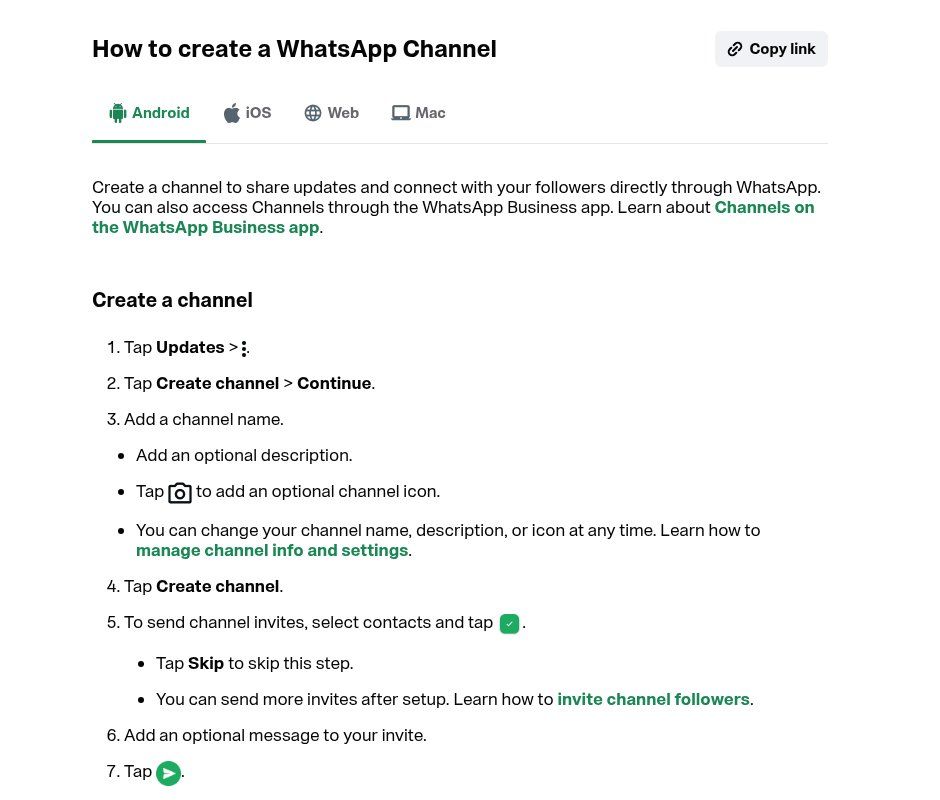
Source: faq.whatsapp.com, “How to create a WhatsApp channel”, screenshot taken 21/11/2026.
Two decisions matter more than the rest. First, create the channel from the organisation’s WhatsApp Business account, not from an employee’s personal number: the day that person leaves, you do not want to lose the channel. Second, add at least one more trusted admin (up to 16 are allowed). A channel run by a single person is a channel that stops while they are on holiday.
A word of caution about invitations: according to WhatsApp help, an invitation is sent as a chat message from your account, so the person invited sees your number. To keep the number discreet, share the channel link instead.
Set it up properly before you share the link
First visitors decide in seconds. Before announcing the channel, sort out these five points:
- Name: your brand or institution name, with no emoji or slogan. It is what people will type in search.
- Description: two sentences. What people get, how often, and where to message you. Example: “New stock, deals and opening hours from our shop, 3 times a week. To order: wa.me/229XXXXXXXX”.
- Icon: the logo you already use elsewhere, so people recognise you instantly and impostors are easier to spot.
- Links: your website and your chat link. Without them, an interested follower does not know where to buy.
- Three or four first updates posted before you share the link. Nobody follows an empty feed.
How to get followers for your WhatsApp channel (without cheating)
Every channel has a link (in the whatsapp.com/channel/… format) and a QR code. Most of your growth will come from there, not from the directory. Here is what works in the West African context, where many customers discover a business through word of mouth and social media:
- On your website: a “Follow our channel” button in the header or footer, next to the usual WhatsApp button. It is often the most stable source.
- In store and on printed material: a QR code at the till, on bags, invoices, business cards and event posters. We explain how to generate a clean QR code in our guide to wa.me links and WhatsApp QR codes.
- In your statuses and replies: at the end of a chat with a happy customer, one line is enough: “Never miss a deal, follow our channel: [link]”.
- In your WhatsApp Business greeting message. See our auto-reply examples.
- On Facebook, Instagram, TikTok and in your emails: wherever your audience already is.
- Through partners: a school can share a bookshop’s channel, an NGO a partner programme’s channel. An honest visibility swap beats a thousand bought followers.
WhatsApp’s built-in directory sorts channels by country, language and activity. You can appear there, but do not rely on it at first: recommended channels are mostly the ones that already have followers and reactions.
And let us be clear about services selling “1,000 WhatsApp followers for a few dollars”: they are ghost accounts. They read nothing, distort your statistics, and the channel guidelines allow suspension for manipulation. Three hundred real customers beat ten thousand unknown numbers.
What to post on a business channel: 12 concrete ideas
The best channel content is short, useful and tied to an action. These formats work well, grouped by type of organisation:
- Retail: photos of new stock, today’s prices, “last items” alerts, back-in-stock notices, holiday opening hours.
- Food: dish of the day, weekend special, unexpected closure, a poll asking “which dish do you want on Saturday?”.
- Services: available slots this week, a three-line practical tip, a before/after of a project (with the client’s consent).
- School or training centre: enrolment calendar, exam reminders, results published on the website (the link, not the names).
- NGO: campaign launch, distribution places and dates, call for volunteers, short activity report with a link to the PDF.
- Institution: official notice, correction of a false rumour, procedure reminder with a link to the online form.
Polls are underused. They cost a follower ten seconds and give you real information: which product to order, which time slot people prefer, which topic to cover in the next training session.
A writing tip: one update = one idea = one action. “New wax prints in, 40 designs, order here: [link]” works better than a long paragraph mixing a promotion, opening hours and holiday greetings.
How often should you post?
Our position: two to five updates a week for an SME, one or two for an institution. More than that and followers mute or leave; less than once a week and they forget why they followed you.
Prepare a simple monthly calendar in a spreadsheet: one column for the date, one for the format (photo, poll, tip, promotion), one for the link. One hour a month to plan, ten minutes per update to post. That is all it takes to keep going over time.
Measuring results: channel insights
Admins can see 30-day insights: channel growth and reach, accounts reached, top regions, followers gained or lost, reactions and poll results. Useful, but it does not tell you how many sales the channel produced.
To find out, add UTM parameters to the links you post (for example ?utm_source=whatsapp&utm_medium=channel) and track them in Google Analytics 4. If your links open a WhatsApp chat, use a dedicated pre-filled message (“Hello, I saw your channel and I would like…”): you will know straight away where the customer came from. Click tracking can be refined with Google Tag Manager.
The three indicators we watch first: net follower growth per month, clicks on the links you post, and the number of chats opened with the channel’s pre-filled message. Reactions are a bonus, not a goal.
Paid WhatsApp channels and monetisation: the reality in 2026
Searches about paid WhatsApp channels are common, and so are online promises. Here is what actually exists.
- Channel subscriptions let followers pay a monthly fee for exclusive updates. WhatsApp says it is rolling them out gradually to a select group of channels; payment goes through Google Play or the App Store, and they are not yet available in the WhatsApp Business app. No official country list is published: if the option does not appear in your settings, it is not available to you.
- Promoted channels are the opposite: you pay Meta to be featured in the directory. WhatsApp announced their global availability in February 2026, together with ads in Status (see WABetaInfo).
- Ads in Status appear in the Updates tab. Nothing indicates that channel admins receive a share of that revenue.
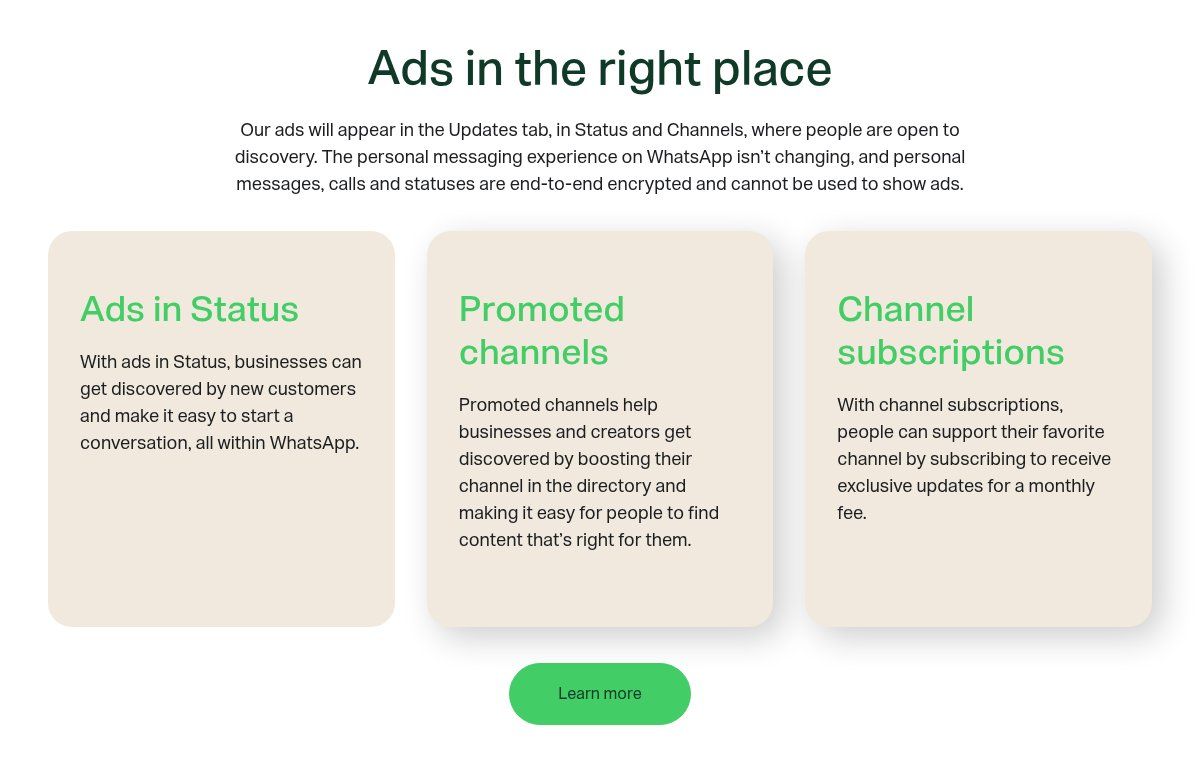
Source: business.whatsapp.com, “Ads in Status and Channels Policy”, screenshot taken 21/11/2026.
Our view: for a business, a channel is not a revenue stream in itself. It pays indirectly, by bringing customers back to your catalogue, your website or a sales chat. Build your plan on that, not on a subscription feature that may not be open in your country yet.
WhatsApp channels: the risks to know about
People often search for whether WhatsApp channels are dangerous. The risks are real, but they come from how channels are used, not from the tool itself.
- Scams on channels: “100% sure” betting tips, miracle investments, fake job offers, crypto schemes. A channel is public and anyone can create one.
- Brand impersonation: someone creates a channel with your name and logo to trap your customers. Publish your official channel link on your website and social accounts, and report impostors from the app.
- Public content: channel updates do not get the end-to-end encryption that protects private chats, and WhatsApp may review them to enforce its rules. Customer or beneficiary personal data has no place on a channel.
- Suspension: a channel that breaks the channel guidelines can be restricted or suspended. Misleading content, unauthorised gambling and bought followers are classic risks.
- Account takeover: if the WhatsApp Business account is hijacked, the channel goes with it. Turn on two-step verification; our guide to a hacked WhatsApp Business account covers protection, and our article on phishing helps you train your team.
Can you automate a WhatsApp channel?
Short answer: not the posting itself, not cleanly. Meta does not document an API to create or feed a channel, and the WhatsApp Business API is for conversations, not channels. Tools that promise to “schedule your channel updates” often work through WhatsApp Web by imitating a human. That is exactly the kind of practice that leads to account restrictions.
However, a lot around the channel automates very well with n8n or Make:
- preparing the week’s updates from a spreadsheet or a product catalogue, so all that is left is to paste them;
- generating UTM links and pre-filled messages automatically;
- handling the chats that come from the channel with a WhatsApp chatbot connected to the official API: FAQs, order taking, hand-over to a human;
- saving every new contact in a CRM with “channel” as the source.
That is where a channel becomes a real sales tool: it grabs attention, the chat takes over, the CRM keeps the memory. We build this kind of setup in Benin; our WhatsApp chatbot with n8n page shows how.
The channel as part of a complete setup
A channel on its own soon hits a ceiling. The setup that works for most of the SMEs and NGOs we support has four building blocks:
- The website: your reference point, which stays yours whatever happens to your accounts. It carries the channel link and the chat button. See our article on the website, WhatsApp and CRM trio.
- The channel: regular, free announcements without exposing a number.
- The WhatsApp Business chat (or the API when volume justifies it): questions, quotes, orders, backed by the catalog.
- A contact list outside WhatsApp: email, customer file, CRM. If your number is ever restricted, you keep in touch with your customers. Email marketing remains an excellent complement.
It is also a simple form of sales funnel: discovery on the channel, interest on the website, decision in the chat.
The 7 most common mistakes
- Creating the channel on the manager’s or an employee’s personal number.
- Turning the channel into a raw catalogue, twenty photos a day with no text or link.
- Forgetting to say where to order: followers cannot reply to the update.
- Buying followers to “look serious”.
- Posting personal data (beneficiary lists, customer numbers, named results).
- Abandoning the channel after three weeks. A dead channel does more harm than no channel at all.
- Plugging in an unofficial tool to automate posting and putting the whole WhatsApp Business account at risk.
Our take at Guelichweb
The WhatsApp channel is one of the few free tools that solves a real problem: reaching many people without exposing numbers or running an unmanageable group. For a shop, a school, an NGO or an institution in French-speaking Africa, where WhatsApp is already the main channel, we recommend it almost every time, on one condition: it must send people somewhere they can actually buy, sign up or ask a question.
If you want to set it up properly, with the website, tracked links, chatbot and CRM taking over, we can help. Our pricing depends on where you start from: we prepare a quote after a short diagnosis, described on our offers page. The easiest way is to write to us through our contact page.
FAQ: WhatsApp channels
Is a WhatsApp channel free?
Yes. Creating a channel, posting and following channels costs nothing. Only paid promotion in the directory and, where it exists, the paid subscription option for followers involve money.
What is the difference between a WhatsApp channel and a group?
In a group, everyone can write and see the others’ numbers, up to 1,024 members (1,500 being rolled out). In a channel, only admins post, followers react without replying, numbers stay hidden and the follower count is not capped.
Can my followers see my phone number?
Not for a channel created from WhatsApp Business: no number, no profile name, no profile picture. Be careful with invitations sent as chat messages, though, because they come from your account.
Why can’t I see the “Create channel” option?
Channel features are being rolled out gradually by country and account. Update the app, check the Updates tab, and try again later if the option is still missing.
Can you make money with a WhatsApp channel?
Indirectly, yes, by bringing customers to your products. Official paid subscriptions are limited to a select group of channels, are not available in WhatsApp Business and go through the app stores. Be wary of courses promising guaranteed income.
Can a channel be private?
No: a channel is public by nature. Anyone with the link, or who finds it in the directory, can view and follow it. For a restricted audience (members, students, staff), a group or a community is a better fit.
How many admins can a channel have?
You can invite up to 16 people to become admins, according to WhatsApp help. They can edit the channel info, post and delete updates and see the insights.
Main sources: WhatsApp help pages “How to create a channel”, “About channels on WhatsApp Business”, “How to create a community”, “Channel subscriptions”; Channels Guidelines; Channels Business Terms; Ads in Status and Channels policy; WABetaInfo (27/02/2026). Accessed 21 November 2026.